Find partners
The Katie Lance Podcast

The Katie Lance Podcast

Hosted by Katie Lance

Episodes

264

Latest episode

Nov 2026

Language

EN

About the show

Welcome to my podcast! Some of you know me as a social media strategist, speaker, author or entrepreneur, but, like so many of us, I wear multiple other hats. In this podcast, I plan to share with you more about what makes me tick, my backstory, how I think about business, parenting and so much more. Of course this wouldn't be a Katie Lance podcast if we didn't talk about social media from time to time!

Listen to episodes

60 recent
November 10, 20263 min

My Favorite Canva Hack for Better Client Communication

Have you ever had a client ask, "Where do I click?" or "Where do I find that?" This simple Canva hack is one I use ALL the time to make client communication easier! In this quick Canva tutorial, I'm showing you how to take a screenshot, upload it into Canva, and add circles, arrows, and other graphics to highlight exactly what someone needs to see. In this video, you'll learn: - How to upload screenshots into Canva - How to add circles and arrows to highlight important information - How to customize graphics with your brand colors - How to download your finished image to share with clients - How real estate agents can use this trick for listings, MLS data, market reports, and more! Sometimes the simplest tools make the biggest difference. It's not just about saving time - it's about helping your clients feel informed, confident, and taken care of. Question for you: Did you know about this Canva trick? And would you like to see more Canva tips? Let me know in the comments! 🏡 Want to get smarter about social media, video marketing, and AI for real estate? Join us inside the #GetSocialSmart Academy! We meet weekly with practical trainings, tools, and resources to help you grow your business without the overwhelm. https://katielance.com/academy CONNECT WITH KATIE: Instagram: https://www.instagram.com/katielance/ Facebook: https://www.facebook.com/katielanceconsulting/ YouTube: https://www.youtube.com/katieLance LinkedIn: https://www.linkedin.com/in/katielance/ TikTok: https://www.tiktok.com/@katie_lance ✨ ADDITIONAL RESOURCES: Website: https://katielance.com/ #GetSocialSmart Academy: https://katielance.com/academy Free content grid: https://www.katielance.com/contentgrid Book me to speak at your event: https://www.katielance.com/speaking My digital shop: https://www.katielance.com/digital-shop WATCH THESE VIDEOS NEXT: How to Add a White Outline to Your Photo in Canva (Easy Tutorial!) https://youtu.be/p_6K8-ONdxk Instagram Hack for Realtors: Add Event Reminders to Your Posts: https://youtu.be/4dDihx05QSo Social Media for Realtors: What's Actually Working Right Now https://www.youtube.com/watch?v=0AIZB--Czzw&t=101s 00:00 Canva Client Communication Hack 00:24 Screenshot to Canva Setup 01:08 Add Circles and Arrows 01:33 Brand Colors and Export 02:09 Why Visuals Help Clients 02:48 Real Estate Use Cases 03:10 More Tips and Join Academy 03:33 Wrap Up and Goodbye
November 3, 20262 min

How to Add a White Outline to Your Photo in Canva (Easy Tutorial!)

Want to know how to add a white outline around yourself in Canva? In this quick Canva tutorial, I'm sharing one of my favorite Canva hacks for creating eye-catching YouTube thumbnails, Instagram graphics, and social media content! I use this simple photo outline effect all the time to make my photos stand out. The best part? It's easy to do, even if you're not a graphic designer! Here's what you'll learn: - How to remove the background from a photo in Canva - Where to find the Outline effect under Shadows - How to adjust the thickness and color of your outline - Why I love using a white outline on my photos - How to use this trick for YouTube thumbnails and social media graphics - Simple ways to make your Canva designs pop! Note: The Background Remover feature demonstrated in this tutorial requires Canva Pro. Whether you're a real estate agent, small business owner, content creator, or just looking to improve your Canva skills, this is a simple trick you'll want to save! 💬 Let's chat! Did you already know about this Canva hack? Let me know in the comments! And if you'd like more Canva tutorials, tell me what you'd love to learn next. 🎓 JOIN THE #GETSOCIALSMART ACADEMY Looking for more Canva tips, social media training, video marketing strategies, and practical AI tools? Join our #GetSocialSmart Academy! We offer weekly training, live classes, helpful resources, and an amazing community to help you work smarter with your marketing. https://katielance.com/academy 📲 LET'S CONNECT! Instagram: https://www.instagram.com/katielance/ Facebook: https://www.facebook.com/katielanceconsulting/ LinkedIn: https://www.linkedin.com/in/katielance/ YouTube: https://www.youtube.com/katieLance TikTok: https://www.tiktok.com/@katie_lance ✨ ADDITIONAL RESOURCES: Website: https://katielance.com/ #GetSocialSmart Academy: https://katielance.com/academy Free content grid: https://www.katielance.com/contentgrid Book me to speak at your event: https://www.katielance.com/speaking My digital shop: https://www.katielance.com/digital-shop 00:00 Canva Outline Intro 00:11 Thumbnail Example 00:18 Create New Design 00:31 Upload And Remove BG 00:51 Add Outline Effect 01:09 Add Background Color 01:43 Customize And Add Elements 01:58 YouTube Thumbnail Examples 02:10 Why Face Thumbnails Work 02:23 Wrap Up And Academy Invite WATCH THIS NEXT: Instagram Hack for Realtors: Add Event Reminders to Your Posts: https://youtu.be/4dDihx05QSo Social Media for Realtors: What's Actually Working Right Now https://www.youtube.com/watch?v=0AIZB--Czzw&t=101s 5 Easy Instagram Reel Ideas for Real Estate Agents (Using Google) https://www.youtube.com/watch?v=am6PPoJpenQ&t=10s **#canva #canvatutorial #canvahacks #getsocialsmart #socialmediatips**

October 29, 20262 min

Instagram Hack for Realtors: Add Event Reminders to Your Posts

Did you know you can add an event date and time directly to your Instagram posts? 📅 This little-known Instagram feature is perfect for Realtors who want to promote open houses, community events, client appreciation parties, and more! In this video, I'm sharing a simple Instagram hack that allows you to add a reminder to your Instagram carousel posts or single-image posts. It's a great way to highlight an upcoming event without creating extra content. If you're a real estate agent looking for easy Instagram tips to help you market your business and connect with your community, you'll love this one! Here's what you'll learn: - How to find the Add Reminder feature on Instagram - How to add an event name, date, and time to your Instagram posts - Where your event reminder appears on Instagram - How event reminders work when you share posts to Stories - Creative ways Realtors can use this feature for open houses, client events, and community activities - Why this is a great Instagram marketing tip for time-sensitive content A few ideas for Realtors: 🏡 Open houses 📅 Community events 🎉 Client appreciation parties ❤️ Local charity events 🏘️ Neighborhood garage sales 💻 Educational workshops and webinars BONUS TIP: This feature isn't just for carousel posts! You may also see the option when creating a single-image post. Keep in mind that Instagram features and availability can vary by account, device, and app version. 💬 LET'S CHAT! Did you know about this Instagram feature? Let me know in the comments! And if you found this helpful, save this video and share it with a Realtor friend who could use this tip. Want to learn more about creating Instagram carousel posts? I recently taught an in-depth 90-minute Instagram Carousels Made Simple class! It's included in the #GetSocialSmart Academy membership, or you can purchase the class separately here: https://www.katielance.com/offers/m2vV2uMA/checkout WATCH THIS NEXT: Social Media for Realtors: What's Actually Working Right Now https://www.youtube.com/watch?v=0AIZB--Czzw&t=101s 5 Easy Instagram Reel Ideas for Real Estate Agents (Using Google) https://www.youtube.com/watch?v=am6PPoJpenQ&t=10s Canva Hack: Mix Photos & Videos in Instagram Carousels! https://www.youtube.com/watch?v=4K_NGvBDUME ADDITIONAL RESOURCES: 🎓 Join the #GetSocialSmart Academy: https://www.katielance.com/academy/ 📅 Free Content Grid for Realtors: https://www.katielance.com/contentgrid 🎤 Book Katie to Speak: https://www.katielance.com/speaking/ 📅 Instagram Carousel Class: https://www.katielance.com/offers/m2vV2uMA/checkout LET'S CONNECT: Follow me for practical social media, video marketing, and AI tips for Realtors! 📸 Instagram: https://www.instagram.com/katielance/ 👍 Facebook: https://www.facebook.com/katielanceconsulting/ 💼 LinkedIn: https://www.linkedin.com/in/katielance/ ▶️ YouTube: https://www.youtube.com/katieLance 🎵 TikTok: https://www.tiktok.com/@katie_lance 00:00 Instagram Reminder Button 00:18 Where to Find It 00:34 Create the Event Reminder 00:51 How It Displays 01:10 Best Use Cases 01:22 Device Notes and Eligibility 01:40 Call to Action and Sharing 01:48 More Carousel Training 02:01 Wrap Up and Goodbye

October 28, 202627 min

Social Media for Realtors: What's Actually Working Right Now?

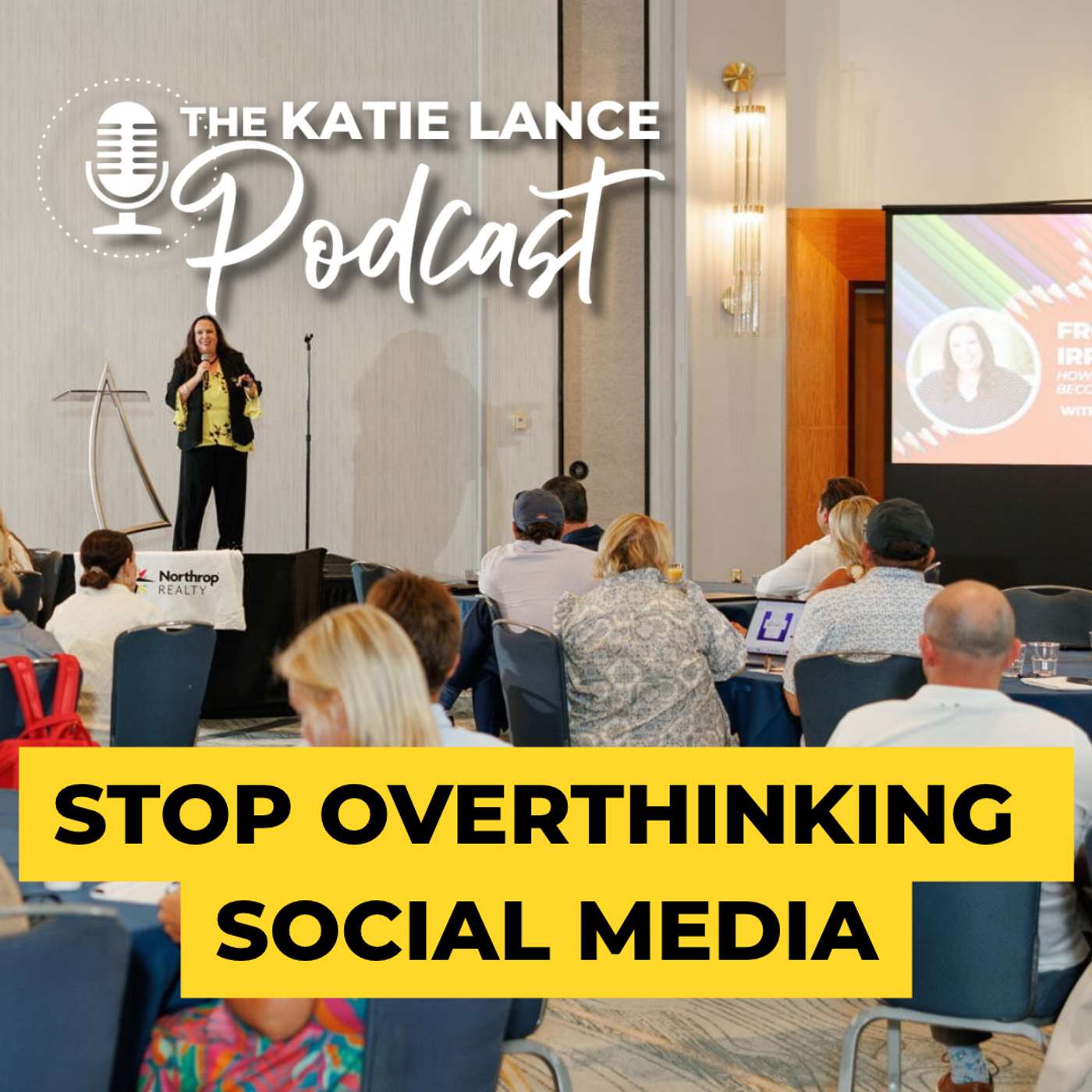
What is actually working on social media for real estate agents right now? 🏡 In this conversation with Creig Northrop at the Northrop Realty Top 20 Retreat, I'm sharing some of my favorite practical social media strategies to help Realtors build trust, stay top of mind, and grow their businesses without feeling overwhelmed! After 20 years in the real estate industry, one thing I know for sure is that social media isn't about going viral or being everywhere. It's about showing up consistently, building relationships, and being YOU! We talk about everything from Instagram and LinkedIn to AI, video marketing, and why meaningful engagement matters more than ever. Here's what you'll learn: ✅ Why authenticity is your biggest advantage in a world of AI ✅ Why consistency matters more than going viral ✅ How to stop overthinking social media and start showing up ✅ Why every Realtor should be creating video content at least once a week ✅ How to choose the right social media platforms for your real estate business ✅ How to use AI without losing your personality ✅ My simple Focus Five strategy to build relationships in just five minutes a day ✅ Why taking online relationships offline is so important One of my favorite reminders? Done is better than perfect! You don't need to be a full-time content creator to be successful in real estate. You just need a simple, sustainable plan that works for YOU. 💬 LET'S CHAT! What's your biggest challenge with social media right now? Is it consistency, video, finding content ideas, or knowing where to spend your time? Let me know in the comments! And if you found this conversation helpful, please give it a thumbs up, subscribe, and share it with another real estate professional. 📚 ADDITIONAL RESOURCES 🎓 Join the #GetSocialSmart Academy: www.katielance.com/academy 📅 Free Content Grid: www.katielance.com/contentgrid 🎤 Book Katie to Speak: www.katielance.com/speaking 🌐 Visit Katie Lance Consulting: www.katielance.com 📲 LET'S CONNECT! Instagram: @katielance Facebook: Katie Lance Consulting LinkedIn: Katie Lance YouTube: Katie Lance TikTok: @katie_lance 00:00 Welcome to Top 20 Retreat 00:47 Meet Katie Lance 01:20 Inman and Social Evolution 02:19 Show Up Authentically Online 03:06 Building Trust Before Calls 04:27 Stay Top of Mind in Sphere 06:15 Beat Overthinking and Post 08:03 Why Consistency Wins 09:50 Weekly Video Content Basics 11:12 Pick Platforms and Start LinkedIn 14:37 Share Your Journey 14:50 Repurpose Across Platforms 15:10 Facebook Groups Strategy 15:26 Soul Sells Branding 15:52 Why Agents Hesitate 17:25 Be Yourself On Video 18:48 Keeping Identity With AI 19:59 Focus Five Weekly Plan 21:20 Meaningful Comments Matter 23:47 Algorithm Reciprocity Explained 26:05 Five Minute Engagement Routine 26:50 Final Takeaways #getsocialsmart #realestatemarketing #socialmediaforrealtors #realtormarketing #realestatesocialmedia

October 27, 20262 min

5 Easy Instagram Reel Ideas for Real Estate Agents (Using Google)

Struggling with what to post on Instagram as a real estate agent? 🏡 In this video, I'm sharing one of my favorite ways to come up with 4–5 Instagram Reel ideas in just five minutes using Google, local community events, and the Instagram green screen feature! If you're a Realtor looking for easy Instagram content ideas, this simple strategy will help you create engaging, hyperlocal videos without spending hours brainstorming, filming, or editing. Here's the secret: You don't have to create everything from scratch! Google is one of the best free tools for finding local content ideas that your audience will actually care about. In this video, I'll show you how to: ✅ Find local events, restaurants, farmers markets, and community happenings using Google ✅ Turn Google search results and local articles into Instagram Reel ideas ✅ Use Instagram's green screen feature to create quick, engaging videos ✅ Create Reels using Instagram, Edits, or CapCut ✅ Add your personality, opinions, and local expertise to your content ✅ Batch 4–5 Instagram Reels quickly, even when you're short on time ✅ Create hyperlocal content that helps you connect with potential buyers and sellers My biggest tip? Don't just share information – share YOUR perspective! Your audience can Google upcoming events themselves. What they can't Google is your personal experience, your favorite things about living in your community, or your unique perspective as a local real estate expert. That's what makes your content stand out! Whether you're a new real estate agent or an experienced Realtor looking for fresh social media ideas, this is a simple strategy you can start using today. 💡 Want more Instagram Reels strategies for real estate? Inside the #GetSocialSmart Academy, we help real estate professionals simplify social media, create better content, and build relationships that lead to business. 🏡 Join the #GetSocialSmart Academy: https://www.katielance.com/academy LET'S CONNECT! I'm Katie Lance, social media strategist, keynote speaker, author, and founder of the #GetSocialSmart Academy. I help real estate agents and brokers get smarter about social media, video marketing, and AI. 👍 If you found this helpful, give this video a thumbs up, subscribe for more real estate social media tips, and leave a comment below! Have you ever used Google's search results to create Instagram Reels? I'd love to hear! 📲 LET'S CONNECT! Follow me for more social media tips, video marketing strategies, and practical ideas for real estate professionals! Instagram: https://www.instagram.com/katielance/ Facebook: https://www.facebook.com/katielanceconsulting/ LinkedIn: https://www.linkedin.com/in/katielance/ YouTube: https://www.youtube.com/katielance TikTok: https://www.tiktok.com/@katie_lance 🔗 ADDITIONAL RESOURCES 🏡 #GetSocialSmart Academy – Join our community for social media training, coaching, and support! https://www.katielance.com/academy 💻 Katie Lance Website – Explore free resources, social media tips, and more! https://www.katielance.com 🎤 Book Katie to Speak – Looking for a keynote speaker or social media trainer for your next event? https://www.katielance.com/speaking 📝 Free Content Grid – Get organized and simplify your social media content planning! https://www.katielance.com/contentgrid 00:00 Five Minute Content Hack 00:06 Find Local Events Fast 00:24 Greenscreen Screenshot Setup 00:36 Add Your Own Take 00:56 Mine Google For More Ideas 01:27 Record Batch Reels Anywhere 01:41 Make It Helpful And Personal 02:05 Wrap Up And Next Steps #realestatemarketing #instagramreels #realtortips

October 23, 20263 min

Canva Hack: Mix Photos & Videos in Instagram Carousels!

Want to create more engaging Instagram carousel posts? In this Canva tutorial, I'm sharing a simple hack to combine photos AND videos into one Instagram carousel design! This is one of my favorite Canva tips for real estate agents, especially if you're creating listing posts, open house promotions, neighborhood highlights, or educational content. In this video, I'll walk you through how to: ✅ Start with a blank Instagram 4:5 design in Canva ✅ Use Canva frames to create a simple photo and video grid ✅ Mix still photos and video clips in the same design ✅ Duplicate pages to create multiple carousel slides ✅ Download your pages separately for Instagram ✅ Repurpose existing B-roll and listing videos into fresh content The best part? You don't need a fancy Canva template! I'm showing you how to create this from scratch using Canva's frames. I recently shared this tip during my 90-minute Instagram Carousel Posts Made Simple class for real estate agents, and it was a big hit! Want to learn more about Instagram carousels? I recently taught an in-depth 90-minute class specifically for real estate agents on how to create better Instagram carousel posts, including design tips, content ideas, and practical Canva tutorials. 👉 Get the class here: https://www.katielance.com/resource_redirect/offers/m2vV2uMA Already a #GetSocialSmart Academy member? This training is included in your membership! 👉 Learn more about the Academy: https://www.katielance.com/academy LET'S CONNECT! I'm Katie Lance, CEO and Co-Founder of Katie Lance Consulting and the #GetSocialSmart Academy. I help real estate agents and brokers get smarter about social media, video marketing, content creation, and AI without spending hours online. Subscribe for practical tips on Instagram, Canva, Reels, content planning, and social media marketing for real estate! Instagram: https://www.instagram.com/katielance/ Facebook: https://www.facebook.com/katielanceconsulting/ LinkedIn: https://www.linkedin.com/in/katielance/ YouTube: https://www.youtube.com/@KatieLance TikTok: https://www.tiktok.com/@katie_lance Question for you: Have you tried mixing photos and videos in your Instagram carousels? Let me know in the comments! And would you like more Canva tips? ADDITIONAL RESOURCES: 🎓 #GetSocialSmart Academy https://www.katielance.com/academy 📅 FREE Content Grid https://www.katielance.com/contentgrid 🎤 Book Katie to Speak https://www.katielance.com/speaking ❤️ Instagram Carousel class: https://www.katielance.com/resource_redirect/offers/m2vV2uMA VIDEOS TO WATCH NEXT: 🔗 Write Your Email Newsletter BEFORE Using AI! (Real Estate Marketing Tip): https://youtu.be/3IhauCOYfT8 🔗 Low Reel Views Don’t Mean It Flopped | Focus on the Right Audience: https://www.youtube.com/watch?v=zIw6p8GuEJA 🔗 Post Faster on Instagram Using iPhone Albums (Carousels & Reels Workflow): https://www.youtube.com/watch?v=SWx56bHIUAc&t=39s 00:00 Carousel Hack Intro 00:35 Set Up Canva Post 00:43 Build Grid Frames 01:06 Add Photos And Videos 01:58 Duplicate For More Slides 02:35 Download Slides Separately 02:57 Wrap Up And More Tips 03:35 Class Plug And Farewell #canvatips #instagramcarousels #realestatemarketing #canvatutorial #getsocialsmart

October 21, 202610 min

#GetSocialSmart Academy Spotlight: Krista Simonson on Authentic Social Media

What does it really take to build an authentic social media presence as a real estate agent? And how can you stand out without trying to be perfect or looking like every other agent online? In this episode of the #GetSocialSmart Academy Spotlight Series, Katie Lance sits down with Krista Simonson, CEO of The Simonson Team with RE/MAX Professionals in the South Denver area, to talk about building community, embracing authentic marketing, and why "done is better than perfect" is one of the most powerful lessons in social media. Krista joined the #GetSocialSmart Academy in 2020 and shares how six years of learning, taking action, and showing up consistently have helped her simplify social media, embrace her personality, and build meaningful relationships. At 57, Krista has even been called an influencer in her community – without trying to be someone she's not! In this conversation, we discuss: - Why authentic social media marketing matters more than ever for real estate agents - How the "done is better than perfect" mindset helps overcome overthinking - Why personalized content stands out more than canned marketing - How to build relationships through Facebook groups, Instagram, and community engagement - Why you don't have to be a technology expert to succeed with social media - How small, consistent actions can create meaningful results - Why taking online relationships offline is essential in real estate - How the #GetSocialSmart Academy helps agents learn practical social media strategies at their own pace One of my favorite takeaways from Krista is that you don't need to wait until everything is perfect to show up online. Your personality, experience, and relationships are what make you different! Whether you're a brand-new real estate agent or you've been in the business for 20+ years, this conversation is a great reminder that it's never too late to learn, grow, and build a social media presence that feels like YOU. Join the #GetSocialSmart Academy! Want to simplify social media, learn what's working, and connect with a supportive community of real estate professionals? Learn more and join us: https://katielance.com/academy CONNECT WITH KRISTA: https://www.instagram.com/thesimonsonteam/ https://www.facebook.com/simonson.team CONNECT WITH KATIE: Website: https://katielance.com Academy: https://katielance.com/academy Instagram: https://www.instagram.com/katielance/ Facebook: https://www.facebook.com/katielance YouTube: https://www.youtube.com/@KatieLance LinkedIn: https://www.linkedin.com/in/katielance/ TikTok: https://www.tiktok.com/@katie_lance ADDITIONAL RESOURCES: 🎓 #GetSocialSmart Academy https://www.katielance.com/academy 📅 FREE Content Grid https://www.katielance.com/contentgrid 🎤 Book Katie to Speak https://www.katielance.com/speaking 📧 Email Newsletter Masterclass https://www.katielance.com/offers/xN9YdWZx/checkout VIDEOS TO WATCH NEXT: 🔗 Write Your Email Newsletter BEFORE Using AI! (Real Estate Marketing Tip) https://youtu.be/3IhauCOYfT8 🔗 Low Reel Views Don’t Mean It Flopped | Focus on the Right Audience: https://www.youtube.com/watch?v=zIw6p8GuEJA 🔗 Stop Chasing Leads - Start Attracting Business: https://www.youtube.com/watch?v=YsUtRzRXFe0&t=6s 00:00 Welcome and Introductions 00:33 How Krista Found the Academy 01:59 Member Benefits and Community 02:55 Authentic Marketing Over Canned Content 06:10 Aha Moment Done Beats Perfect 07:51 Advice for New Members 09:01 Where to Connect with Krista 09:48 Wrap Up and Join the Academy Subscribe for more real estate social media tips, video marketing strategies, and inspiring conversations with agents who are building their businesses through authentic relationships! #getsocialsmart #realestatemarketing #socialmediatips

October 21, 20263 min

Write Your Email Newsletter BEFORE Using AI! Real Estate Marketing Tip

Should you use ChatGPT or AI to write your email newsletters? My advice: Write your first draft yourself BEFORE turning to AI! In this video, I'm sharing one of my biggest takeaways from a recent email newsletter marketing class for real estate agents: Your emails should sound like YOU, not a generic AI-generated version of you. Email marketing is one of the most powerful ways for real estate agents, brokers, and small business owners to stay connected with their audience, nurture relationships, and build trust over time. But here's the thing: If you're copying and pasting everything from ChatGPT or Claude, you may be losing the very thing that makes your emails effective – your personality, perspective, and authentic voice! In this video, I share: – Why I recommend writing your email newsletter before using AI – How AI-generated emails can sometimes feel generic or impersonal – A simple email newsletter format you can use every month – How to repurpose your YouTube videos, Reels, and other content in your newsletters – Why writing your own first draft helps strengthen your writing skills – How to use ChatGPT or Claude to polish your writing without losing your personality – Why building your email list matters when social media is rented ground You don't have to be a professional writer. You don't have to send emails every day. And your newsletter doesn't have to be perfect! Start with YOU. Write the first draft. Then use AI as a helpful assistant, not a replacement for your voice. Want to learn more about email newsletter marketing? I recently taught a 90-minute training all about email newsletters for real estate agents! Members of the #GetSocialSmart Academy can access the full replay and training materials inside the Academy. Not a member? Join us here: https://www.katielance.com/academy You can also purchase the email newsletter class separately. Click here: https://www.katielance.com/offers/xN9YdWZx/checkout LET'S CONNECT: Instagram: https://www.instagram.com/katielance/ Facebook: https://www.facebook.com/katielanceconsulting/ LinkedIn: https://www.linkedin.com/in/katielance/ YouTube: https://www.youtube.com/@KatieLance TikTok: https://www.tiktok.com/@katie_lance ADDITIONAL RESOURCES: 🎓 #GetSocialSmart Academy https://www.katielance.com/academy 📅 FREE Content Grid https://www.katielance.com/contentgrid 🎤 Book Katie to Speak https://www.katielance.com/speaking 📧 Email Newsletter Masterclass https://www.katielance.com/offers/xN9YdWZx/checkout VIDEOS TO WATCH NEXT: 🔗 Low Reel Views Don’t Mean It Flopped | Focus on the Right Audience: https://www.youtube.com/watch?v=zIw6p8GuEJA 🔗 Stop Chasing Leads - Start Attracting Business: https://www.youtube.com/watch?v=YsUtRzRXFe0&t=6s 🔗 Post Faster on Instagram Using iPhone Albums (Carousels & Reels Workflow): https://www.youtube.com/watch?v=SWx56bHIUAc&t=39s Are you sending email newsletters? And when you do, are you writing them yourself or using AI? Let me know in the comments! 00:00 Draft Before AI 00:13 Why Newsletters Matter 01:06 Simple Newsletter Structure 01:21 Reuse Your Best Content 01:41 Build Your Writing Muscle 02:08 When AI Killed Replies 02:55 Use AI Without Losing Voice 03:32 Class Replay and Next Steps #emailmarketing #realestatemarketing #chatgpt #emailnewsletter #getsocialsmart

October 20, 20262 min

Low Reel Views Don’t Mean It Flopped | Focus on the Right Audience

Are your Instagram Reels getting only 100, 200, or 500 views? Before you call your content a flop, think again! One of the biggest mistakes real estate agents and business owners make with social media is focusing too much on views and not enough on the RIGHT audience. In this video, I'm sharing why low Reel views don't necessarily mean your content isn't working, how social media builds trust over time, and why the people quietly watching your content may be more valuable than you realize. Here's the thing – you don't need everyone watching your content. You need the right people watching! WE WILL TALK ABOUT: - Why Instagram Reel views aren't the only measure of success - How small interactions build relationships and trust over time - Why people who never like, comment, or follow may still become clients - The importance of getting specific about your niche and ideal audience - Why 100 views can be more meaningful than you think - How consistency and familiarity help generate real estate business Remember, social media isn't always about immediate leads. It's about creating digital breadcrumbs, staying top of mind, and building that know, like, and trust factor. Have you ever had someone approach you in person and say, "I see your content everywhere!" even though they've never liked or commented? I'd love to hear your experience in the comments! TIMESTAMPS: 00:00 Views Aren’t Everything 00:14 How Reels Build Familiarity 00:31 Digital Breadcrumbs Over Time 00:55 Attract the Right People 01:01 Niche Down and Be Specific 01:13 Why 100 Views Matters 01:39 Lurkers and Real Life Proof 01:52 Branding and Indirect Business 02:03 Wrap Up and Call to Action Want to learn how to create content that connects with the right people, builds trust, and helps you grow your real estate business? Inside the #GetSocialSmart Academy, we dive into Instagram Reels, video marketing, content strategy, and so much more – with practical training and a supportive community. Join us: https://katielance.com/academy RESOURCES: 🔗 Website: https://katielance.com 🔗 Free resources: https://www.katielance.com/freebies 🔗 Join our #GetSocialSmart Academy (for real estate agents): https://katielance.com/academy 🔗 Looking for a speaker? https://www.katielance.com/speaking 🔗 Grab my 18-month planner on Amazon: https://www.amazon.com/GetSocialSmart-18-Month-Social-Planner-Estate/dp/B0D7SBKJ8T/ LET'S CONNECT: 🔗 Instagram: https://www.instagram.com/katielance/ 🔗 Facebook: https://www.facebook.com/katielanceconsulting/ 🔗 LinkedIn: https://www.linkedin.com/in/katielance/ 🔗 TikTok: https://www.tiktok.com/@katie_lance 🔗 YouTube: https://www.youtube.com/@KatieLance VIDEOS TO WATCH NEXT: 🔗 3 Easy Social Media Content Ideas for Real Estate Agents (Steal These!) https://www.youtube.com/watch?v=Q4dDTwGbsjo 🔗 Stop Chasing Leads - Start Attracting Business: https://www.youtube.com/watch?v=YsUtRzRXFe0&t=6s 🔗 Post Faster on Instagram Using iPhone Albums (Carousels & Reels Workflow) https://www.youtube.com/watch?v=SWx56bHIUAc #instagramreels #realestatemarketing #socialmediatips #realtormarketing #getsocialsmart

October 15, 20263 min

Post Faster on Instagram Using iPhone Albums (Carousels & Reels Workflow)

Want to post Instagram carousels and Reels faster without spending forever scrolling through your camera roll? In this video, I'm sharing one of my favorite iPhone organization hacks – using albums in the Photos app to organize content, choose your best photos and videos, and make posting on Instagram so much easier! As a social media strategist, speaker, and business owner, I'm constantly taking photos and videos at conferences, community events, speaking engagements, and everyday moments. With more than 100,000 photos on my iPhone (yes, really!), having a simple content organization system is a game changer. In this video, I'll walk you through my easy iPhone Albums workflow and show you how I use it to create Instagram carousel posts, photo dumps, and Reels without wasting time searching for content. Here's what you'll learn: – How to create iPhone photo albums for Instagram content – How to organize event photos and videos in one place – How to narrow down 50+ photos to your best 20 for an Instagram carousel – How to arrange your photos before posting – How to use iPhone Albums to make Instagram Reels faster – How to remove photos from an album without deleting them from your camera roll – How to organize photos from multiple people after an event Whether you're a real estate agent, entrepreneur, content creator, or someone who simply wants to post more consistently, this simple workflow can save you time and make Instagram content creation feel much more manageable. Want to get better at Instagram carousels? I recently taught an entire class on creating Instagram carousel posts, including photo carousels, graphic carousels, and best practices for creating content people want to swipe through, save, and share. Click here for access: https://www.katielance.com/offers/m2vV2uMA/checkout RESOURCES & LINKS: 🔗 Learn more about the #GetSocialSmart Academy: https://www.getsocialsmartacademy.com/ 🔗 Visit my website for social media tips, training, and speaking: https://katielance.com/ 🔗 Sign up for my Instagram Carousels class: https://www.katielance.com/offers/m2vV2uMA/checkout 🔗 Hire me as a speaker for your next event: https://www.katielance.com/speaking 🔗 Download our free resources: https://www.katielance.com/freebies LET'S CONNECT! Instagram: https://www.instagram.com/katielance/ Facebook: https://www.facebook.com/katielanceconsulting/ LinkedIn: https://www.linkedin.com/in/katielance/ TikTok: https://www.tiktok.com/@katie_lance Website: https://katielance.com/ VIDEOS TO WATCH NEXT: 🔗 3 Easy Social Media Content Ideas for Real Estate Agents (Steal These!): https://www.youtube.com/watch?v=Q4dDTwGbsjo 🔗 Stop Instagram Carousel Cropping | Use the “Mixed” Ratio Setting: https://www.youtube.com/watch?v=Q4dDTwGbsjo 🔗 The Anatomy of a Great Instagram Reel: 4 Things Every Reel Needs: https://www.youtube.com/watch?v=D41swjrWNgQ&t=1s QUESTION FOR YOU: Do you use iPhone Albums to organize your Instagram content, or do you have another system? Let me know in the comments! 00:00 Post Faster With Albums 00:09 Why Camera Roll Fails 00:21 Create Event Album Workflow 00:41 Pick Top 20 Carousel 01:00 Reorder For Strong Hook 01:13 Post From Albums Easily 01:26 Keep Photos While Editing 01:55 Use Albums For Reels 02:22 Combine Multi Source Media 02:40 Wrap Up And Next Steps #instagramtips #iphonephototips #instagramcarousels #instagramreels #getsocialsmart

Is this your show?

Claim this listing to keep it up to date, reach guests who want to pitch you, and manage bookings with Guestify.

Claim this listing

More Business podcasts