Find partners
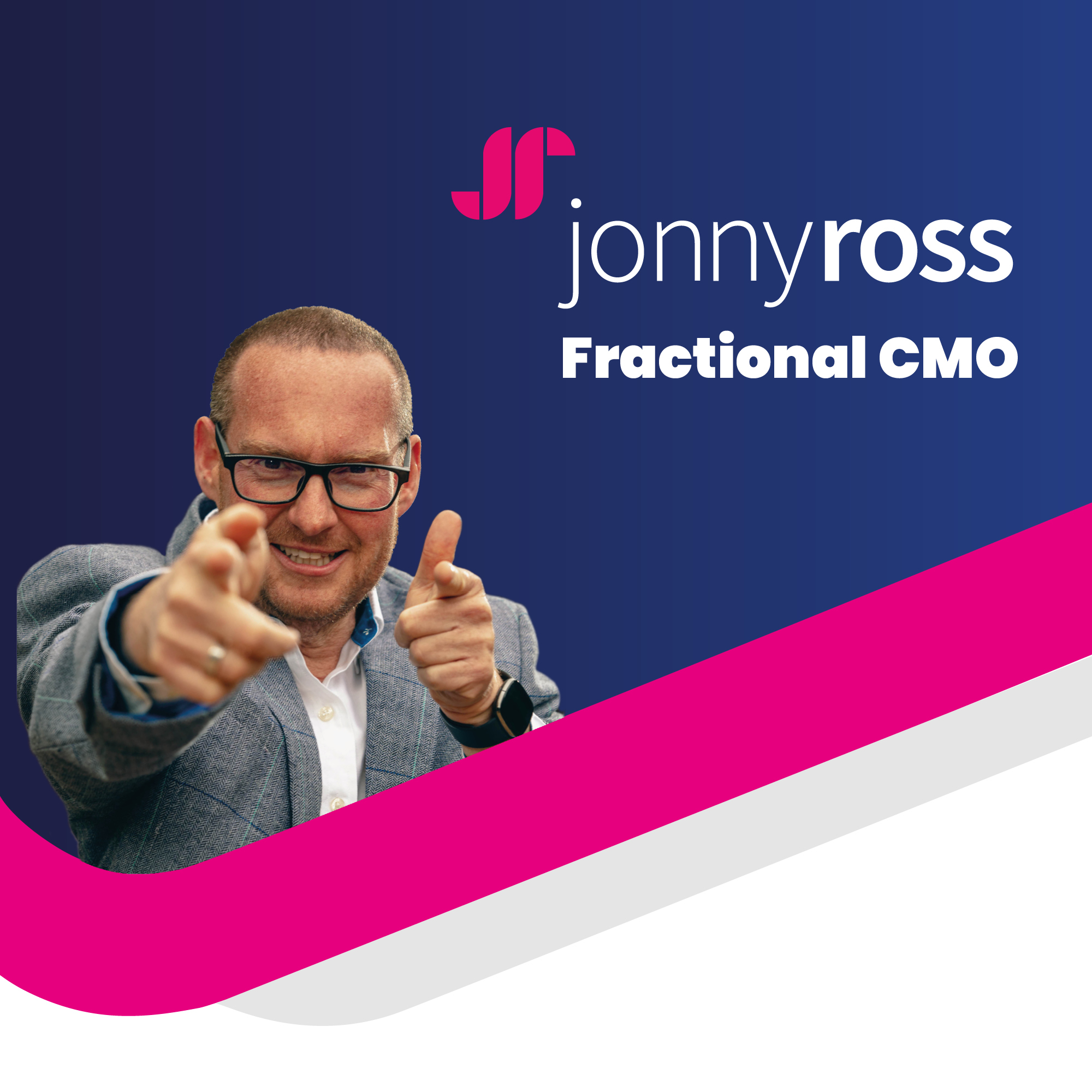
Jonny Ross Fractional CMO

Jonny Ross Fractional CMO

Hosted by Jonny Ross

BusinessEntrepreneurshipInterviews guests

Episodes

139

Latest episode

Jun 2026

Language

EN

About the show

Join Jonny Ross, Fractional CMO (Chief Marketing Officer) & Digital Marketing Strategist, in his podcast The Jonny Ross Fractional CMO - formerly the Jonny Ross Audio Experience. Full of stories, marketing tips, tricks and strategy, along with interviews from inspirational business leaders. Looking for marketing strategy? Jonny delivers marketing consultancy, marketing training and marketing campaigns on a daily basis. This podcast is a place to share his wealth of knowledge with you, and to find experts across many different business fields and bring their inspirations and learning tips right into your ear! Find Jonny over at: His website https://jonnyross.com On LinkedIn https://www.linkedin.com/in/jonnyross/ or on Twitter https://twitter.com/jonnyross. He is also Founder of https://fleek.marketing and also runs a local Yorkshire Business Club https://www.facebook.com/groups/TheYorkshireBusinessClub/.

Listen to episodes

60 recent
June 5, 202629 min

#138 Optimising Images, Authority in E-E-A-T, AI audio transcription, and Homepages

In this practical and insightful episode of the 90-Day Website Mastery Podcast, Jonny Ross and Pascal Fintoni tackle the third pillar of Google's E-E-A-T framework, Authority, exploring what it really means, why it differs from Expertise and Experience, and the specific steps you can take right now to demonstrate it online.The discussion also unpacks a deceptively simple but high-impact website question: when you upload an image to WordPress, what are all those fields actually for and are you using them to their full SEO and accessibility potential?Jonny and Pascal share their favourite AI-powered audio and transcription tools, and deliver two immediately actionable website calls to action that could transform how your homepage performs and how your best content ranks.If you are responsible for driving visibility, credibility, and growth for your brand online, this episode is essential listening.❓ What Are the WordPress Image Fields For, and How Should I Use Them?This question came directly from a live in-person masterclass, where a delegate admitted they were inconsistent, sometimes completing the fields, sometimes skipping them altogether. Sound familiar?Jonny and Pascal break down every field you'll find when uploading an image to WordPress, and explain exactly why each one matters for SEO, GEO (Generative Engine Optimisation), and Accessibility:File Name: Before you even upload, rename your image file using descriptive words. Don't call it IMG_1234.jpg. A clear, keyword-relevant filename (without stuffing) helps both search engines and AI systems understand what the image depicts.Alt Text: The most critical field for accessibility. This is the text displayed if the image cannot load, and what screen readers announce to visually impaired users. It also carries high SEO and GEO value, giving search engines and AI clear context about your image content.Title: Acts as an internal reference for your media library. Lower SEO value, but hugely useful for finding the right image later when your library grows.Caption: The visible text displayed beneath the image on the page. Medium-to-high SEO value and high GEO value, as it gives AI systems explicit context that connects your image to the surrounding content.Description: A longer explanation of the image. Adds keyword-rich semantic context and is particularly valuable for AI discovery and summarisation.Jonny's SEO priority order: File name → Alt Text → Caption → Description → Title.Pascal's discipline tips:Treat the website itself as where the real work happens, not the Word document. Think of your content ingredients (words, images, files) as preparation, and the CMS as the moment everything comes alive.Start with your image, not your text. Approach it like a film poster: the image should sell the article before a single word is read.Key takeaway: If there's a field to fill in, fill it in. This principle applies everywhere — WordPress, LinkedIn profiles, Google Business listings — and it is more important than ever in an era of AI search and GEO.❓ What Does "Authority" Actually Mean in Google's E-E-A-T Framework?This episode continues Jonny and Pascal's deep-dive series into Google's E-E-A-T guidelines. Having covered Experience and Expertise in previous episodes, the focus here is on the third letter: A for Authority.The definition, drawn from the Ahrefs guide by Mateusz Makosiewicz and Joshua Hardwick, is clear:"Authoritativeness means being recognised by others as a trusted go-to source in your field or industry."The crucial word is others. Unlike Experience and Expertise — which you can demonstrate by publishing great content yourself — Authority requires external validation. It has to be built off your own website. You cannot claim it; others must confer it.How to Build Authority for B2C / Independent Retailers (Jonny's Perspective):Pursue features in gift guides and curated roundupsBuild third-party reviewsSeek press coveragePartner with complementary brandsHow to Build Authority for B2B / Professional Services (Pascal's Perspective):Speak at events AND document it digitallyBe a regular columnist or podcast guestApply for awards and accreditationsEncourage clients to speak publicly on your behalfEmbrace local and regional pressRing-fence your website with external validationPascal's memorable summary of the E-E-A-T journey so far:Experience → "Have you done this before? I don't want to be a guinea pig."Expertise → "How deeply knowledgeable are you, really?"Authority → "Do others recognise that your claims are valid and credible?"🛠️ Website Engine Room: AI Audio & Transcription ToolsIn this week's tool segment, both Jonny and Pascal independently arrived at the same theme — the power of voice and AI transcription for content creation.Jonny's Pick: Granola AI (granola.ai) An AI-powered meeting notetaker that listens to your meetings and automatically formats the transcript into structured, readable notes.Pascal's Pick: Your Native Mobile Phone Audio Recorder Before downloading a new app, check what you already have. All modern smartphones now include a native audio recorder with a built-in AI transcription and summarisation feature, free of charge and requiring no third-party app.Use case ideas:Capture a client conversation and turn it into an anonymised case study or discussion article.Record a series of event takeaways across the year and compile them into a rich annual roundup with links to the authorities referenced.Voice note article and social media ideas on the go, then transcribe and expand with AI assistance.✅ Website Calls to Action: Two Changes to Make This WeekJonny's Call to Action: Review Your Homepage HeadlineYou have three to five seconds to communicate your value to a new visitor. Your homepage headline must answer three questions instantly:What do you do?Who do you help?Why should they choose you?The foundation of a great headline is a clear value statement — a concise, brand-appropriate expression of the transformation or outcome you deliver, written in your customer's language. Jonny has been helping delegates develop these through his Sell Without Being Salesy workshops in Yorkshire, and the results are transformative. Review yours today. Get real human feedback on it — not just AI, which may simply agree you've done a good job.Pascal's Call to Action: Add Citations and External Links to Your Best-Performing ArticlesOpen your website traffic reports and identify your top-performing blog posts and long-form resources. Then, with the help of a good AI search engine, enrich each one by:Adding current statistics and recent data to support your key points.Linking out to authoritative external sources — reports, books, academic papers, reputable publications. (Outbound links to credible sources are a positive E-E-A-T signal.)Adding an "Updated [Month Year]" callout box to show the content is current and your thinking has evolved.Using this as a reason to reshare the content across your channels.This approach breathes new life into existing content, signals freshness to Google, improves your E-E-A-T signals, and gives your audience genuinely more valuable resources — all without creating anything from scratch.🎯 Key Takeaways (with timestamps)00:19 – Welcome and episode introduction01:55 – You Ask, We Answer: WordPress image fields — what are they and why do they matter?03:20 – Why good image SEO is more important than ever in the age of AI visibility05:42 – Pascal's mindset shift: the CMS is where the real work happens09:08 – Jonny's SEO priority order: alt text, caption, description, and title09:53 – Website Stories: introducing A for Authority in Google's E-E-A-T framework11:39 – Authority through PR, press coverage, reviews, and brand collaborations14:51 – Pascal's ring-fence model: surrounding your website with external validation16:53 – Badges, battle scars, and membership organisations as authority signals18:39 – Website Engine Room: Granola AI and your mobile phone's native transcription tool22:38 – Website Call to Action: sharpen your homepage headline and enrich your best articles26:19 – Final reflections and episode wrap-up🔎 SEO Keywords & Tags:Primary Keywords: E-E-A-T authority SEO, Google authority signals, building website authority, WordPress image SEO, alt text best...

May 7, 202628 min

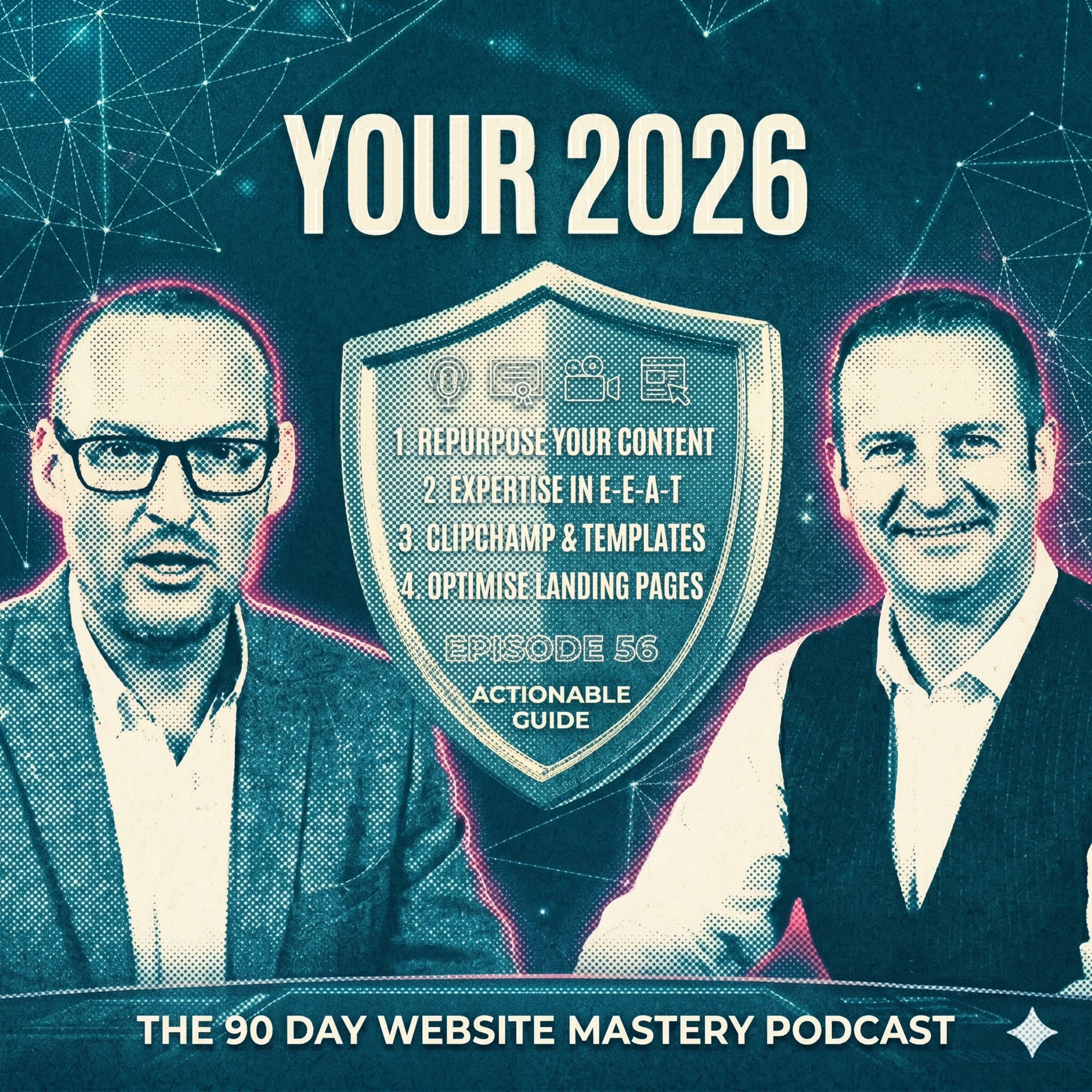
#137 Repurposing Interviews, Expertise in E-E-A-T, Optimising About Us and Landing Pages

In this episode of the 90-Day Website Mastery Podcast, Jonny Ross and Pascal Fintoni explore one of the most underused growth tactics in digital marketing today: repurposing podcast interviews into long-lasting website content.If you've ever been a guest on a podcast and let that hard-earned conversation disappear into the archives, this episode will completely change how you approach your content strategy.The episode also continues the four-part mini-series unpacking Google's E-E-A-T framework — Experience, Expertise, Authoritativeness, and Trustworthiness — with a deep dive into Expertise, inspired by an excellent article from Mateusz Makosiewicz and Joshua Hardwick at Ahrefs.Jonny and Pascal break down the crucial difference between experience and expertise, and explain how to demonstrate both on your website to win trust with visitors and visibility in AI-powered search results.Plus, the duo shares two powerful new content creation tool discoveries, and rounds off the episode with two actionable website calls to action you can implement straight away.❓ How Do I Repurpose a Podcast Guest Appearance Into Website Content?Jonny and Pascal share a complete workflow for transforming one 45-minute podcast interview into months of valuable content:Request the transcript from the podcast host so you have a full reference document, plus access to audio and video clips.Embed the audio and video directly onto your website to demonstrate thought leadership and credibility.Create a dedicated "As Featured In" or "Appeared On" section showcasing podcasts, PR mentions, and speaking engagements.Write a companion blog post that tells the story of being invited and highlights the key takeaways.Use the "edit down" approach to create short extracts — clips for LinkedIn, YouTube Shorts, Instagram Reels, and Facebook posts.Use the "edit up" approach to expand on points you didn't have time to cover fully — write a deeper article, add steps, build a checklist, design an infographic.Pull out memorable quotes to create LinkedIn carousels and graphic posts.Pace yourself — set weekly repurposing goals rather than trying to do it all in one go.One 45-minute interview can comfortably deliver 90 days (or more) of high-value content.❓ What's the Real Difference Between Experience and Expertise on My Website?As part of the EEAT mini-series, Pascal explains the distinction with a brilliant analogy:Experience = "I've been driving a car for 30 years" (longevity).Expertise = "I'm a trained F1 driver who has won five championships" (credentials, depth, proven results).Visitors silently ask: Does this person have the skills, knowledge, and credentials — or have they just been doing it a while?Expertise is demonstrated through credentials, formal education, and a proven track record.❓ How Do I Demonstrate Expertise on My Website?Jonny and Pascal share practical, explicit steps you can take today:Expand your About Us biographies far beyond a couple of lines.Make qualifications, certifications, and trade body memberships visible, and don't let modesty hide them.Link out to authoritative sources, original research, and the membership pages of organisations you belong to (citations matter for SEO and GEO).Build genuine, deep FAQ pages and not superficial ones.Document and republish your speaking engagements and public appearances.On product and service pages, be explicit about testing, regulations passed, founder involvement, and real customer scenarios.Write expert buying guides that show genuine depth of knowledge.Cite experts and methodologies you respect within your articles.Organise your content into topical clusters to signal authority around specific subjects (for AI visibility).Remember: your ordinary is someone else's extraordinary. Don't let modesty get in the way of explicit, helpful communication.❓ What New Tools Can Help Me Create Better Content Faster?Etsy Canva Templates (Jonny's pick):Browse Etsy for affordable, downloadable Canva template packs.Search "social media templates" or industry-specific options.Templates come in cohesive families/packs which is perfect for brand consistency.Costs only a few pounds or dollars, and uploads directly into Canva.Solves the overwhelm of Canva's vast template library by giving you a curated set.ClipChamp by Microsoft (Pascal's pick):Microsoft's recently re-launched video editing software.Designed for simplicity, so perfect for quick repurposing without bells and whistles.Ideal if you're already in the Microsoft ecosystem.Strong contender for businesses needing to add more video content to their site without becoming a full production studio.❓ What Quick Website Tweaks Should I Make This Week?Jonny's Call to Action — Optimise a Key Landing Page:Pick one high-traffic landing page (especially one tied to ad spend or email campaigns).Step back and assess: Is the messaging clear? Does it look great on mobile?Review headlines, layout, calls to action, and the offer itself.Speak in your audience's language — align with your ICP and personas.Small tweaks can dramatically increase conversion rates, phone calls, and form fills.Pascal's Call to Action — Embrace Long-Form Storytelling:Revisit your About Us page and biographies and go deep with long-form content.Use an AI assistant to interview you about your professional journey across multiple sessions.Create both a "TL;DR" short-form intro and a full long-form story.Add photos, videos, and supporting media to bring it to life.Long-form content gives AI overviews more snippets to surface you in the best possible light — a critical move for AI visibility in 2026.🎯 Key Takeaways (with timestamps)00:19 – Welcome to Episode 56 with Jonny Ross and Pascal Fintoni01:31 – You Ask, We Answer: How do I repurpose a podcast guest appearance?02:13 – Jonny's repurposing workflow: transcripts, embeds and "As Featured In" sections03:58 – Pascal explains the "edit down" vs "edit up" content techniques 006:48 – Website Stories: Part 2 of the EEAT mini-series — Expertise08:30 – The F1 driver analogy: experience vs expertise explained10:57 – Being explicit, not implicit, on your service and product pages14:46 – Citations, authoritative sources and topical clusters for AI visibility16:27 – Website Engine Room: Etsy Canva templates and ClipChamp by Microsoft20:47 – Jonny's Call to Action: optimise a high-traffic landing page23:53 – Pascal's Call to Action: long-form storytelling for your About Us page🔎 SEO Keywords & Tags:repurposing podcast content, EEAT framework, Google expertise signals, About Us page optimisation, AI visibility, ClipChamp video editing, Canva templates Etsy, landing page optimisation, long-form storytelling, AI overviews SEO--👉 Subscribe to the 90-Day Website Mastery Podcast for more expert insights on SEO, content marketing, and website growth.👉 Leave us a review — your feedback helps others discover the show!👉 Book a discovery call: 90daymarketingmastery.com👉 check our book "WebProud" on Amazon for more website mastery strategies👉 Connect with us on LinkedIn:Jonny RossPascal FintoniAbout the HostsJonny Ross is a leading digital marketing consultant and SEO strategist with decades of experience helping businesses transform their online presence.Pascal Fintoni is a digital skills trainer and video marketing expert, known for making complex tech topics accessible and actionable.

April 23, 202629 min

#136 Your 2026 Google CV, How to Boost Your Online Reputation, EEAT & Visibility

In this SEO and AI Overviews focused episode of the 90-Day Website Mastery Podcast, Jonny Ross and Pascal Fintoni pick up where they left off in Episode 54: answering a practical question about your 2026 Google CV.And they walk through the first letter of Google's E-E-A-T framework: Experience, using the brilliant Ahrefs guide by Mateusz Makosiewicz and Joshua Hardwick as the foundation.Two practical website tools are shared: one for cleaning up images with AI, the other for auditing your backlink profile, alongside two powerful calls to action around accessibility and responsible AI. If you are serious about building a website that works harder for you in the age of AI search, this episode delivers the blueprint.❓ I've Googled Myself and Captured My Results. What Do I Do With My 2026 Google CV?Start with a sense check: does what you see feel right? Is there anything missing, outdated, or that simply should not be there?Look beyond your website and identify how many different sources mention your name or business. Having 10+ varied sources is far more powerful than just your website and LinkedIn profile.Switch to Google's AI Mode on a laptop or desktop and pay close attention to the right-hand panel as it shows you exactly which sources are being used to describe you to potential clients.Score your Google CV against three scenarios: OK (information about you, from you only), Good (lots of information from you), or Excellent (information about you from you AND from others).The 'from others' category is critical. Remember: reviews, recommendations, case studies, press mentions, third-party features, and backlinks all contribute to a richer, more trusted online presence.Treat this as your baseline and revisit and repeat every three to four months to track your progress. Use a tool like NotebookLM to help you analyse and compare results over time.This exercise is not just about search rankings, it is about understanding what a decision-maker sees when they are deciding whether to trust you with their business.❓ What Is E-E-A-T and Why Does It Matter for My Website and AI Visibility?Based on the Ahrefs guide by Mateusz Makosiewicz and Joshua Hardwick, Jonny and Pascal break down Google's E-E-A-T framework:https://ahrefs.com/blog/eeat-seo/E-E-A-T stands for Experience, Expertise, Authoritativeness, and Trustworthiness — it comes from Google's Search Quality Rater Guidelines, a handbook used by human reviewers to evaluate search result quality.It is not a direct ranking score or a penalty system, it is a trust architecture that helps Google understand which content and creators genuinely deserve to be surfaced.The doctor analogy sums it up: you want someone who has lived through a health concern (Experience), has medical training (Expertise), is recognised by other doctors (Authoritativeness), and runs a legitimate practice (Trustworthiness).AI Overviews and AI Mode are increasingly pulling from off-site authority signals — branded web mentions, backlinks, and branded search volume. Well-known and trusted brands are more likely to appear in AI-driven results.This episode focuses on the first E: Experience. Expertise, Authority, and Trust will be explored in future episodes.❓ How Do I Demonstrate Experience on My Website to Satisfy Google and AI Search?Experience comes down to one core question: has this person actually done the thing they are writing about? Here is how to make it visible:Use your own photography and video, even imperfect, behind-the-scenes content proves you are genuinely doing the work, not just describing it.Write behind-the-scenes content that shows the process, not just the polished end result. Share the difficulties and the lessons learned.Feature genuine customer reviews, testimonials, and detailed case studies with real, measurable outcomes throughout your website, and not just on a single testimonials page.Use first-person language deliberately in your content. Stop hiding behind the royal 'we' as people trust individuals.Make your experience explicit and avoid under-communication. If you have 40 years of experience, say so clearly in the content and do not assume people will find it in your footer or About page.Add author information boxes to articles and blog posts so readers and Google can clearly attribute content to a real, credible individual.Reference industry speaking engagements, certifications, awards, and professional development.For B2C Independent Retailers (Jonny's perspective):Show the product journey, not just the product . For example explain your testing, selection process, and what you rejected and why.Write product descriptions in the first person to communicate genuine, hands-on knowledge.Turn customer reviews into content and create a 'Real Customers, Real Stories' section and feature before-and-after photos customers send in.Create a 'How We Choose What We Stock' page. This signals to Google and to buyers that a real, knowledgeable human is behind every product listed.For B2B Professional Services (Pascal's perspective):Publish real case studies with real numbers and not vague testimonials, but actual outcomes and data.Write content that references the messy middle, as we say, in other words the real client problems, unexpected challenges, and lessons learned along the way.Feature the people doing the work, not just the brand, Google and clients are trusting individuals, not logos.Document client work in progress with permission including video walkthroughs and process explainers create undeniable proof of hands-on involvement.❓ What Tools Can Help Me Improve My Website Images and Backlink Profile?Cleanup.Pictures (Jonny's pick): https://cleanup.picturesA fast, AI-powered tool that lets you upload an image, mouse over any object, person, or defect you want removed, and reconstruct it cleanly in a single click.Ideal for website managers and content creators who need quick image fixes without switching to complex editing software.Perfect for product photography, event images, and any visual content where distractions or imperfections need removing.Visit: https://cleanup.picturesAhrefs Backlink Checker (Pascal's pick): https://ahrefs.com/backlink-checkerUse this free tool to run a baseline audit of who is currently supporting your search ranking and brand mentions through backlinks.Discover which websites feature you, identify broken or outdated links, and spot opportunities to build new linking relationships.Analyse competitor backlink profiles to uncover potential new linking partners and publication opportunities.Remember: you do not ask for a link, instead you present an offer of your time and content so that you earn a feature within that platform.With AI Overviews changing the traffic landscape, backlink quality is becoming more important than ever for establishing off-site authority signals.Visit: https://ahrefs.com/backlink-checker❓ What Are the Two Most Important Website Changes I Should Make Right Now?Jonny's Call to Action — Add an Accessibility Toolbar:An inaccessible website means you are actively excluding a significant proportion of potential customers and sending negative signals to Google at the same time.Most CMS platforms including WordPress, Squarespace, and Shopify offer plugins or add-ons that can dramatically improve your accessibility score with a single installation.Adding an accessibility toolbar with features like font resizing and contrast toggles is one of the fastest, highest-impact improvements you can make right now.Pascal's Call to Action — Add an AI Ethics Article and an AI Pledge to Your Website:A significant AI backlash is building so do not wait for the media to define your relationship with AI. Take the initiative and show your hand first.Write an article in your own words explaining your responsible and ethical approach to using AI in your business (this also directly supports your E-E-A-T Experience signals).Add a dedicated AI Pledge to your website footer, alongside your Privacy Policy and Terms and Conditions — treat it as a fundamental part of your brand's trust architecture.If you need a starting point, explore the Human-First Responsible AI Pledge framework: https://humanfirstresponsibleaipledge.org/🎯 Key Takeaways (with timestamps)01:33 – Introducing the 2026 Google CV: the concept explained03:09 – Listener question: "I've Googled myself,what do I do now?"05:33 – The three Google CV scenarios: OK, Good, and Excellent07:41 – How to use Google AI Mode to audit your online reputation09:38 – Website Stories: introducing the Ahrefs E-E-A-T guide12:28 – Deep dive: focusing on the first E: Experience15:48 – Practical ways to demonstrate Experience on your website19:34 – Website Engine Room - Jonny's pick: Cleanup.Pictures - AI-powered image

April 10, 202632 min

#135 AI & SEO in 2026: Are You Sharing Too Much? Google's New Rules Explained

In this episode of the 90-Day Website Mastery Podcast, Jonny Ross and Pascal Fintoni tackle two of the most talked-about topics coming out of their recent Web Proud in-person masterclass in Leeds:> Should you be worried about sharing your website tactics with AI tools?> And how has Google's AI Mode permanently changed the rules of SEO?Drawing directly on Neil Patel's data-driven YouTube breakdown of five new SEO rules, Jonny and Pascal layer on their own decade of experience to bring you sharp, practical guidance.The episode also introduces a tool for Shopify and subscription businesses, and brings back a powerful (and often forgotten) SEO benchmarking tool. And closes with two immediately actionable calls to action: one for your email deliverability, and one for understanding your search presence right now.❓ Should I Worry About Sharing My Website Tactics with AI Tools?This question was raised multiple times at Jonny and Pascal's Notebook LM for Website Masterclass in Leeds, and here's what they had to say:The instinct to protect everything is understandable, but the default level of concern is often set too high.Ask yourself honestly: what is the realistic likelihood of a competitor actively searching an LLM for your specific tactics?The real risk is not exposure, it's hesitation over action. Over-worry leads to under-using tools that could genuinely improve your website.Practical steps to protect yourself where it matters:Review your privacy settings on every AI platform you use.If you're on a free plan, be aware that your data may be used for training — consider upgrading to a paid plan to reduce that risk.For sensitive or tactical work, use private cloud environments such as Microsoft 365 Copilot or Notebook LM, which offer more ring-fenced data environments.Never share client data, financial data, or genuinely confidential intellectual property.The biggest real risk, according to Pascal: using AI without a well-crafted briefing, leading to superficial, generic recommendations rather than truly useful insights.The golden rule: Be cautious about the things that genuinely need caution and stop worrying about the things that don't.❓ How Has Google's AI Mode Changed SEO Forever? Neil Patel's 5 New RulesJonny and Pascal review and reflect on Neil Patel's landmark nine-minute YouTube video: Google's AI Mode Changed SEO Forever. Here Are the 5 New Rules. https://www.youtube.com/watch?v=3q3WBkSoANA 1. From the Traffic Economy to the Citation EconomyThe central shift: stop measuring success purely in traffic, and start building for citations.As AI Overviews become the norm, the key question is: Are you credible and trustworthy enough for the AI to select you over your competitor?What are you doing, this week, this month, this year, to build your authority through citations and guest contributions on other platforms?2. The Complexity MoatData shows that short search queries trigger AI Overviews with sources only around 23% of the time.Queries of six or more words trigger source citations 77% of the time.The opportunity: build a strategic "moat" or defence by creating content that answers specific, nuanced, complex questions, not just chasing short keywords.Jonny's take: think in keyword clusters. Become the genuine expert in a topic by going deep, not just broad.3. The Zero-Click RealityClicks and traffic figures are no longer sufficient measures of SEO success.Google is evolving into the answer destination, users may get what they need without ever visiting your site.The shift in mindset: from chasing clicks to building trust, citations, and brand presence within AI-generated answers.4. The Authority TaxTraditional SEO is now the baseline, it's the price of entry, not a competitive advantage.If you've been consistently building authority for the past 3, 5, or 10 years, you are already ahead.Neil Patel's four actions to build authority now, endorsed by Jonny and Pascal:Post on the platforms where your audience actually lives, not just your website.Get mentioned in publications that AI systems already trust and cite.Build and implement Schema Markup so AI can properly scrape and understand your content.Create content that demonstrates depth, not just coverage of a topic.5. The Search Everywhere ShiftSearch is no longer just Google, it spans social networks, forums, app stores, Spotify, Claude, eBay, Vinted, and beyond.The new mindset: it's not about "Googling", it's about searching, and understanding every place your customers might look.Ask yourself: do you truly know where your audience searches for answers?As Jonny and Pascal have been saying for years: it all comes back to E-E-A-T: Experience, Expertise, Authoritativeness, and Trustworthiness. Tip: paste your own content into your favourite AI tool and ask it to evaluate and improve your E-E-A-T (you'll understand the concept immediately).🛠️ The Website Engine Room: Two Tools to KnowJonny's Pick: Loopwork 🔗 https://www.loopwork.co/A powerful Shopify add-on for businesses with subscription-based products.Creates unique, intelligent subscriber journeys designed to keep customers engaged.Particularly clever at retention: when a subscriber tries to cancel, Loopwork steps in with smart prompts, offers, and alternatives — dramatically reducing churn.Whether you already have subscriptions running or want to turn existing products into recurring revenue, Loopwork is worth exploring.Pascal's Pick: MOZ Domain Authority Checker 🔗 https://moz.com/domain-analysisA free, trusted SEO benchmarking tool that gives your website a domain authority score out of 100.Use it to understand your current search authority, your top-performing pages and keywords, and how you compare to competitors.Context: the average website typically scores around 20–25 out of 100. The BBC scores around 95. Don't be disheartened by a low score — it's easier to climb from 10 to 20 than from 30 to 40.Pascal's recommendation: check your score today, get on with the work, then revisit in three months to track your progress — especially as click and traffic data becomes harder to rely on.✅ The Website Call to Action: Two Things to Do This WeekJonny's Call to Action: Boost Your Email DeliverabilityWith inboxes flooded and spam filters increasingly aggressive, getting your newsletter into the primary inbox is harder than ever. Here's a simple but powerful fix: ask your subscribers to reply to your email.A reply sends a strong signal to email providers that your audience is genuinely engaged and this directly improves your deliverability, open rates, and click-throughs.Try this exact message in your next newsletter:"To make sure our newsletters reach you without any issues, reply 'AI' to this email so we know you're human 🦾, and be sure to move this email to your Primary inbox."Think about what quirky, on-brand reply prompt would resonate with your audience — and make it work for you.Pascal's Call to Action: Build Your Search CVGoogle yourself, right now, and search in three ways:Your name as an individualYour name plus your job title or occupationYour business nameOn each results page, save the full page as a PDF (click the three dots, top right in Google Chrome). Do this across All results, Images, News, and any other relevant tabs.Then study what has been selected by Google, and ask yourself why each result is showing up.You don't need to be an SEO expert to draw conclusions. Logic will guide you.Understanding your current search presence is the foundation for everything else.Repeat this exercise every quarter and track the evolution of your visibility over time.For a deeper view, also try this in ChatGPT, Perplexity, and Claude to see how AI platforms represent you.🎯 Key Takeaways for Website Managers and Business (with timestamps)Here are the selected timestamps, drawn directly from the transcript and written in UK English:00:54 – How the Leeds Web Proud masterclass inspired this episode03:14 – You Ask, We Answer: Should I worry about sharing my website tactics with AI?07:12 – Three practical rules for sharing safely with AI tools08:54 – Website Stories: Neil Patel's five new rules of SEO in the age of AI11:08 – Rule 1: Moving from the traffic economy to the citation economy12:18 – Rule 2: Building a complexity moat with long-form, nuanced content13:27 –...

January 30, 202631 min

#134 How to Create Powerful Case Studies Without Client Photos (Plus AI, UI Design & Lead Magnets)

In this episode of the 90-Day Website Mastery Podcast, Jonny Ross and Pascal Fintoni tackle a challenge facing many marketing professionals: How do you create compelling case studies when you can't use client photos, logos, or even company names?The discussion reveals creative solutions for visual storytelling, introduces the concept of "case stories," and shares innovative approaches to building credibility without traditional brand assets.The episode also explores how to integrate AI tools into your marketing workflow, why long-form content still matters in the age of AI overviews, and practical strategies for growing your email list. Jonny and Pascal share actionable tips on using data visualisation, illustrative imagery, and process-driven narratives to create case studies that build trust and demonstrate expertise.If you're responsible for content marketing, lead generation, or building credibility for your brand online , this episode delivers immediately actionable insights.❓ How Can I Create Powerful Case Studies Without Using Client Photos or Logos?The Challenge:Cannot use client photographs or premisesUnable to display client logos or brandingRestricted from mentioning client names or company detailsNeed to maintain credibility and build trust despite these limitationsThe Opportunity:Forces Deeper Storytelling: Without relying on logo recognition, you must work harder to demonstrate real value and impactMore Generous Sharing: Removes the crutch of brand names and pushes you to share meaningful details about process, methodology, and resultsData-Driven Credibility: Shifts focus to measurable outcomes and demonstrable expertiseVisual Solutions to Replace Traditional Photography:1. Data Visualisation & Charts2. Process Illustrations & Roadmaps3. Professional Photography Alternatives4. The Case Story FrameworkPascal introduces the concept of "case stories" as a more engaging approach to case studies:Key Elements:What do you want readers to remember? Focus on the core lesson or takeawayVisual echo of key messages: Images should reinforce your unique process or demonstrated impactCreative formats: Consider blog-style layouts, video overviews, or audio summariesStory types: Either retell recent client success OR showcase hypothetical scenarios for startups/new offeringsThe Three-Part Structure:The Problem - What challenge did the client face?The Solution - What was your unique approach, methodology, or thinking?The Impact - Continuously ask "So what?" until you reach quantifiable resultsTop Tip When Handling Client Names:When you cannot use client names:Use descriptive anonymization: "Leading UK Manufacturing Firm," "Award-Winning SaaS Provider"Add specific industry context: "25-year-old family business in automotive sector"Include company size/scope: "International organization with 500+ employees"Reference recognisable attributes without naming: "Provider serving 10,000+ customers across Europe"The Trust-Building Paradox: Restrictions on using logos and names can actually strengthen trust by:Demonstrating respect for client confidentialityFocusing attention on your expertise rather than borrowed credibilityProviding detailed, education-focused contentShowing data-led decision making❓ How Should I Integrate AI Into My Marketing Workflow?In the Website Stories segment, Jonny and Pascal reflect on their experience hosting and presenting at the Digital Knowledge Exchange conference in Leeds, focusing on AI integration in digital marketing.Their reflections reveal valuable insights about where businesses currently stand with AI adoption and what that means for the future of marketing.The Three Categories of AI Adoption:Jonny observed that businesses fall into three distinct camps:Pockets of Success - Companies embracing AI to power strategies, brainstorming, structure, and thinkingHesitant Experimenters - Businesses that haven't started or are just playing with AI superficiallyActive Resistors - Organisations convinced AI is a fad that won't help or take overHistorical Context Matters:Pascal drew parallels to past technology adoption cycles, reminding attendees that resistance to AI echoes reactions to:Social media (early 2000s)SEO (late 1990s/early 2000s)Websites themselves (mid-1990s)Key Presentations Delivered:Pascal's Sessions:"Me, Myself and AI" opening keynote - Validating all perspectives whilst encouraging forward thinking (only three years since ChatGPT launched)"2026 Website Health Check" - Live demonstration using Notebook LM to audit a real Northumberland dressmaker's website, focusing on first impressions, trust elements, and calls to action (borrowed from Web Proud methodology)"Content Marketing in the Age of AI Overviews" - Showcasing workflow strategies using multiple AI tools (ChatGPT, Claude, Perplexity, Notebook LM) rather than relying on a single platformJonny's Workshops:Visibility Strategies - Practical approaches to raise visibility in 90 days through PR, direct marketing, guest marketing, intro requests, and referralsAI in SEO - How to be seen in the new landscape where Google's ten blue links are disappearing; strategies for visibility in Perplexity, Gemini, and ChatGPTThe Web Proud Movement:This was the first time Jonny and Pascal positioned Web Proud front and centre as a movement during a major presentation. The methodology and principles from their book resonated strongly with attendees who felt their websites "could do a bit better" but didn't know where to start.Critical Takeaway:Don't put all your eggs in one AI basket. Build a workflow team approach using multiple AI tools, understanding the strengths and blind spots of each platform.Thanks & Recognition:Both hosts expressed gratitude to the Digital Knowledge Exchange team for the behind-the-scenes event management work and to attendees who committed to the full-day programme.The Notebook LM Advantage: Jonny and Pascal highlight Google's Notebook LM as a top favourite tool, describing it as a "best kept secret" for:Content research and organizationWebsite project planningMarketing strategy developmentNote: Jonny and Pascal are...

December 18, 202531 min

#133 Should You Learn Website Design? UK Online Trends, AI Search & Smarter Website Tools

In this episode of the 90-Day Website Mastery Podcast, Jonny Ross and Pascal Fintoni explore a question many business owners are asking: Should I invest time learning website design, or focus my energy elsewhere? The conversation reveals the real value of professional development for website managers, revealing why strategic understanding matters more than technical execution.The episode also examines Ofcom's groundbreaking 2025 Online Nations Report, which highlights seismic shifts in how UK audiences discover and consume online content. With AI overviews now reducing click-through rates by almost 50%, and Google Maps emerging as the "High Street of the digital world," the implications for website strategy are profound. Jonny and Pascal break down exactly what these trends mean for your content, visibility, and 2026 marketing plan.Finally, the hosts share two powerful productivity tools for website managers, plus actionable website adjustments you can implement this week to improve user experience and data capture.If you manage a website, create content, or lead digital marketing for your organisation, this episode provides the clarity and direction you need heading into 2026.❓ Should I Learn Website Design to Better Manage My Website?Training is valuable, but clarity on what to learn and why is essential.Design skills vs management skills are different: Understanding design helps you brief and challenge suppliers, but doesn't mean you should design yourself.Strategic knowledge beats tool proficiency: Focus on learning messaging, structure, accessibility, user intent, and customer journey mapping over specific design software.Time is your most valuable asset: Consider whether your time is better spent designing or delivering your core business expertise.Create a learning plan for 2026: Map out skills development over 3-6-12 months aligned with your business strategy, rather than reacting to immediate challenges.Upskilling enables better collaboration: The more you understand what's achievable, the better you can brief designers, developers, and agencies.Ask yourself: Will this training help me be a better strategist, or just a busier technician?❓ What Does Ofcom's 2025 Report Tell Us About Online Behaviour?Based on Ofcom's 114-page Online Nations Report 2025, Jonny and Pascal highlight critical insights every website manager must understand:https://www.ofcom.org.uk/media-use-and-attitudes/online-habits/from-apps-to-ai-search-how-the-uk-goes-online-in-2025 Key Statistics & Trends:Adults now spend 4.5 hours online daily, up 10 minutes from last year, reversing the previous plateau.77% of online time happens on smartphones, mobile-first design is non-negotiable.Top 3 apps: WhatsApp, Facebook, Google Maps, with Google Maps dubbed the "High Street of the digital world" reaching 78% of UK internet users monthly.Reddit is surging, experiencing 28% audience growth for the second consecutive year, now reaching 60% of UK internet users.Twitter is declining significantly, along with Quora. Pinterest, Messenger, and eBay show marginal declines.The AI Overview Revolution:Users are almost 50% less likely to click through to source websites when encountering AI overviews (26% end search sessions vs 16% for traditional search).Trust in summaries is growing, people increasingly trust AI-generated summaries without verifying original sources.Only 33% of adults believe the internet is good for society, down from 40% last year, highlighting growing skepticism.Preparing for Agentic AI:Autonomous AI agents (like Google's Gemini in Chrome) will increasingly compare products and plan purchases without direct user prompts.Your Google Maps presence and website content will feed these AI comparisons, making accuracy and comprehensiveness critical.Three Strategic Pillars for 2026:Become the Answer: Publish authoritative, comprehensive content that AI systems will cite.Go Deep, Not Wide: Focus on expertise in specific areas rather than superficial coverage of many topics.Become Your Sector's Trusted Voice: Build authority through consistency, authenticity, and demonstrated expertise.❓ What Tools Can Improve Website Management Efficiency?Clay.com (Jonny's Pick): https://www.clay.com/ Research and turn data into action with flexible, iterable workflows.Integrates with Google Tag Manager, CRMs, and form capture tools.Captures website behaviour data and converts it into actionable insights.Simplifies complex customer journey mapping.Helps increase ROI by making data more understandable and actionable.Perfect for modern, data-driven website management.MeetEdgar.com (Pascal's Pick): https://meetedgar.com/ Ideal for marketers with extensive libraries of evergreen content.Automates the resharing and repromoting of your best blog posts, videos, podcasts, and resources.Features include content categories, auto-import, AI writing assistant, A/B testing, and analytics.Chrome integration allows you to schedule content resharing while browsing your own website.Combats "recency bias" by reminding audiences of valuable older content that remains relevant.❓ What Quick Website Changes Should I Make Right Now?Jonny's Call to Action: Limit Pop-Up IntrusivenessPop-ups are valuable for capturing leads and growing your email list.But they must be user-friendly: Ensure they're mobile-optimised, well-timed, and easy to close.Don't frustrate visitors with difficult-to-close pop-ups or ones that appear too frequently.Make the close button obvious, don't hide it by matching colours to the background.Balance lead generation with user experience to avoid damaging trust and increasing bounce rates.Pascal's Call to Action: Review Your 2026 Memberships for Content OpportunitiesList all professional bodies, trade associations, and memberships you're renewing for 2026.Identify key contacts within each organisation.<li...

December 5, 202531 min

#132 One-Page Websites, AI Search Updates & Agentic SEO

In this episode of the 90-Day Website Mastery Podcast, Jonny Ross and Pascal Fintoni explore the rising trend of one-page websites, dissect the latest Google Search Console updates from John Mueller, and reveal why optimising for AI agents is the next big wave in SEO.The discussion covers when one-page websites work (and when they don't), how AI Mode is transforming search behaviour, the upcoming HTTPS enforcement in Chrome, and what "agentic AI" means for your website's future. Plus, Jonny and Pascal share two powerful content creation tools and practical website adjustments you can implement today to stay ahead in 2026 and beyond.If you manage a website, create content, or are responsible for your business's online presence, this episode is for you and packed full with actionable advice.❓ Should I Use a One-Page Website for My Business?The Short Answer: One-page websites have their place, but they're not suitable for most established businesses.When One-Page Websites Work Well:Specific landing pages for pay-per-click campaigns with clear user intentSqueeze pages designed to convert traffic from paid adsTesting new offerings or validating ideas for startupsEvent promotions or single-purpose campaignsPersonal brand sites showcasing multiple facets of an individual's workThe Limitations:Lack depth needed to build trust and credibilityLimited SEO potential compared to multi-page sitesDon't provide space for storytelling and brand developmentRisk becoming a "set it and forget it" solution that never gets updatedInsufficient for AI search summaries that require explicit, comprehensive contentThe Bottom Line: One-page websites can deliver great ROI improvements for specific campaigns, but shouldn't be your primary business website. They work best as focused landing pages alongside a robust multi-page site.📰 What Are the Key Google Search Console Updates for Q4 2025?Based on John Mueller's latest Search Console news roundup, here are the critical updates:Search Console EnhancementsNew Logo & Visual Refresh: Signals ongoing platform improvementsAchievements Feature: Track milestones like gaining clicks from Google SearchQuery Groups: Similar search queries now cluster into themes for better strategic analysisCustom Annotations: Label events affecting site performance (campaigns, site changes) with shared visibility across team membersAI Configuration: Natural language queries to analyze data without complex filtersGoogle Search & AI ChangesAugust Spam Update: Enhanced automated detection to reduce spammy search resultsAI Mode Expansion: Now supports longer queries (3x traditional length) in more languages and countriesAgentic Features (Experimental): AI agents can perform actions directly through search (booking tables, filling forms, making purchases)Web Guide (Experimental): AI-organized search results structured like magazine layoutsSecurity & Technical UpdatesChrome HTTPS Default (October 2026): Non-secure HTTP sites will require user permission to loadSite Kit WordPress Enhancements: New reader revenue manager for newsletters, surveys, contributionsJavaScript Paywall Documentation: Updated guidance for SEO-friendly paywallsNo LLM Text File Required: Google confirms no special actions needed to appear in AI search resultsHere is the link to the video from the Google Search Central team:Search Console, AI, and HTTPs updates Search Console (Q4 ‘25)https://youtu.be/o0AGWPU96TQ?si=IHlpoertUjUYXjYx🤖 BONUS: What Is Agentic AI and Why Should I Care?Agentic AI (or "action-taking AI") represents the next evolution of search, where AI agents can complete tasks on your website without users ever visiting it.What This Means for Your Website:Users can download PDFs, fill out forms, make bookings, or even complete purchases through AI interfacesYour website needs to be optimised for AI agents, not just human visitorsThis is happening NOW, not in some distant futureHow to Optimise for Agentic AI:Basic SEO Foundations:Implement structured data correctlyEnsure clean, well-organised codeLabel forms clearly and make them easy to understandUse explicit, comprehensive content that AI can easily parseTechnical Considerations:Adjust reCAPTCHA settings, i.e. Google's reCAPTCHA can be too harsh for AI agentsUse gentler spam filters that allow AI penetration while blocking spam botsFor e-commerce: Set up API endpoints (e.g. Shopify draft orders) for AI agentsCreate AI instruction pages to guide automated interactionsThe Future Is Here: This isn't about writing blogs faster with AI, it's about preparing your website for an internet where people take action by speaking or typing, without ever visiting your site directly.🛠️ What Tools Can Supercharge My Website Content Creation?WriteSonic (Jonny's Pick)Website: writesonic.comWhat It Does:Robust AI writing assistant for high-converting copyExcels at research and in-depth article creationLearns your brand's tone of voiceIntegrates with popular content management systems via pluginsBest For:Ad campaignsSocial media postsBlog articlesAccelerating content creation workflowsBonus Feature: Advanced AI analysis tools for understanding your visibility in AI search results, plug in your website to measure AI visibility metrics.NotebookLM (Pascal's Pick)Website: notebooklm.google.comWhat It Does:Google's AI-powered content creation and research platformStudio feature now includes 8 interactive tools (previously known for audio/video overviews)New Content Creation Tools:Infographic Generator: Summarises key website information into stunning visual designs using your site's photos and brandingSlide Deck Creator: Generates presentation slides summarizing your website's key messagesWhy It's Revolutionary:Both tools can be customised with specific briefs to focus contentQuality is production-ready and users report being able to post generated infographics immediatelyCan be instructed to use your brand colours, fonts, and images automaticallyAll features are FREE🎯 What One Change Should I Make to My Website Right Now?Jonny's Call to Action: Refine Your Meta DescriptionsWhy This Matters:Meta descriptions still have significant value for SEO, AI overviews, and click-through ratesThey're your opportunity to influence whether people click on your listingMany sites still have default "Enter description here" text — a terrible first impressioEasy to update across your site quicklyHow to Do It Right:Make descriptions compelling and keyword-richAvoid duplicating descriptions across multiple pagesSummarise the page content clearly and accuratelyUse the exercise to check if your page content itself is clearAim to improve click-through rates from search resultsPro Tip: If you struggle to write a meta description, it may signal that the page content itself lacks clarity so perhaps fix the content first.Pascal's Call to Action: Create a 2025 Highlights MagazineThe Strategy:Review all high-performing posts across your social media platforms (LinkedIn, Facebook, Instagram, Pinterest)Group these posts into common themesCreate a branded digital magazine using those themes as chaptersDesign using Canva, PowerPoint, or your preferred platformOffer as a free download on a dedicated landing pageWhy This Works:Celebrates your year's best contentRepurposes high-performing material with proven engagementCreates a valuable lead magnet for prospectsDemonstrates expertise and thought leadershipCan be promoted throughout Q4 and into 2026Perfect Timing: End-of-year content performs exceptionally well as people reflect and plan for the new year.🔑 Key Takeaways from Episode 51One-page...

November 21, 202530 min

#131 AI-Built Websites, WebProud’s Birthday & The Tools Every Website Manager

In this special 50th episode of the 90-Day Website Mastery Podcast, Jonny Ross and Pascal Fintoni celebrate a major milestone whilst tackling a critical issue facing business owners today: the risks and realities of AI-built websites. By the Numbers: 50 Episodes of Value:50 questions answered from the community.50 pieces of content reviewed and analysed.100 tools and apps recommended.100 website call-to-action suggestions provided.This episode also marks the one-year anniversary of their book "WebProud - The 5-Step Roadmap to Feeling Proud of your Website Again!" https://www.amazon.co.uk/WebProud-5-step-roadmap-feeling-website/dp/1068691603The discussion explores what happens when your website designer uses AI platforms without transparency, the essential questions you must ask before commissioning any website project, and how to avoid the costly mistakes that come from unclear briefs and assumptions. Jonny and Pascal also share two powerful tools for creating visual content, and provide actionable website adjustments you can implement immediately.❓ My Designer Used AI to Build My Website — What Should I Do?The Hidden Risks of AI Website Builders:Some website designers are now using AI platforms to create websites quickly, but without proper disclosure or planning.Common problems include: inability to update content yourself, locked-in proprietary systems, and limited future functionality.The fundamental issue isn't AI itself — it's lack of transparency and inadequate project briefing.Essential Questions to Ask Before Commissioning a Website:What platform is it built on? Understanding the content management system (CMS) is crucial for long-term flexibility.Who actually owns the website? Clarify ownership rights in case you need to change agencies or freelancers.Can I update and modify content myself? Ensure you have editing access and the ability to make changes independently.What's the future-proofing plan? Ask about adding features later, such as e-commerce functionality or additional pages.Who is building it — humans or AI? Understand the level of human expertise and oversight in the project.What's in the Terms & Conditions? Review all contractual agreements carefully before signing.The Importance of a Comprehensive Brief:Your expertise as a business owner isn't in building websites, that's why proper briefing is essentialRequest a detailed project plan with clear stages, review points, and deliverables.Ask for transparency about tools, methods, and team members involvedUse AI to help you: Ask ChatGPT or Claude to create a checklist of questions for website project vendors.Slowing Down in the Age of Speed:AI's advantage is speed, but that doesn't mean you should rush decisions.Use the time AI saves to invest in proper due diligence, reflection, and questioning.Cheaper and faster doesn't always solve the problem — quality and control matter more.📖 Celebrating One Year of WebProud: The Journey & The BookThe Evolution from Webinars to Book:During COVID, Jonny and Pascal launched a five-part webinar series sharing their passion for websites.This evolved into the 90-Day Website Mastery Podcast (now at episode 50).The webinar content became the foundation for their book: WebProud: The 5-Step Roadmap to Feeling Proud of Your Website Again!Published November 2024, launched December 2024, and became a #1 Kindle bestseller within 48 hours.What Makes WebProud Different:Two main sections: Executive Briefings (actionable steps) and Bonus Content (inspiration and tools).Five core executive briefings form the heart of the book's methodology.Highly interactive format: Includes idea catcher pages, checklists, tables to complete, and space for notes.Available in print and interactive Kindle: The Kindle version allows you to type directly into forms and tables.Bonus features: Yearly planner with 52 weekly website adjustments, tool recommendations, and article reviews.The Book's Philosophy:Designed as a field guide to be used, marked up, and referenced repeatedly.Focuses on practical, actionable advice rather than theory.Reflects Jonny and Pascal's approach as trainers and advisors.🛠️ The Website Engine Room: Two Essential Visual ToolsLandingSite.ai (Jonny's Pick):https://landingsite.ai Generate a beautiful website for your business in five minutes.Best use case: Creating optimised landing pages quickly for specific marketing campaigns.Key benefits:Rapid deployment for testing different messages and funnels.Perfect for matching landing page messaging to specific ad campaigns (Facebook, Google Ads, Instagram).Ideal for squeeze pages designed to capture leads from email flows.Uses AI-driven insights and pre-made templates.Strategic value: Enables fast testing and iteration without committing to full website builds.EZGif.com (Pascal's Pick):https://ezgif.com Simple, free online GIF maker and comprehensive animation toolset.Key features:Create GIFs from static images or video clips.Edit existing animations: crop, resize, add text, change formats.Convert between formats: GIF, APNG, WebP, MNG, and AVIF.Transform video footage (from events, presentations) into engaging animated content.Strategic applications:Enhance blog articles with animated headers and visual breaks.Create eye-catching social media content (GIFs are "the new emojis").Animate promotional content for LinkedIn, Facebook, and other platforms.Add visual interest to presentations and email campaigns.Business model: Free to use with optional donation (buy them a coffee).📢 The Website Call to Action: Two Quick Wins for Immediate ImpactCall to Action #99: Add Clear Opening Hours (Jonny's Recommendation)Why this matters in 2025 and beyond:AI and machine learning systems need explicit, structured data.Search engines and AI assistants rely on clear information to answer user queries.Builds trust by showing your business has regular operations and real premises.Implementation steps:Display opening hours prominently on your contact page.Consider adding them to your website header or footer for visibility on every page.Critical: Ensure your website hours match your Google Business Profile exactly.Use consistent formatting across all platforms.SEO and trust benefits:Helps users immediately know when they can reach you.Reinforces legitimacy and professionalism.Provides explicit data for AI to read and interpret accurately.Joins the dots for Google between your website and Business Profile.Improves local SEO signals and search visibility.Call to Action #100: Audit and Optimise Your Google Business Profile (Pascal's Recommendation)Why Google Business Profile matters more than ever:AI summaries (the evolution of SEO) pull heavily from Google Business Profile data.Well-maintained profiles boost your visibility in AI-generated search results.Google uses profile-website correlation as evidence of business legitimacy.Action plan:Reacquaint yourself with all Google Business Profile features and content fields.Fill in blank or unused fields (every empty field is a missed opportunity).Match information precisely with your website (address, hours, services, descriptions).Update regularly (stale information damages trust and rankings).Using AI to maintain your profile:Ask your favourite LLM (ChatGPT, Claude, Gemini) to create a quarterly action plan.Request weekly update reminders and content suggestions.Use AI to generate posts, offers, and updates tailored to your audience.Unexpected benefit:Reviewing your Google Business Profile often sparks ideas for website improvements.Features that work well on your profile can inspire similar additions to your website.🎯 Key Takeaways for Website Managers and Business Owners (with timestamps)00:18 – Welcome to Episode 50: A landmark celebration01:14 – Celebrating the WebProud book anniversary and ChatGPT's third birthday02:38 – You Ask, We Answer: The AI website builder dilemma04:25 – The importance of due...

November 6, 202530 min

#130 How to Run an Effective Annual Website Review & Reboot Your Blog for 2026

In this timely episode of the 90-Day Website Mastery Podcast, Jonny Ross and Pascal Fintoni deliver the ultimate guide to conducting a meaningful annual website review as we approach the end of 2025. This isn't about ticking boxes, it's about aligning your website with your business vision, reigniting your passion for blogging, and making strategic adjustments that will set you up for success in 2026.The episode recaps on practical frameworks for structuring your review meeting, identifies what to prioritise versus what can wait, and introduces a powerful mindset shift: one blog for search, one for the soul. Jonny and Pascal also react to Louis Evans' compelling article "The Time Is Ripe to Reboot Blogs," discussing how to move beyond keyword-dumping and bland marketing content toward authentic, valuable insight hubs.Plus, discover two game-changing tools: Durable.co for rapid website prototyping and Google's NotebookLM for AI-powered content strategy. And learn the immediate actions you can take to improve social sharing and prepare your "Best of 2025" content.If you're a business owner, marketing leader, or website manager looking to feel proud of your website again, this episode is your roadmap.❓ How Do I Structure a Simple Annual Website Review?Performance Analysis:Review Google Analytics to identify what content is working and what isn't.Analyse user behaviour, traffic sources, and conversion patterns.Identify your best-performing pages and understand why they succeed.Technical Health Check:Ensure your website works seamlessly across all devices (mobile, tablet, desktop).Test page loading speed and implement improvements.Check for broken links, 404 errors, and security vulnerabilities.Verify backup systems are in place.SEO Audit:Review internal linking structure—are you linking to your best content?Ensure target keywords appear on key pages (especially your homepage).Update outdated blog posts with fresh information.Check for technical SEO issues using tools like Google Search Console.User Experience & Design:Assess whether your website reflects your brand personality.Evaluate navigation, readability, and visual appeal.Consider how visitors feel when they land on your site—not just what they see.Conversion Optimisation:Review calls-to-action (CTAs): Are they clear, compelling, and properly placed?Test button placements and messaging.Ensure visitors are guided toward meaningful actions.Compliance & Accessibility:Verify privacy policies, cookie policies, and GDPR compliance.Check accessibility standards to ensure inclusivity.Review terms and conditions if applicable.Align with Future Vision:Before diving into fixes, capture your business vision and ambitions for 2026.Ensure your website review addresses future goals, not just current repairs.Think like an athlete: review past performance while preparing for upcoming challenges.Create a Prioritised Roadmap:Identify quick wins versus longer-term projects.Focus on changes with the biggest impact and smallest effort first.Break improvements into bite-sized tasks: tomorrow, next week, next month, Q2, Q3.Choose the right timing—if Q4 is too busy, schedule your review for Q2 instead.❓ How Do I Reboot My Blog for 2026?Move Beyond Keyword Dumping:Stop treating your blog as a keyword dumping ground.Avoid creating content solely to rank for specific terms without genuine value.Return to the original purpose of blogging: sharing passion, expertise, and helpful resources.Embrace Authentic, Long-Form Content:Prioritise depth over frequency—quality always beats quantity.Share real stories, behind-the-scenes insights, and founder perspectives.Let your personality and expertise shine through every post.Remember: "One for search, one for the soul"—balance SEO-driven content with passionate, authentic pieces.Consider Rebranding Your Blog Section:Explore terms like "Insight Hub," "Knowledge Centr," or "Resource Library."While "blog" still resonates with some audiences, strategic rebranding can elevate perceived value.Position your blog as the best industry resource, think digital magazine quality.Focus on E-E-A-T Principles:Experience: Share lived experiences and real-world applications.Expertise: Demonstrate deep knowledge and authority in your field.Authoritativeness: Build credibility through consistent, high-quality content.Trustworthiness: Be honest, helpful, and transparent in all communications.Enhance Visual Appeal and Layout:Format blog posts like magazine articles with shorter paragraphs, bullet points, and quality imagery.Embed diverse media: podcasts, videos, audio snippets, interactive tools, infographics.Create visual interest to keep readers engaged.Think about first impressions—layout matters for storytelling.Tell Meaningful Stories:Share the passion and people behind your business.Move beyond generic marketing speak to genuine connection.Allow readers to understand not just what you do, but why you do it.Stop Second-Guessing SEO Constantly:While SEO matters, don't let it stifle creativity and authenticity.Write for humans first, search engines second.Genuine value and helpfulness will naturally improve search performance.❓ What Website Tools Should I Be Using Right Now?Durable.co (Jonny's Pick):AI-powered website builder that creates complete websites in seconds.Perfect for rapid prototyping, inspiration, and testing ideas.Generates instant visuals including layout, colors, imagery, and content suggestions.Ideal for brainstorming website redesigns or exploring new brand directions.Use it to create "teaser" visions that motivate your team and guide your goals.Available on free tier for testing and exploration.NotebookLM by Google (Pascal's Pick):Free AI assistant that continues to improve monthly.Upload links to videos, podcasts, or articles for instant analysis and insights.New "Reports" feature analyses your website and recommends content types based on themes.Create audio overviews, mind maps, and detailed summaries of your content.Perfect for brainstorming blog series, content strategy, and website reviews.Use it to prepare for client meetings or generate fresh content ideas.Pascal and Jonny are considering a dedicated NotebookLM training course, let them know if you're interested!❓ What Immediate Website Changes Should I Make Now?Jonny's Call to Action: Enable Social Sharing ButtonsBring back strategic social sharing buttons on key blog posts and pages.Be selective—add them to your best, most valuable content only.Choose the right platforms for your audience (LinkedIn, Twitter/X, Facebook, etc.).Make it easy for engaged readers to promote your content.Avoid button overload—quality over quantity.Pascal's Call to Action: Prepare Your "Best of 2025" Content NowStart planning your year-end roundup content before the holiday rush.Decide on the format: long-form article, ebook, video series, or social media campaign.Create a system or workflow (use AI tools like NotebookLM) to shortlist your best:Blog articles, LinkedIn posts, Guest appearances, Social media highlights, Client success storiesDon't leave it as a rushed, last-minute job. Plan the structure and process now.Position this content as a valuable resource, not just a retrospective.🔑 Key Takeaways — What You’ll Learn (with timestamps)01:55 – You Ask, We Answer: How would you structure a simple annual website review?02:35 – Jonny's framework: Performance, technical, SEO, user experience, conversion, and compliance04:53 – Pascal's approach: Think like an athlete: review past performance, plan for future goals06:55 – Breaking down the review into quick wins and a prioritised roadmap08:33 – Website Stories: "The Time Is Ripe to Reboot Blogs" by Louis Evans11:54 – Jonny's perspective: Blogs have lost their spark—time to reconnect with audiences12:23 – Rebranding blogs as "Insight Hubs" or "Knowledge Centres"16:32 – "One for search, one for the soul": Pascal's blogging philosophy18:00 – Website Engine Room: Jonny's pick—Durable.co for rapid website prototyping20:14 – Pascal's pick: NotebookLM by Google and its new "Reports" feature24:44 – Website Call to Action - Jonny's advice: Enable social sharing buttons on key content25:36 – Pascal's Call to Action: Prepare...

October 10, 202526 min

#129 Why You Still Need a Website (Even If LinkedIn Is Working for You)

In this thought-provoking episode of the 90-Day Website Mastery Podcast, Jonny Ross and Pascal Fintoni challenge a question that many business owners are quietly asking: "Why bother with a website when LinkedIn is doing the job?" Sparked by a real workshop encounter, the discussion explores why owning your digital real estate matters more than ever, even when social platforms seem to be delivering results. It's all about credibility, control, visibility beyond walled gardens, and future-proofing your business in an unpredictable digital landscape.Jonny and Pascal also tackle the intriguing rise of AI-generated podcasts, asking whether we'd actually listen to content created entirely by artificial intelligence, and what this means for content creators and website owners. Plus, discover powerful design tools from Microsoft and beyond, and learn the specific website adjustments you should implement this week to enhance user experience and search visibility.If you're a business owner, marketing leader, or anyone responsible for building lasting brand authority online,this episode is essential listening.❓ Why Do I Need a Website If My LinkedIn Profile Is Working Well?LinkedIn is a powerful platform, but you don't own or control it, algorithms can change overnight.A website gives you complete control over your brand narrative, look, feel, and messaging.Your brand isn't just a logo and font, it's a feeling. A website delivers that emotional connection far better than a uniform social profile.Visibility beyond LinkedIn: Only a fraction of your potential audience is active on LinkedIn.Websites enable scalability and lead generation through case studies, testimonials, and strategic content.Future-proofing: Digital platforms shift constantly. Owning your website protects you from platform dependency.LinkedIn content has limited shelf life—website content remains accessible and discoverable for years.A website allows you to play the Google game (and the AI discovery game), increasing long-term visibility.❓ Would I Actually Listen to a Podcast Generated Entirely by AI?Based on the Adweek article "AI Is Disrupting Everything. Why Not Podcasting?" by Mark Stenberg:AI podcasts are already here: Startups are creating thousands of episodes for under £1 per episode.Both hosts agree: Yes, they would listen to AI podcasts, but only if the content provides value.Jonny regularly uses Notebook LM to transform research and strategies into engaging podcast-style audio.Pascal uses Microsoft Copilot to generate custom six-minute podcasts on specific topics for his commute.Two types of listeners exist: Those who want content (where AI excels) and those who want connection (where humans win).AI suits "disposable" content: News roundups, weather, sports, business updates, and educational summaries.Humans excel at storytelling and connection: Interviews, emotional narratives, and authentic conversations.Hybrid approach recommended: Use AI for functional content, human creativity for connection-driven material.Website application: Consider using AI to create audio roundups of your written content, clearly labelled as AI-generated.❓ What Design Tools Can Help Me Create Professional Visuals Quickly?MS Designer (Jonny's pick):Microsoft's AI-powered graphic design platform at designer.microsoft.comPerfect for businesses already in the Microsoft ecosystem.Seamless integration with Office tools and workflows.Extensive template library with embedded AI assistance.Ideal for creating website graphics, social media posts, and marketing materials efficiently.Night Café Studio (Pascal's pick):A creative, artistic AI image generation platform at creator.nightcafe.studioDistinctly different from Canva—focuses on artistic, striking visuals.Perfect for creating eye-catching e-book covers, article headers, and social media graphics.Gamified community features: Gift creations to earn points and unlock advanced featuresExcellent for achieving that "wow factor" first impression in your content.❓ What Immediate Website Changes Will Improve Performance This Week?Jonny's Call to Action:Install a Heatmap Tool to understand exactly how users interact with your site.Tools to consider: Hotjar, Microsoft Clarity (free), or Crazy Egg.Track where users scroll, click, hover, and spend time.Identify usability issues and content placement problems.Use video recordings of user sessions to spot where visitors get lost or confused.Make data-driven decisions about layout, button placement, and content hierarchy.Pascal's Call to Action:Refresh and diversify your content sources for news roundups and thought leadership articles.AI summaries favour a more eclectic range of sources than traditional Google search results.Break out of your echo chamber—discover new perspectives and authoritative voices.Update your reference spreadsheet with fresh, diverse sources of trends and insights.This improves your chances of being cited in AI-generated summaries and search overviews.Better source diversity strengthens your content's credibility and reach.🔑 Key Takeaways — What You’ll Learn (with timestamps)01:47 – You Ask, We Answer: "I don't have a website, LinkedIn works fine for me"02:54 – Jonny's response: Five reasons you still need a website05:09 – Pascal's approach: Longevity and control of your content06:27 – Playing the Google game beyond LinkedIn's limits07:00 – Website Stories: AI-generated podcasts disrupting the industry09:02 – Would you listen to an AI podcast? Jonny's perspective10:41 – Pascal's experience with Copilot and custom podcast creation12:07 – Content vs. connection: Two types of podcast listeners14:04 – Repurposing content and AI voice assistants16:06 – Website Engine Room: MS Designer for Microsoft users17:00 – Pascal's pick: Night Café Studio for artistic, striking visuals19:31 – Website Call To Action: Install heatmap tools to understand user behaviour20:42 – Pascal's call to action: Diversify your content sources22:14 – Breaking out of echo chambers for better AI summary inclusion🔎 SEO Keywords & Tags:website vs LinkedIn profile, AI-generated podcasts, podcast automation tools, Notebook LM for content, Microsoft Copilot podcasts, heatmap tools for websites, user behaviour tracking, Microsoft Clarity free tool, Hotjar website analytics, MS Designer Microsoft, Night Café Studio AI art, diversifying content sources, Google AI summaries optimisation, website heat mapping--👉 Subscribe to the 90-Day Website Mastery Podcast for more expert insights on SEO, content marketing, and website growth.👉 Leave us a review — your feedback helps others discover the show!👉 Book a discovery call: 90daymarketingmastery.com👉 check our book "WebProud" on Amazon for more website mastery strategies👉 Connect with us on LinkedIn:Jonny RossPascal FintoniAbout the HostsJonny Ross is a leading digital marketing consultant and SEO strategist with decades of experience helping businesses transform their online presence.Pascal Fintoni is a digital skills trainer and video marketing expert, known for making complex tech topics accessible and actionable.

Is this your show?

Claim this listing to keep it up to date, reach guests who want to pitch you, and manage bookings with Guestify.

Claim this listing

More Business podcasts