Podcast and radio veteran Jon "JAG" Gay provides tips, tricks, and best practices for you and your podcast. By day, JAG launches and improves podcasts for financial advisors, small businesses, nonprofits, and corporate communications departments. His company rebranded from JAG in Detroit Podcasts to JAG Podcast Productions in August, 2025. After 15 years as a radio DJ and program director, and now 8 as a podcast host and producer, he brings over two decades of audio experience and perspective to the podcasting world.
Listen to episodes
60 recent
August 11, 20266 min
8 Podcast Scams to Avoid
Podcast scams are everywhere! In this episode, I break down the biggest red flags podcasters need to watch out for. From sketchy “tech checks” and paid guest spots to fake downloads, review schemes, overpriced equipment deals, and questionable award offers, this isa practical guide to spotting scams before they cost you time, money, or credibility. You’ll also hear why some offers are too good to be true, how scammers use vanity metrics to lure creators in, and what to check before joining a podcast network or paying for promotion. The scams we break down: The Tech Check Appearance fees - given or demanded A feature on a "big" website Fake/Bought downloads and reviews Sponsor Pitches Steeply discounted equipment Podcast "Awards" Podcast Networks Find jag on social media @JAGPodcastProductions or online at JAGPodcastProductions.com Hosted by Simplecast, an AdsWizz company. See pcm.adswizz.com for information about our collection and use of personal data for advertising.
August 7, 20264 min
Stop Reading Your Guest Bios!
Reading your guest’s full bio in the opening seconds is killing your podcast’s first impression. Replace that boring lead-in with a sharper hook that sounds natural, builds curiosity, and gets listeners to keep going.If your episodes start with a wall of credentials, job titles, and dates, this one is for you. I explain why the first 30 seconds matter more than almost anything else on a podcast, especially when Apple and Spotify are showing your newest episode first. You’ll discover: Why reading a guest bio makes you sound scripted How to condense a long bio into a bite-sized intro that actually intrigues people Simple ways to turn bio details into better interview questions How to tease the most interesting parts of a guest’s story without giving everything away Why a stronger opening can instantly improve how new listeners perceive your show I uses a real example (mine!) iof a guest bio packed with radio stations, relocations, layoffs, and a business pivot to show exactly how quickly listeners tune out when you over-explain. A much better approcah creates mystery, signals relevance, and keeps the conversation moving.This matters because your opening isn’t just an intro, it’s the moment listeners decide whether your show feels polished or amateur. If you’re onboarding new guests, hosting interviews, or producing a show that needs to hook strangers fast, tightening your opening is one of the easiest upgrades you can make.Perfect for podcasters, interview hosts, and producers who want stronger openings without sounding stiff. If you’ve ever wondered how to introduce a guest without boring your audience to death, this episode gives you the fix. More: https://jagpodcastproductions.com/stop-reading-your-podcast-guest-bios/ Find jag on social media @JAGPodcastProductions or online at JAGPodcastProductions.com Hosted by Simplecast, an AdsWizz company. See pcm.adswizz.com for information about our collection and use of personal data for advertising.
July 30, 20263 min
Nobody Cares About Your Podcast Downloads!
Nobody Cares About Your Podcast Downloads! Why Your Podcast Downloads Are Overrated (And What Really Matters) If you host a podcast, you’ve probably checked your download numbers more times than you’d like to admit. It’s natural — those stats feel like proof that something is working. But the truth is, downloads can be misleading. A recent shift in the podcast industry highlights this perfectly. A new trade group, the Alliance for Measurement in Podcasting (AMP) , suggested that downloads are not the best way to measure podcast advertising performance. Instead, they recommend measuring a “play,” meaning someone listens to or watches at least 30 consecutive seconds of an episode. That raises an important question: if someone downloads your episode but never actually listens, what does that number really tell you? For many podcasters, the answer is: not much. Downloads Are a Vanity Metric Downloads can feel exciting because they’re easy to count and easy to compare. But they don’t always reflect real engagement. Someone can subscribe to your show, auto-download episodes, and never press play. In other words, a download proves availability, not attention. That’s why downloads are often a vanity metric. They can offer social proof, and they may matter for sponsors or ad-supported shows, but they don’t always tell you whether your content is actually connecting with people. The Real Goal Is Usually Bigger Than Numbers Most podcasts aren’t just trying to rack up ad revenue. For many creators, the podcast is a branding tool. It’s a way to build trust, create community, and support business or mission-driven goals. That’s especially true for: Coaches and consultants Financial advisors Nonprofits Educators Brands using podcasting to build relationships If your podcast helps someone trust your expertise, join your community, or become a client, then a smaller audience can still create massive value. A show with 500 deeply engaged listeners can do more for your goals than a show with 50,000 passive downloads. Community Beats Empty Reach Think about the kinds of podcasts that create real impact. A show for people living with a serious illness. A podcast that helps families navigate a difficult diagnosis. A series built to educate and support a niche audience.In those cases, success isn’t about chart position. It’s about connection.The biggest wins come from: Shared resources Helpful conversations Emotional support Long-term trust Meaningful relationships That’s the kind of impact downloads alone will never capture. What You Should Focus on Instead If downloads aren’t the main thing, what should you measure? Start with the goals of your podcast. If your goal is brand building: Focus on trust, authority, and audience loyalty. If your goal is sales:Look at leads, conversations, and client conversions. If your goal is community:Pay attention to replies, comments, shares, and repeat listeners. If your goal is education: Measure how well listeners understand, apply, and remember your message. The right metric depends on the outcome you actually want. Final Thought It’s fine to care about downloads. Everyone likes seeing growth. But don’t let the number on a dashboard distract you from the real purpose of your podcast. The best podcasts don’t just get heard. They get remembered. They get shared. They build something real. So instead of asking, “How many people downloaded this episode?” Ask, “What did this episode make possible?” That’s where the real value is. Find jag on social media @JAGPodcastProductions or online at JAGPodcastProductions.com Hosted by Simplecast, an AdsWizz company. See pcm.adswizz.com for information about our collection and use of personal data for advertising.
July 23, 20269 min
What Equipment Do I Need For A Podcast?
What Equipment Do I Need For A Podcast? Starting a podcast can be an exciting venture, but one of the biggest hurdles for many aspiring podcasters is deciding what equipment to buy. In this post, we’ll break down some essential gear recommendations, from good to better to best, to help you kickstart your podcasting journey with confidence. The Essential Podcast Equipment When you’re starting a podcast, the first piece of equipment you’ll need is a microphone. It’s crucial to choose a quality microphone to ensure your audio is clear and professional. Here are my recommendations: Microphones for Podcasting: Good: Samson Q2U The Samson Q2U microphone is a versatile option for new podcasters. It typically retails between $50 and $70 and features both XLR and USB connectivity, allowing you to use it with various setups. This dynamic microphone delivers great sound as long as you’re close to it. Better: Shure MV7 For those willing to invest a bit more, the Shure MV7 is an excellent choice, priced around $250 to $300. This microphone offers multiple connection options and comes with an app that allows you to customize your audio settings, ensuring high-quality sound. Best: Shure SM7B If you’re serious about podcasting and willing to invest in top-tier equipment, the Shure SM7B is my top recommendation. Priced at about $400, this microphone has been used in professional studios by artists like Michael Jackson and Eminem. However, it requires an interface to connect to your computer. Headphones for Podcasting You might wonder why you need headphones for podcasting. They are essential for monitoring your audio and ensuring everything sounds right during recording. Here are my recommendations: Good: AirPods While not ideal, if you already have AirPods, they can work in a pinch. Just be cautious about potential Bluetooth connectivity issues. Better: Wired Headphones Wired headphones are more reliable than Bluetooth options. Look for any standard wired headphones that plug into your device, as they provide a consistent audio experience. Best: Audio-Technica ATH-M40X For the best audio monitoring experience, I recommend the Audio-Technica ATH-M40X . These headphones provide true-to-audio sound, allowing you to catch imperfections in your recordings. Video Equipment for Podcasting If your podcast includes video, you’ll need a decent webcam or camera. Here are the options: Good: Laptop Camera If your laptop has a newer camera, ensure it records in 1080p resolution. Avoid using older 720p cameras, as they won’t deliver quality visuals on larger screens. Better: Logitech Brio The Logitech Brio webcam is a solid choice, offering 1080p resolution and easy USB connectivity for around $100. Best: Digital SLR Camera Investing in a digital SLR camera, like a Sony or even using a high-quality smartphone, will give you stunning 4K visuals, but be mindful of your storage capacity. Recording Devices Choosing the right recording device is vital. Here’s what I recommend: Good: Focusrite Scarlett Solo The Focusrite Scarlett Solo is a reliable option for beginners, allowing you to connect your microphone via XLR and record directly to your computer. Better: Zoom PodTrak P4 Next The Zoom PodTrak P4 Next is an advanced solution with multiple microphone inputs and AI noise reduction features, perfect for group recordings. Best: Rodecaster Pro II For serious podcasters, the Rodecaster Pro II is a top-of-the-line option with multiple inputs and advanced features for seamless recording. Software: I am a referral partner of Riverside – an all-in-one platform that records audio and video, features a text-based editor, and a number of other enhancements from recording to publication. Here is my referral link. Conclusion Starting your podcasting journey doesn’t have to be overwhelming. By choosing the right equipment from these recommendations—whether it’s microphones, headphones, webcams, or recording devices—you’ll set yourself up for success. Remember, the best gear for you depends on your budget and the quality you’re aiming for. If you have any questions or need further guidance, feel free to reach out to me at Jag Podcast Productions! (313) 757-2524 or jag@jagpodcastproductions.com. For a more compreshensive list and explanation of podcast equipment, visit my full recommendation page here . Find jag on social media @JAGPodcastProductions or online at JAGPodcastProductions.com Hosted by Simplecast, an AdsWizz company. See pcm.adswizz.com for information about our collection and use of personal data for advertising.
June 30, 20263 min
5 Podcasting Tips For a Heat Wave
It is extremely hot in Michigan this week, with record highs expected here and in many parts of the country. That makes podcast recording harder, especially if your space gets warm or noisy. The show can still go on, but you have to be smart about how you record. 1) Turn off air conditioning and fans near your microphone when possible. A loud fan or air vent can create distracting background noise that makes the recording harder to listen to. That said, safety matters. If turning off the AC makes the room uncomfortable or puts you at risk of getting sick, leave it on. 2) Use AI cleanup tools when noise is unavoidable. Riverside has Magic Audio, Descript has Studio Sound, Adobe has Adobe Enhance, and Auphonic can help clean up and balance short audio clips. These tools are not perfect, but they can help when heat forces you to record with fans or air conditioning running. 3) Speak into a dynamic microphone. Condenser microphones pick up more room noise, including fans, vents, dogs barking, and cars outside. A dynamic mic helps reject more of that background noise. There are affordable options like the Samson Q2U, which plugs in by USB, and higher end options like the Shure SM7B. The important thing is to use a dynamic mic unless you are recording in a well treated room. 4) Record early or late in the day. Just like walking the dog at 6 a.m. or 9 p.m. during a heat wave, recording before the day heats up or after the sun goes down can make the session more comfortable. 5) Drink room temperature water. Avoid soda or anything carbonated because it can create gas bubbles while speaking. Avoid dairy because it can cause phlegm. Ice water may seem like the right choice in the heat, but cold can cause vocal cords to contract, which makes it harder to speak clearly. The bottom line is simple. Keep recording if you can, but do not risk your health for one episode. If the space is too hot or the conditions are not safe, the episode can wait. Read this podcast as a blog post here. Find jag on social media @JAGPodcastProductions or online at JAGPodcastProductions.com Hosted by Simplecast, an AdsWizz company. See pcm.adswizz.com for information about our collection and use of personal data for advertising.
June 15, 20264 min
What is Echo Cancellation? A 5-Minute Explanation
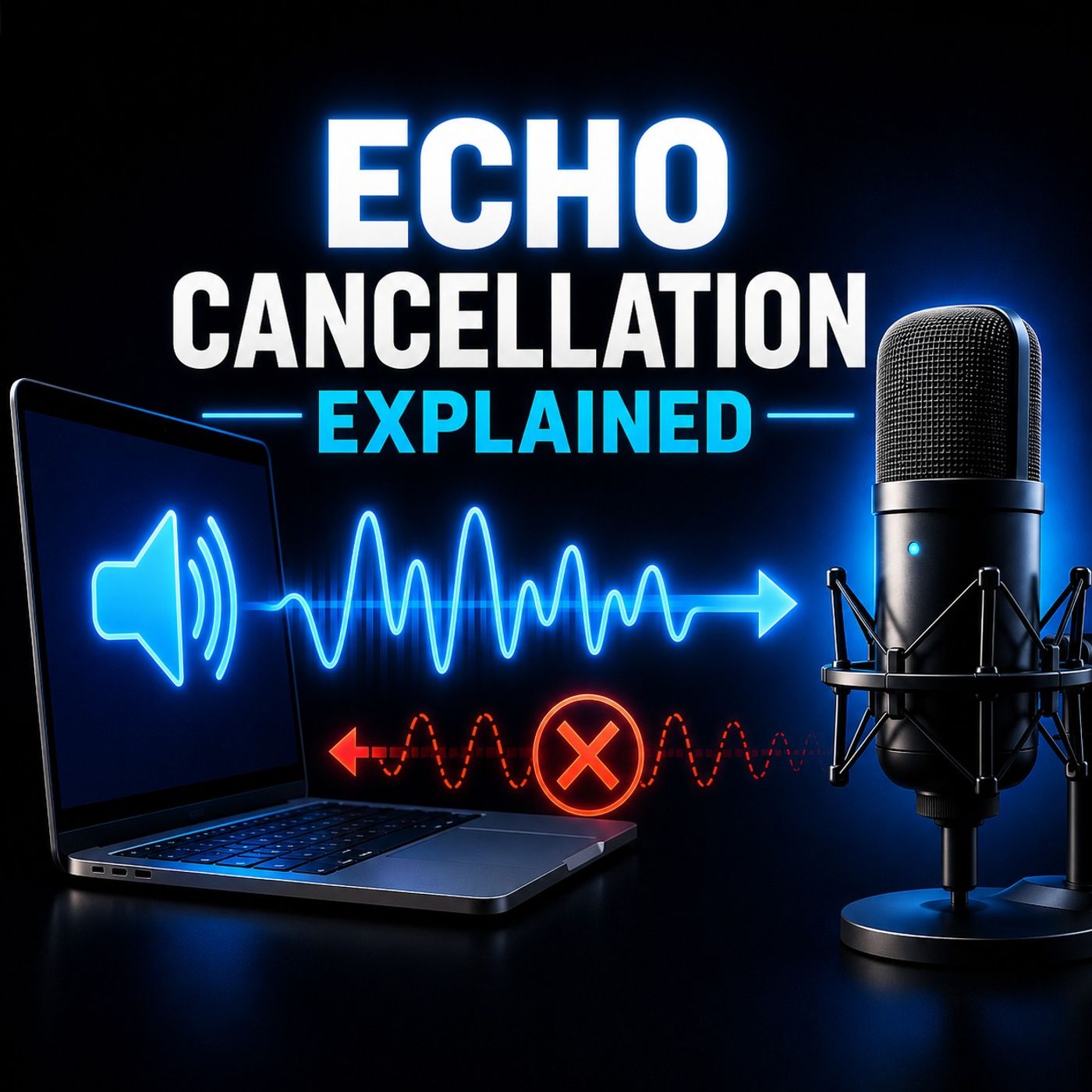
What is Echo Cancellation? Best Practices for Clearer Audio in Virtual Recording In the world of virtual podcasting, how do we eliminate echoes during our recordings? Echo cancellation is a crucial technology that can enhance audio quality, yet many podcasters don't know how it works and when to use it. Here is what it is, how it operates, and best practices for achieving pristine audio in your virtual sessions. What is Echo Cancellation? This is a technology designed to remove echoes that occur during audio recordings, particularlywhen podcasters aren't wearing headphones. If you’ve ever heard your own voice bouncing back at you, you know why we need this tool. How Does Echo Cancellation Work? In a perfect scenario, everyone involved in a virtual meeting or podcast recording would wear headphones. This simple act reduces feedback and eliminates echoes. However, this isn’t always possible, especially when guests join without headphones. Echo cancellation smartly mutes your microphone when sounds from your speakers are detected. For instance, if you’re the host and your guest is speaking, the software recognizes that sound and prevents it from being picked up by your mic, thus eliminating any echo. This process is used with many platforms, including Zoom, Riverside, and Zencaster. Common Misunderstandings Many people assume that if they hear an echo, the issue lies on their side of the call. However, think counterintuitively. If you hear your voice echoed, it typically means the other participant's microphone is picking up your voice through their speakers. In such cases, they need to enable echo cancellation. If you hear the echo of the other person, you should activate it on your end as well. The Importance of Headphones Ultimately, this feature should be a backup for when headphones are not available. Ideally, everyone should wear headphones, as this eliminates the need for this tool altogether. If there is still an echo with headphones on, try turning down the volume on your headphones, then your microphone. Limitations of Echo Cancellation While this is a powerful tool, it is not foolproof. You've heard this when two participants speak simultaneously, leading to distortion or muddled audio. This is often described as an underwater sound, indicating that the feature is struggling to process overlapping audio inputs. Best Practices for Clear Audio 1. Use Headphones : Always encourage guests to wear headphones to minimize feedback. 2. Enable Echo Cancellation : If headphones cannot be used, ensure that echo cancellation is turned on for all participants. 3. Adjust Audio Levels : Monitor microphone and speaker volumes to avoid feedback. Lowering the levels can often resolve echo issues. 4. Conduct a Scratch Test: Before recording, perform a quick scratch test to confirm that your microphone is correctly set up. If the other participant can hear the scratching sound, you’re good to go. If not, check your audio settings. Conclusion Echo cancellation is a valuable tool for enhancing audio quality in virtual recordings. Understanding its function and limitations can greatly improve your podcasting or virtual meeting experience. Remember, the best solution is to use headphones, but in their absence, this tool can be your ally against feedback and distortion. If you have further questions about audio recording or need guidance on improving your podcast setup, feel free to reach out. Happy recording! More: Riverside explanation on echo: https://riverside.com/video-editor/video-editing-glossary/echo Warning about echo cancellation from Podcast Engineering School: https://podcastengineeringschool.com/be-aware-using-echo-cancellation-degrades-audio-quality/ JAG Podcast Productions Equipment Guide: https://jagpodcastproductions.com/how-to-start-a-podcast/ Additional JAG Podcast Productions Blog Posts: https://jagpodcastproductions.com/blog/ Find jag on social media @JAGPodcastProductions or online at JAGPodcastProductions.com Hosted by Simplecast, an AdsWizz company. See pcm.adswizz.com for information about our collection and use of personal data for advertising.
June 1, 20263 min
Podcasters: Beware Spotify's Siren Songs
Most podcasters trust Spotify to host and distribute their content — but what if that trust blinds you to major pitfalls? This episode exposes two crucial risks that could threaten your podcast’s reach and your data clarity. Discover why relying solely on Spotify for hosting can leave your show vulnerable during outages—and how switching to independent hosts like Simplecast or Libsyn keeps your content safe across multiple platforms. We dive into the hidden complications of Spotify's video analytics, revealing how fragmented data can make tracking your performance feel like chasing shadows. If you depend on KPIs for sponsorships or growth, these insights could be game-changers.You’ll learn specific tactics, including alternative hosting strategies, the impact of Spotify’s current video tech limitations, and how upcoming Apple Podcast features may soon transform your video metrics. You'll also see why understanding these pitfalls is essential for creators who want control, transparency, and scalability in their podcasting journey.Neglecting these issues might mean missing out on accurate data, underestimating growth, or risking platform dependencies—risks that could limit your success in a competitive landscape. But by the end, you'll have the knowledge to make smarter hosting decisions, safeguard your content, and leverage new opportunities before your competitors do. This episode is perfect for podcast creators serious about growth, transparency, and owning their data. Whether you're starting out or scaling up, understanding these tech insights ensures you're building on a solid foundation—so you can focus on what truly matters: creating content that connects and grows your audience. Jon Gay is a podcasting expert and founder of Jag Podcast Productions, known for helping creators turn their passion into scalable, successful shows. Find jag on social media @JAGPodcastProductions or online at JAGPodcastProductions.com Hosted by Simplecast, an AdsWizz company. See pcm.adswizz.com for information about our collection and use of personal data for advertising.
April 30, 20263 min
Beware of Pop-Up Podcast Studios!
So just a short abbreviated version of the Jag Show today for a couple of different reasons. Okay, first off, I'm doing a little bit of testing. My partners over at Simplecast, they are the podcast hosting platform that I've used, are rolling out a feature for some plans where you can upload your video into Simplecast and automatically connect to your YouTube. So you don't have to upload your audio and your video in separate places. If you're doing a video podcast, you put the video in one place, it populates to your YouTube, done and done. And there's also going to be the availability to check analytics from your YouTube through Simplecast all in one place. I love the idea. I've been working on them, getting some kinks worked out of it. And of course, I'm going to test it for myself before I roll it out to my clients. Okay, the other thing that I want to talk about today is podcast studios. Now, I know some folks prefer to record in a studio. They really like that feel of having a face-to-face conversation with somebody. They feel something gets lost when you're on Zoom or on a screen like we all felt during COVID. But please, if you're going to go to your... But please, if you're going to go to a studio, please vet the studio before you go. Anybody can buy a thousand dollars worth of equipment, set it up and say, hey, we've got a podcast studio. I know of a client of mine that went to a podcast studio, did not know any better, not on them, but they recorded in the podcast studio on Riverside and sent me the files. But when I got the files, the video dimensions were off. It wasn't 1920 by 1080 or even 1280 by 720 or even 4K. It just wasn't the right dimensions. So what I then had to do, and there were only two cameras, there was a camera on each participant, but no wide shot of everybody. So that took a little bit of creative video editing on my side to get everything to look right, to look like a normal conversation. Now, I'm not going to fault the studio. There are very fine folks that run the studio. But if you are going to start a podcast studio, consult with somebody that knows how to set up a studio first. And then if you're going to use a podcast studio, take a look at some content that's been produced there or ask them some questions. Make sure it's the right place like everything you want to do your due diligence. Now all that said, I am still a huge fan of the Riverside platform. It's what I'm recording the Jag Show on right now. I'm recording in 4K thanks to my Sony... What is it again? I'm recording in 4K with my Sony camera and my, as you can see on the video, my Shure SM7B microphone plugged into my Rodecaster Duo. And I posted about this on LinkedIn. Shout out to my friend, Kristin Donnelly, who asked, can you record two people in person on Riverside? Yes, you can. If you have an interface or mixer that two mics can plug into, you can separate out the audio feeds. The only catch is you're going to have one camera feed for everybody, so make sure it's a wide shot. Or if you're on Apple, you can use your iPhone or iPad as a continuity camera with your Mac. If you're not on Apple, you can use the Riverside app on an iPhone or an iPad or an Android device to be a second camera in the session. You can go between the different views. So there's that too. If you have any questions about Riverside recording remotely or recording in person, please feel free to reach out to me, jag@jagpodcastproductions.com. Find jag on social media @JAGPodcastProductions or online at JAGPodcastProductions.com Hosted by Simplecast, an AdsWizz company. See pcm.adswizz.com for information about our collection and use of personal data for advertising.
February 20, 20267 min
Comcast Rant
Who doesn't love a good Comcast rant? My wife and I moved over the holidays – but this story starts way before that. We couldn’t do Fiber internet in our old house for technical reasons, so we reluctantly switched over to Comcast and Xfinity. At the time, we were both working from home – and we BLEW through the data limits for their residential service. I figured it was all of these live podcast recordings, uploads, and downloads. Turns out, it was her being on Microsoft Teams calls all day. At any rate, we had to upgrade to a Comcast Business account. Fine. In December, we were fortunate in that we had a couple weeks of overlap, where we were still in the old house, but transitioning into the new house. So I called Comcast, and explained I needed the service in BOTH locations. The sales rep seemed OK with that, but told me to contact him as soon as the new service was installed, so he could try and keep up all my discounts, which were unusually high, in his estimation. I emphasized, DO NOT TURN OFF SERVICE to the old house when the new house is turned on. Cut to December 18th – my birthday, no less. I spent the entire afternoon at the new house, waiting for the install. The older gentleman tested the line and told me the connection wasn’t great. So he climbed the utility pole in our new neighbors’ yard, and ran a coax line across the top of their fence, and ours, into our house. Turns out, our electricity line is underground here – great for a storm – bad when the cable company has to, by law, follow that line. So they opened a ticket to have someone come out and bury the line once the ground thawed. Meanwhile, there’s a giant red coax cable strung across our neighbors’ yard (fortunately they are super nice), and ours. Cable comes on, and my wife calls from the old house – sure enough, they turned the service off, over there. What followed was 15 minutes of me cussing out an automated system at Comcast, because it was after hours. Finally, I get a human being, overseas, who tells me to unplug it and reset it. I explain, no, it’s not a technical issue – it’s a YOU issue. “Oh I’m sorry, you’ll have to call back after 7am.” Uh, no. This may be a first world problem, but I have too much stuff in my house that relies on the internet to have it off overnight due to your incompetence. I said it a little nicer than that. Miraculously, they turned it back on. First bill comes – for FIVE HUNDRED DOLLARS. This includes the install (fine), and two months of service – at $50 per month more than I’d paid all last year. That’s the straw that broke the camel’s back. I called AT&T about fiber. They came in at $80 per month cheaper, no data limits, and excellent customer service. Not to mention they are symmetrical – their upload speed matches their download speed. I’m doing more video for my podcast clients – and an hour podcast, at 1080p resolution can be around 6 Gigabites. To upload a file of that size would take an hour on Comcast. With AT&T, it’s usually a few minutes. SOLD. So I cancel Comcast. But in the interest of being a good neighbor, I need to get the cable removed from their yard and ours. Dead end, after dead end on phone, and chat. I’m pretty sure, Comcast having the monopoly that they do – the system is designed to get you frustrated and just give up. But then my good friend Diane entered the picture. She told me there’s a REDDIT thread for Comcast support. And she suspects the agents that are too good for the phone and chat get “banished” there. It’s some sort of secret society. Long story short – I posted about the issue. A moderator DM’ed me, and despite a few hiccups, eventually someone came and removed the line. So THAT problem was solved. That only leaves the bill. Reddit couldn’t help me there because once I admitted it was a business account, they very quickly said “not it!” On January 15th when I cancelled the service, they had the audacity to tell me I was past my 30 day cancellation window. I told them no, I spent my BIRTHDAY on the 18th waiting around for your installer. So they processed the cancellation. Look, I’m a reasonable person. I don’t expect a refund for the installation, nor do I expect to get my money back for the first month of service that I used. But I damn well better get my money back for the second month of service that was NOT used. They told me to wait until the February 14th bill to see the refund. I got the Feb 14th bill – and have a credit OF…18 dollars and 18 cents. Still no refund for month 2. So I tried the chat – oh you have to call our retention department – which sounds like AI but I think is a person. After 30 minutes on the phone, I come to find out – they are insisting I’m was out of my 30 day window on the cancellation because even though the install was on the 18th, the CONTRACT started on the 15th. They waived my cancellation fee as a COURTESY. How nice. As for the refund on the second month of service – when I went back over the fine print of the cancellation document I signed – it said the cancellation will take 30 DAYS to process and I’m responsible for those charges. You win, Comcast. I’m tapping out. When you own your own business, you have to think about what your time is worth. And even though I wanted to die on this hill, I can’t spend any more time fighting for $150. But I sure can post this rant on the internet and hope a bunch of people see it. It’s the equivalent of the strongly worded letters my parents taught me to write in the 80s. I will say though – if you are stuck in Comcast or Xfinity automation hell – try Reddit. You might find a diamond in the rough. And a note for podcasters – fish where the fish are. Leave no stone unturned for where your audience might be hanging out on the internet. Next on my to do list – trying to get money back from Verizon. They charged me for an ipad I traded in – for 14 months after I no longer had the device. Wish me luck. Find jag on social media @JAGPodcastProductions or online at JAGPodcastProductions.com Hosted by Simplecast, an AdsWizz company. See pcm.adswizz.com for information about our collection and use of personal data for advertising.
October 20, 20251 min
Protect Your Podcast From The Next YouTube Outage!
If you're one of those people who only does your podcast on YouTube, last week you were in big trouble. Last week, YouTube had an outage, which is prone to happen in all these big tech companies. And if you only have your podcast on YouTube, not on Apple, Spotify, or anywhere else, you can get it on audio or video. Your listeners couldn't consume your content and they went somewhere else. Take it as a really important lesson. Do not put all of your eggs in one basket. Similarly, today, Amazon Web Services AWS, they also had an outage which affected apps like, , Snapchat and others. I have a 15 and 20-year-old niece. Their primary method of communication isn't text. It's snap. Good thing they were in class today, otherwise they would've been in trouble. Here's the thing, we are very, very vulnerable as a country to cyber attacks. I'm sure there are bad actors all over the world licking their chops right now. Can't be a coincidence that YouTube had an outage. Amazon had an outage all within the span of a week. You never know what is going to go down when. So be sure to have your podcast in as many places as possible so that if something goes down, your content can be consumed somewhere else. Because if your listeners and viewers can't find your content,. They'll go elsewhere. Hopefully they'll come back. Find jag on social media @JAGPodcastProductions or online at JAGPodcastProductions.com Hosted by Simplecast, an AdsWizz company. See pcm.adswizz.com for information about our collection and use of personal data for advertising.
Is this your show?
Claim this listing to keep it up to date, reach guests who want to pitch you, and manage bookings with Guestify.