Find partners
Wonder Tools

Wonder Tools

Hosted by Jeremy Caplan

Episodes

79

Latest episode

Jun 2026

Language

EN

About the show

Wonder Tools helps you discover the most useful sites and apps. Building on one of Substack's most popular productivity newsletters, each episode of the podcast includes specific tips on how to make the most of these new tools to work creatively and productively. wondertools.substack.com

Listen to episodes

60 recent
June 5, 20267 min

📍 Pinpoint, Explained

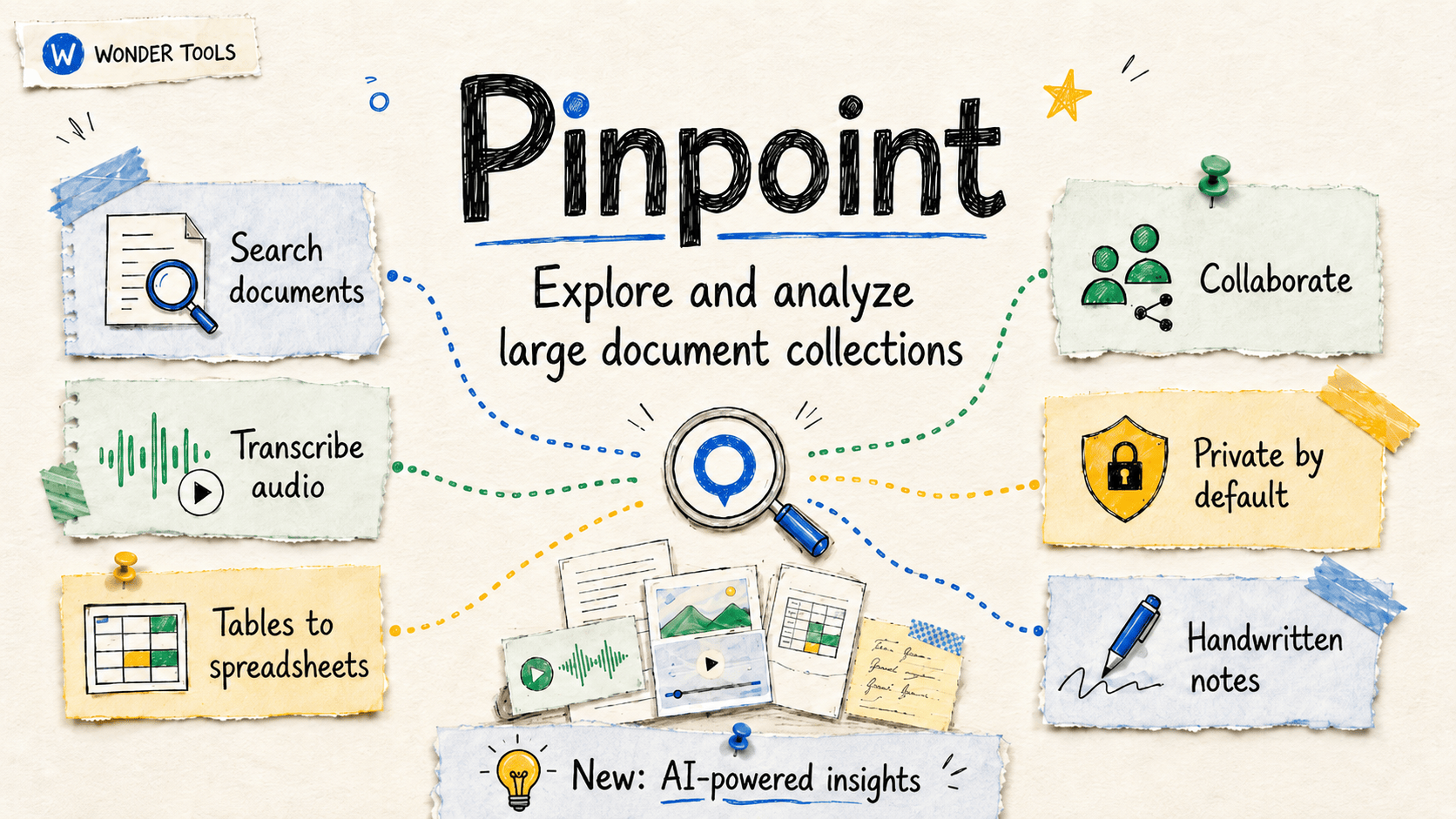
Google’s Pinpoint is now open to everyone. It’s a surprisingly powerful free tool for making sense of giant piles of digital stuff. (Before June 3, it was restricted to journalists and academics). Read on to learn more about creative ways to use Pinpoint; its new AI features and their limitations; and how Pinpoint differs from NotebookLM.How Pinpoint WorksPinpoint lets you store and analyze hundreds of thousands of files so you can find tiny needles in gigantic digital haystacks. * Pinpoint can transcribe hundreds of hours of audio and video. * It also makes your handwritten text, scans, and PDFs searchable, like my enormous collection of scanned handwritten notes and whiteboards. * Once Pinpoint processes your files you can search, summarize, and organize your collections.* Pinpoint makes it easy to query, label, and extract data from hundreds or thousands of documents. It’s simple to use. No complex menus or commands. Getting Started* Start by uploading PDFs, emails, audio and video files, handwritten notes, or other file types. * Each collection can have up to 200,000 files. You can have an unlimited number of collections, which function like folders. * Journalists and academics can request “Pinpoint for Professionals,” which provides 100GB of storage. Others start with 1GB. * Audio and video files can be up to 2 hours long and 8GB. The limits are much more generous than what other AI tools, like NotebookLM, offer.* Pro tip: Create separate Pinpoint accounts for each of your Google accounts. That gives you more storage. It’s also how I keep personal projects separate from work. You can always download files you’ve previously uploaded. And request additional storage if you reach your limit. Pinpoint Features to Try * Scour through audio recordings to locate key moments. Pinpoint transcribes in more than 100 languages. Upload and transcribe your recorded presentations to review how you frame a particular topic. Or how water pollution is described in local council meetings.* Explore text within images and handwritten notes. I’ve scrutinized my old handwritten notes for ideas and checked whiteboard photos for explanations I can improve. * Share a document collection. Invite individual collaborators or publish a collection for public exploration. Giving readers access to source material can be a valuable form of transparency in journalism.* Analyze an email or document archive. Assess a public email trove or document collection, like files from the Enron trial, for connections between politicians and companies, or financial impropriety. * Focus your research on particular people, organizations, locations, or date ranges. Pinpoint automatically lists a collection’s most frequently-mentioned entities. Click on an entity to jump to exactly where it’s mentioned.* Export important Gmail folders with Google Takeout in .mbox format. Takeout lets you export and back up anything Google hosts. You can then upload your email collection to Pinpoint to find patterns, or locate references to specific people, places, or organizations.🎁 Try my new Pinpoint Assistant to get personalized ideas for how you can use Pinpoint for a project you’re working on.Pinpoint in NewsroomsNews organizations have relied on Pinpoint for award-winning investigations involving thousands of documents, including:* Blind Spot by the Boston Globe (Pulitzer)* Poisoned by the Tampa Bay Times (Pulitzer)* Secret Sauce: Expired from North Carolina’s Blue Ridge Public Radio (BPR) (Edward R. Murrow Award). * Z. Waite’s detailed case study explains how and why BPR used Pinpoint. Waite also notes four good, free, alternative tools: DocumentCloud, Datashare, OpenRefine, and Datasette. Public Collections* Pinpoint’s “Explore” section lets you examine document collections from more than 200 news organizations, ranging from The New York Times and The Washington Post to The Hindu and Süddeutsche Zeitung. Test out the searching and filtering features before uploading anything. * Notable document sets include JFK assassination records, Mueller Court filings, and 80 years of U.S. foreign agent registrations (86,018 documents) uploaded by the Center for Public Integrity. New AI CapabilitiesPinpoint has a bunch of new AI features in beta available in more than 80 countries. In my testing, not all of the AI capabilities work reliably yet, but you can request early access. Pinpoint’s AI features are designed to help you analyze your files, not generate original content as you might with Gemini or NotebookLM. * Explain words or phrases in any file. Highlight any text and ask Pinpoint to put it in context. I like the short, useful explanations based on what else is in a document. * Google words or phrases inside your text to learn more from Google. In my tests, this beta feature consistently yields error messages.* Summarize Collections. I like how Pinpoint gives me an AI-generated overview of every file I upload. It can also summarize an entire collection. * Extract data into spreadsheets. Pull info from up to 100 documents at once and deliver it as a sheet, with links back to the source text for each data point. That’s handy for tracking mentions or doing comparative research. Try this feature for analyzing public government contracts or other information in PDF form that would be easier to work with in a spreadsheet. * Automatically label hundreds of your files in a collection. Let’s say you have a public email dataset. You may want to evaluate just those written by a particular person, or just those discussing a particular stock. Instruct Pinpoint and it will label your collection for you. Limitation: Pinpoint can label 1,000 files at a time. In my tests, the interface only let me select 100 files. If you’re working with tens of thousands of files, labeling may be tedious.* Transcribe audio quickly. Pinpoint now claims to give you high-quality transcribed text 20x faster than it used to. I couldn’t verify that specific metric, but it’s generally fast. Each file is helpfully time-coded. Click on any section of text to hear the corresponding audio. Limitation: unlike Wispr Flow and Letterly, which I use for my personal dictation, Pinpoint sometimes mangles names, and doesn’t learn from its errors. * Compare any two or three files. See what changed in multiple versions of a document, or how three different people addressed the same subject. * Query your collection with ordinary language. Results are often fast, useful, and linked back to the original document. Expect occasional errors, though. One search I tried, for example, returned a document mentioning someone with a similar but different name from the one I was searching for. * Create a timeline. If you’re looking at how something developed over time, you can pick up to 100 files and generate a timeline. You can optionally specify a topic for the timeline. This might be useful if your dataset has dated transactions, for example, or multiple reports you want to put in order.Pinpoint vs NotebookLM* What’s similar: Both NotebookLM and Pinpoint are free Google services that allow you to efficiently summarize and search though large documents. * What’s different: NotebookLM synthesizes and generates (slides, infographics, video and audio podcasts, and reports). Pinpoint, on the other hand, focuses on finding patterns and organizing a wider array of file types in much larger collections of email, multimedia, and scanned images.* NotebookLM allows 50 files per notebook for free users. (See my guide). Pinpoint lets you upload 200,000 files into each collection. * Combine the two: If you have a large collection of documents, consider gathering, storing, organizing, and transcribing in Pinpoint. Then move the most important files into NotebookLM for further analysis and to generate artifacts like reports, slides, infographics, flashcards, audio, and video. Privacy* Your documents are private. Nothing you upload is public unless you publish a collection. Read Google’s Pinpoint privacy details.* Your files are not used to train AI models. Google explicitly notes that documents you upload won’t be used to train Large Language Models. Read Google’s statement. * The bottom line: I trust Pinpoint for non-sensitive document work. But because uploads are processed on Google’s servers, Pinpoint may not be a fit for everything or everyone. Here are additional privacy details.Limitations * No mobile app. You can view docs on a phone browser, but not all features work.* No NotebookLM integration yet. You can’t easily move files from one service to the other. * Storage caps. On a 1GB account, you may hit storage limits with large files. * AI features aren’t error free. No AI implementation is. This is a public episode. If you'd like to discuss this with other subscribers or get access to bonus episodes, visit wondertools.substack.com/subscribe
May 21, 20261 hr 2 min

🛑 Skip the Upgrade

I love new gadgets and gizmos, and I’m constantly trying new sites and apps. So I was intrigued by the title of Eric Athas’s upcoming book, Saying No to New.Eric’s an editor at the New York Times, where he helps journalists make the most of new tools. He’s also a lifelong early adopter. He told me he used to wait in line for new iPhones. But his upcoming book is about thinking twice about new stuff.In our Substack Live conversation, we talked about old gadgets we still love and new gadgets we never use. Eric shared advice on how to tell the difference between things that might genuinely improve your life, and gizmos that will end up at the back of a closet. We even did a little show and tell with various odd gadgets in our offices.📺 Watch the full conversation above, or read highlights below.1. The Vanishing Gap Between Wanting and GettingWhen Eric and I were growing up, if you wanted to buy something cool you saw on TV, you’d have to drive to a store. You or your parents would have to spend cash. If you ordered something by mail, you’d wait weeks for delivery.Today, you can tap on a phone and the thing that caught your eye appears at your door the next day. You can even buy now, pay later, so you don’t need cash. Coming next? AI agents that shop for you proactively. They anticipate what you want so you don’t have to make any decision at all.Eric calls this the collapse of the “new thing gap.” The time, distance, and cost between seeing something new and acquiring it has shrunk. That gap used to protect us from buying on impulse.* One-click ordering eliminated distance.* Free shipping removed the physical effort of the pickup errand.* Deferred payments eliminated financial friction. You don’t even need the money.Eric suggests we reintroduce friction by pausing long enough to ask whether the new thing will actually matter a month from now.2. Show and Tell: Our Gadget Graveyards 🎪Eric and I compared old odd gadgets in our offices.From my desk:* Multiple VR headsets. I have at least three, including one with the plastic still on it. You slot your phone in, close it up, and get an immersive view. Remember when the New York Times announced in 2015 it would ship a million Google Cardboard VR headsets? Eric confirmed that the headset now lives in the Times’s in-house museum.* Lumo posture band. This posture sensor had a belt that wrapped around my waist and buzzed when I slouched. It was a cool, if weird, concept, but the buzzing was distracting, I still slouch, and the product was discontinued. It’s lived in my drawer for years.* PLAUD AI recorder next to my brother’s old tape recorder. The old one has a red record button, a play button, and a stop button. You know exactly what to do with it. The Plaud is sleeker but less intuitive.* Sand timer. This one is both decorative and useful. It’s silent, easy to use for timing, and never needs to be charged. I use it to stay focused during hard tasks.From Eric’s desk:* A USB coffee mug warmer. Cracked. Unused. Eric’s take: once you introduce a USB cord into the coffee experience, it loses its magic.* NeeDoh stress balls. A kid craze. Eric’s children wanted them, squeezed them for a day, and abandoned them. He wrote about the NeeDoh fad here. I have multiple stress balls, and I use them often. Consumer Reports warns they can create a sticky mess or worse.3. New Things Worth Saying Yes To ✅Eric’s book isn’t about rejecting everything new. It’s about choosing things thoughtfully so the genuinely useful things don’t get crowded out. Some of the new tools we like:* Seek app. Free. Point your phone at any plant or animal in nature and learn what it is. I discovered it during the pandemic and still use it regularly.* Merlin app. Free. Record birdsong and the app identifies the species. Eric and I are both fans.* Granola. AI meeting summaries. It’s now part of my workflow. Here’s why. It’s infrastructure for me, not novelty. Free for basic transcriptions and summaries. I pay $14/month for additional features, like storing meeting notes for months and querying them with Claude.What these tools have in common: they solve a real problem, they’ve lasted, and we’ve stuck with them.Sponsored MessageSending Emails but Getting Zero Replies?It might not be your copy.Many startups unknowingly have broken email deliverability, causing messages to land straight in spam folders. That means lost leads and wasted outreach. Warmy.io automatically warms up your email accounts, protects your sender reputation, and keeps your emails landing in real inboxes.If email is part of your growth strategy, this matters.Fix your deliverability before your next campaign.4. Our Brains Chase Seductive Novelty 🧠Eric’s new book is grounded in neuroscience. When we encounter something new, we get a dopamine hit. That neurological response evolved to help our ancestors survive. New food sources, new paths, new shelter: those discoveries were rewarding.But sometimes novelty seduces us without offering anything meaningful. In one study Eric described, rats repeatedly crossed an electrified grid just to explore an unfamiliar area. They chose pain plus novelty over a known food source. Humans do something similar. We covet a new phone partly for its camera, but partly just because it’s new. Then we do it all over again. Even if we can’t afford it. That’s one reason why so many Americans are in debt.I recently read Dopamine Nation, a surprisingly engrossing book by Dr. Anna Lembke, about how our brains are so readily seduced by pleasure.What results is an unfortunate cycle. We get something new, enjoy it briefly, and soon we’re scanning for the next new thing. My college advisor, Daniel Kahneman, studied and wrote about this “hedonic treadmill” effect.His research showed that we overestimate how much a new purchase will improve how we feel. And novelty tends to wear off quickly. He called it “hedonic adaptation.”That doesn’t mean we should avoid all new things. But it does mean we should think carefully about whether there’s something genuinely meaningful behind the new shine.5. Experiences Outlast Products 🎒Research shows that trips, cooking classes, concerts, and other new experiences tend to give us more lasting delight than new products do.That’s partly because experiences tend to be social. You go with someone. Or you meet people there. You talk about it afterwards. Trips have a beginning, middle, and end. You have a story you can retell. A new pan doesn’t generate much conversation after the first week. Its novelty fades fast.Kahneman, who was one of the best teachers and advisors I’ve ever had, introduced me to the related “comforts vs. pleasure” theory. It was originally described by Tibor Scitovsky in The Joyless Economy: The Psychology of Human Satisfaction. It changed the way I think about spending money.Comforts are things we buy and then quickly adapt to. A nicer couch. A bigger TV. They feel great at first, then they fade into the background. Pleasures, on the other hand, are transient experiences: a delicious dinner with friends, a live concert, surprise flowers, or a summer walk with someone you love in a new city.These kinds of experiences are brief, but they retain their emotional charge when you reflect back on them. Kahneman’s argument, supported by numerous studies, was that pleasures enhance happiness more durably than comforts, because we don’t adapt to them. The research findings’ bottom line: if you want more happiness, splurge on special experiences with loved ones rather than expensive things.Eric’s suggestion: if you’re drawn to something new, try turning the purchase into a social experience. Waiting in line with a friend for trendy cookies transforms a dopamine-seeking buying excursion into an experience and a fun shared memory.Daniel Pink recently made a compelling video on the same theme: how to spend money so it actually makes you happier. His take aligns with Eric’s and Kahneman’s. Spend on experiences, not things.6. Ask These Questions 🔍Eric suggests a few questions to ask before you acquire something new:* Will I still use this in a month? Will this serve an ongoing purpose, or will it get stuck in the background? (I’ll use this one the next time I’m tempted by a kitchen gadget or iPhone app). * Is it intuitive to use? Eric points to modern car dashboards as a cautionary tale: touchscreens that look futuristic can end up being more confusing than the knobs and buttons they replaced.* Is it likely to distract you? A sand timer, a paper book, a physical photograph: these do one thing well without pinging you. A single-purpose app on your phone, on the other hand, puts you one swipe away from email, Instagram, and other Internet rabbit holes.7. Good Enough is Sometimes Enough 👍Eric’s coffee maker still works. His wife wants him to upgrade. He resists, not out of stubbornness, but because it does exactly what he needs. He programs it at night. He wakes up to fresh coffee. No learning curve.His suggestion: before replacing something, ask whether what you already have is still good enough. Something better always exists, but if the upgrade is just about novelty, it might not be worth the effort, expense, or space.I have more than 600 apps on my phone. I use only a small fraction regularly. But I’ve realized that going back and manually deleting everything I’m not using is a waste of time. In the digital domain, unlike the physical one, unused things don’t take up much space. Going back and deleting emails or apps one by one feels like more of a waste than letting them sit idly in the graveyard.8. Paper Books and Quiet Treasures 📖About two-thirds of Americans still read books on paper despite the convenience of ebooks. Part of what’s appealing about them is sensory: the way pages turn, the way a book feels in your hands, the smell of the paper.But there’s another advantage. A paper book doesn’t send notifications. It offers no tempting apps. The same goes for vinyl records, Polaroid photos, sand timers, and handwritten journals. Each of these enables you to deeply focus on what you’re doing.My grandfather taught me to use a Minolta camera when I was little. The quality of its pictures doesn’t match that of an iPhone. But old objects like the Minolta have intrinsic value beyond their function. A hand-me-down camera is a reminder of love.I have more than 50,000 photos on my phone. That abundance, paradoxically, devalues each individual image. When film was limited and developing took days, every picture felt more precious. Anticipating which pictures might turn out was part of the thrill of photography. I don’t want to return to that era. But the photos my wife and I have printed and framed mean more to me than many of the ones sitting in my phone’s camera roll.9. Choices Are Contagious 😷The last chapter in Eric’s book is about invisible influence. If your friends are constantly upgrading their homes, devices, or apps, you might feel the pull to keep pace. It’s tempting to follow the cultural lead of those around us.The reverse is also true. Choosing to stick to what you have quietly signals to other people that it’s okay to keep the old thing, to skip the trend.Read more 📚* Saying No to New Available for pre-order. Out September 15 from Balance.* Eric Athas on Substack Behind-the-scenes updates, pre-order bonuses, and a decision-making tool tied to the book’s ideas. * Dopamine Nation by Dr. Anna Lembke. The neuroscience of novelty-seeking. Eric and I both referenced it.* The Joyless Economy by Tibor Scitovsky. A psychology classic about what impacts happiness and how comforts differ from pleasures.What’s a new thing you say no to? Leave a comment 👇Thank you Des Kennedy, Betty Solomon, George K Thomas, and many others for tuning into my live video with Eric Athas and thanks to you, reader, for making it all the way down here to the end of this post. This is a public episode. If you'd like to discuss this with other subscribers or get access to bonus episodes, visit wondertools.substack.com/subscribe
May 8, 20261 hr 4 min

What I Learned About Time 🕰️

I love Laura Vanderkam’s books about how to make the most of time. It’s never about stuffing more into our days. It’s not about productivity. It’s about savoring and being creatively thoughtful about what we choose to do. Her books 168 Hours and Tranquility by Tuesday changed how I think about my own weeks. For example, her argument for “effortful before effortless,” nudged me to spend more of my discretionary time on my hobbies. Her latest book, Big Time, new this week, makes the case for time abundance: we have more time than we think, and there are surprising ways we can savor it.In our live conversation May 7, we talked about why weeks matter more than days, how to make work more satisfying with small changes, and why your weekday evenings may hold more free time than you realize.📺 Watch the full conversation above, and read highlights below.My Favorite Ideas from Our Conversation 💡1. Your Life Is a Circus. Be the Ringmaster. 🎪When people say “my life is a circus,” they mean chaos. Laura says that’s a slander against circuses. A real circus is a super-organized performance. Nobody gets shot out of a cannon at the wrong time.She thinks of life as a well-orchestrated three-ring circus: career, relationships, and self. You’re the ringmaster. Each ring may have a bigger or smaller act at any given moment. A good circus is managed for delight. You want to run a show you’d actually want to watch. The circus also needs a safety net. Complex lives require backup plans so that complexity doesn’t descend into chaos.2. Think in Weeks, Not Days ⏳There are 168 hours in a week. That number matters more than 24.If you work 40 hours and sleep 56, you still have 72 hours for other things. That’s not all free time. But we have much more discretionary time than we often realize. Laura says the time-crunch feeling often results from looking narrowly at today. Zoom out to the week and you’ll often see more room.3. Track Your Time Simply 📊Laura tracks her time on a basic Excel spreadsheet. Half-hour blocks. Monday through Sunday. She checks in three times a day and jots down what she did since the last check-in. She doesn’t make pie charts. She uses plain language: “Email.” “Cooking.” “Reading.” “Driving.” Whatever you’d casually tell a friend if they asked what you were doing right now.At the end of each week, there’s room to reflect. What were the highlights? What did you enjoy most? What was most memorable this week? What was frustrating? She then archives the log and opens a new one.Laura has been doing this long enough that she can now pull up an old log from the same week in a prior year. She recently compared this past April with April 2020. She now has a kind of personal time capsule. (My wife and daughters use Gretchen Rubin’s 5-Year One-Sentence Journal for a related time capsule).Tip: You can use Laura’s simple, free time-tracking spreadsheet. If spreadsheets feel like too much work, try Toggl. I use Rize, which automatically categorizes my time so I don’t have to remember to log.4. Enjoy Work More with 3 Small Experiments 🔧Laura tested three tactics with hundreds of people over three weeks. Each tactic helped people feel more satisfied with their work to a statistically significant degree. The approaches don’t require that you change your job. They also don’t depend on you having a ton of autonomy. So they’re designed to work for all sorts of roles.* Spend one more hour per week on the work you like best. Every job has tasks you prefer. Even a short conversation with a manager can shift the balance toward more of those. (This reminds me of “job crafting,” a tactic I once wrote about for Time Magazine). * Spend 15 more minutes per week at work with someone you like. Friends at work are people you’d willingly spend time with outside the office. Social time at work matters more than we may realize. * Take two intentional breaks per day. Everyone takes breaks. Most are unplanned. When you decide in advance how you’ll spend a break, you can choose something rejuvenating rather than defaulting to scrolling or other screen time. One participant in Laura’s study told her: “I thought about leaving my job. I may still do that. But now I see ways to make work better whether I quit or not.”5. Reclaim Your Golden Hours ✨Golden hours are what Laura calls the stretch of weekday time after work and before bed. For most people, that’s roughly 6 p.m. to 11 p.m. Five hours.Laura’s challenge: set one golden hour intention each day. Thirty minutes of something you chose and genuinely enjoy. Not work. Not housework. It might be: reading. A puzzle. A walk. A board game. Playing music. Even watching a movie with a loved one, if you chose that.The point is awareness, and intention. Once you claim 30 minutes of chosen leisure, you’re less likely to tell yourself the story that you have no free time.Laura also noted that Golden Hours is the title of her next book. Given that this book just came out, I’m impressed that she’s already ready for the next one. 6. Try Effortful Fun Before Effortless Fun 🎯This was the most memorable and useful tactic I learned from Laura’s previous book. It pops up again in this one. Here’s the idea: when your schedule allows for a bit of leisure time, start with at least a few minutes of something that takes effort, before you default to screens or other mindless activity. Read three pages of a book before opening Instagram. Start drawing or playing an instrument (my choice) before picking up your phone. One of two things will happen. You may get absorbed in the book and keep going. Or you might switch to Instagram anyway, but at least you’ve enjoyed a few minutes of something you care about first. Laura likes taking on big, year-long projects, like listening to all of Bach or Beethoven, or reading all of Jane Austen or Shakespeare, all of which she’s done in years past. Those all require just 10 pages a day or listening to one piece. If you sprinkle your days with effortful moments, you’ll get deep into projects you care about over the course of a year. If not, you’ll have a year’s worth of scrolling or other mindless diversion that may not add up to something memorable. Laura’s insight: effortful fun is especially enjoyable and valuable once you clear the initial hurdle of getting started. But when you start with effortless fun, it’s easy to get sucked in and hard to switch to something effortful with more friction.7. Go Outside After Dinner 🌿Laura’s family uses the acronym TOAD: Time Outside After Dinner. Once daylight extends past dinner, go outside. Walk. Play. Just be out there. It breaks the default drift toward screens during the post-dinner hours.8. Practice Active Patience 🌱Some things just take time. Laura talked about how her books reveal themselves slowly as she writes them. She may start with a detailed outline, but the nuances within each chapter emerge gradually. A piece of music becomes part of you only after many hours of practice. I’ve spent years on some of my favorite violin pieces; I often find new wrinkles, like dynamics or articulation marks I hadn’t paid much attention to, even after I’ve spent hundreds of hours looking at the music. After 11 years of tracking, Laura knows exactly what fits in 168 hours. Her weekly priority lists are short and realistic. If something is on the list, she’ll do it. If not, she’ll push it to a future week.That precision eliminates guilt. She doesn’t assign herself things she won’t actually do. And she doesn’t feel bad about things she deliberately chose not to do this week. If you occasionally feel guilty about not doing enough, as I do, check out I Didn’t Do The Thing Today: Letting Go of Productivity Guilt, by Madeleine Dore. It’s a brilliant take.9. Leave Room to Say Yes 🚪Most productivity advice is about saying no. Laura flips that. Almost all new opportunities, relationships, and breakthroughs come from saying yes to something you’re not entirely sure about.The reason to clear your schedule isn’t just to have less going on. It’s to create the mental space to say yes when something unexpected appears. If you feel completely swamped, you might not even consider new possibilities. Managing mental load isn’t just about getting things done. It’s about staying open to what could come next, and allowing for serendipity. It’s about being open to what Laura calls little bets, giving time to something new that might end up being terrific. Tip: In his book, Flourish, Daniel Coyle describes this approach as opening yellow doors. They’re yellow (like a yellow traffic light) because they aren’t a clear GO. You’re not sure where they’ll lead. You may instinctively resist them in favor of more obvious green doors. Coyle points out, as Laura does, that these yellow doors can lead you to surprising places you wouldn’t otherwise go. 10. This is Probably Not Your Last Day 🐾“Live every day as if it’s your last” sounds inspiring. But it’s not practical for consistently making real decisions about how we spend our time.If everything was about living for the moment, you wouldn’t save money, learn a new language, or practice cello. Planning would seem futile or foolish.Laura prefers a different frame: ”Someday we will die. But on all the other days, we will not.” She attributes it to a Snoopy cartoon.Most days are not the last day we’ll be alive. It’s worth investing in things that pay off later. Build skills. Start the long project. The Social Security Administration publishes actuarial tables if you want reassurance about your own life expectancy. For most ages, your odds of making it to next year are excellent. That’s true whether you’re in your forties, like Laura, or 92. Interesting fact: Only when you’re 105 do your odds of dying within a year start to exceed 50%, according to those tables. 11. Make Fewer Decisions. Rely on Presets 🍝Laura’s family has a routine meal schedule. Pasta on Mondays. Fajitas on Tuesdays. Breakfast for dinner on Thursdays. (They love bacon). Weekends are for trying something new.That approach extends beyond food. Sticking to formulas frees up mental energy for things where decisions are crucial. You’re not being boring. You’re being strategic about where your decision-making efforts go. Jeff Bezos and other visionary leaders talk about separating reversible small decisions from impactful ones that can’t be reversed. If you don’t like one lunch, you’ve got another one coming. If you fire someone or leave a partnership, you may not get an easy redo.Laura’s Simple Toolkit 🧰Laura doesn’t focus much on tech. Here are a few tools she relies on.* Microsoft Excel for time tracking. Basic spreadsheets, half-hour blocks, simple categories.* iPhone Notes App works well for scanning. Open a note, press the paperclip icon, then scan a permission slip, agreement doc, or some other form straight to PDF. You don’t need a separate scanner.* Toggl for time tracking if you prefer an app over a spreadsheet. The free version works well. It works on your computer or laptop, and integrates with many other apps. I use and recommend a different app called Rize. * Two laptops. She started using two screens by accident when an old laptop couldn’t run Zoom. Now she writes on one and references notes on the other.* A digital recorder for her brief daily podcast called Before Breakfast. She batches episodes ahead of time and sends audio files to her production team.On AI ✍️Laura loves both writing and puzzling. She says using AI for writing would be like paying a robot to do a puzzle for her.She has used it for brainstorming and research. She once asked for a list of productivity newsletters. About half the results were ones she already knew. Half of the rest turned out not to exist. But some of the results were useful discoveries.She’s open to the idea of feeding time logs into AI for pattern recognition. Her take: it’s a bit like a tarot reading. If you agree with the AI’s categorization or summarization, you’ll think the results are great. If you don’t like the AI’s assessment, you’ll assume it malfunctioned.For my own takes on AI, check out my AI-related posts. Laura’s Resources 🎁* Free time-tracking spreadsheet: lauravanderkam.com/manage-your-time* Before Breakfast Laura’s daily micro podcast with short weekday tips. I’ve listened to it for years. I love that each episode is just a few minutes long (though I tend to skip over the lengthy opening ads). She’s been publishing episodes daily since early 2019. * Best of Both Worlds Laura cohosts this podcast with Dr. Sarah Hart-Unger, focusing on real-world issues that arise when balancing work and family. (Laura has five kids, aged six to 18, so she speaks from experience). * Big Time Her excellent new book on time abundance.* Tranquility by Tuesday and 168 Hours Two of Laura’s best prior books, both worth reading, both full of specific, practical, non-intuitive ideas that I’ve found useful. Thank you to my brother Ben Caplan, MD, Holly, and many others for tuning into my live video chat with Laura. And thanks for reading all the way down to this note. Leave a comment with your own thought on time. I’d love your input. 👆 This is a public episode. If you'd like to discuss this with other subscribers or get access to bonus episodes, visit wondertools.substack.com/subscribe
April 30, 20261 hr 11 min

✍️ Let AI Interview You

The following is a guest post by Jay Dixit, founder of Socratic AI Most people treat AI like a question-answering machine: Ask a question, get an answer. What is chili crisp, and why is Gen Z so obsessed with it? What’s the best starting guess for Wordle? What’s the best time of day to post on LinkedIn? (My own real queries from today.)There’s nothing wrong with using AI to get answers to your questions. But there’s another mode of interacting with AI that many people never consider — one I find much more useful for my creative process.Here’s what I do instead: I flip the script and let the AI ask the questions for a change. Instead of prompting AI, I get the AI to prompt me.You may have heard Jeremy call this technique the “reverse interview,” and he’s previously written about it as a tool for reflection. You might use reverse interviewing, say, to conduct a soul-searching interview about what you want from your career.I take that same role reversal and apply it to the writing process. I call it the “Socratic interview.” It’s the foundational technique I teach for using AI as a thinking partner instead of a content generator. It’s also what inspired the name of my company, Socratic AI, and my upcoming masterclass with Narratively Academy. (See below for details, including an exclusive discount for Wonder Tools readers.)The Socratic interview works for any writing task — a first-person narrative, a Substack post, a pitch deck, a talk for SXSW, even a speech for my best friend’s wedding. I use two versions of the technique: one to help me figure out what to say, and one to figure out how to say it.Socratic Interviewing Level 1: Excavating raw materialHow to use AI to help you surface memories, examples, and storiesI sometimes meet people who use an even more basic version: the adversarial interview. “Play devil’s advocate. Pressure-test my assumptions. Poke holes in my argument and reveal gaps in my logic.” Maybe call that the starting level.What I find much more helpful is using the Socratic interview as a tool to access my own creativity.As a writer, I’ve always had plenty of ideas, insights, and stories. I know they’re in there somewhere. But staring down the blank page is hard. What’s much easier is answering when someone asks me a direct question.So I use Socratic interviewing to draw out the ideas, memories, stories, and examples I have in my head but haven’t gotten down in writing. For me, it solves the blank page problem — without ever using AI to generate prose.Let’s say I need to write a groomsman speech for my best friend’s wedding. If I were to use ChatGPT as a ghostwriter the way most people do, it would output something lazy and trite. Look what happens when I ask it to generate a draft.“That’s not luck, that’s character”? Pure slop.Socratic interviewing is a different process altogether. Here, I give Claude a bunch of messy context about the writing task and ask it to help me remember the adventures and funny moments I’ve had with Tim over the years.Generating answers is AI’s default mode, but it also excels at asking evocative questions to jog your memory and get your creative juices flowing. You just need to flip it into that Socratic mode.I can ask for questions in a batch or, if I want it to feel less like a writing assignment and more like a conversation, take them one at a time. Either way, instead of sweating over a blank page, I’m now in a playful conversation about funny memories from my formative years.Once I’ve answered these questions, the task ahead of me changes. I’m no longer struggling to compose some perfect sentence to somehow encompass the totality of our friendship. All I have to do is look at my own stories and start choosing and shaping my favorite moments.---------Sponsored MessageI open Shortform for books I haven’t had time to read, books I finished years ago, and books I’m not sure are worth my time.Take What the Most Successful People Do Before Breakfast by Laura Vanderkam (screenshot above). The Shortform guide surfaces the essential ideas fast. It’s particularly useful for nonfiction books, biographies, self-help, and other genres where you’re reading for tangible takeaways.I appreciate that smart humans write Shortform’s guides. In an era when AI-generated summaries are everywhere, there’s a difference. These feel like notes from thoughtful readers.Shortform now covers podcasts and long articles too, not just books. If your reading list grows faster than you can get through it, Shortform is one of the more practical tools I’ve found for making progress on it.Wonder Tools readers get a free trial + 25% off the annual plan 👇----------Socratic Interviewing Level 2: Defining your purpose and strategyHow to use AI to clarify your writing goalsJust as important as figuring out what you want to say is figuring out how you want to say it.Like all art, writing is about making a thousand tiny decisions. It’s hard to get those decisions right if you don’t even know you’re making them. If the only directive I have in mind as I’m typing is “I need to make this good,” that doesn’t help me figure out how much explanation is sufficient, which words match the register I’m aiming for, and which details will evoke the experience I’m trying to evoke in the reader.The solution is to define my strategy before I start writing. The best way I know to write something good is to clarify what I’m trying to accomplish, keeping a sort of design brief in mind (or in a separate doc) as I write. If I’ve clearly defined what experience I’m trying to evoke and what elements of craft I want to deploy to get there, I can make those decisions more intentionally.“Here’s what I’m going for here. I want these opening pages to be super suspenseful. I want the reader to immediately root for the protagonist, and the scene to be fast-paced and easy to visualize, nothing vague or abstract.”The thing is, I don’t figure this stuff out by staring harder at the draft itself. So before I start writing, I have AI interview me about that too. The questions it asks force me to clarify my purpose and strategy for the piece before I even start drafting.I might use a prompt like this:I’m writing a short satire piece for The New Yorker Shouts & Murmurs. Before I draft, ask me a series of questions about my goals for the piece: who my reader is, what kind of experience I want to create for the reader, and what craft choices I plan to use to achieve the desired effect.Fleshing out my writing goals through Socratic questioning has a dual benefit. First, it clarifies my own thinking, so I’m writing with purpose instead of brain-dumping whatever’s in my head. Second, it gives the AI a clear set of criteria. So when I ask it for feedback — “How’s this paragraph?” “Is this section working?” — Claude already knows what I’m trying to achieve. That way, it can assess how my writing succeeds against those specific standards rather than some abstract ideal of what good writing looks like. Instead of generic notes — “This is a little casual,” “consider tightening” — now I get feedback against my own criteria: “You said you wanted this to be visual, but you’re doing a lot of explaining.”My 6-Week Course for Writers Who Actually Want to FinishSocratic interviewing is just one piece of how I use AI in my writing process (and never to generate writing). If you’re interested in learning how to use AI not just as a thinking partner, but as an accountability coach to keep you on track with your writing, I’m teaching a six-week class that covers the whole system.The class is called The Socratic AI Intensive, taught in partnership with Narratively Academy, and it starts May 18. It’s built around how to use AI as a taskmaster, project manager, and accountability coach to help you set a goal, stay on task, and actually finish what you start. All without ever letting AI generate a single word.The accountability coaching is just one piece of the Socratic AI system. The class also covers a set of advanced principles I’ve never seen taught anywhere else — the signature techniques of Socratic AI I’ve developed over three years of working with AI in my own writing process as a thinking partner instead of a content generator. Here’s a taste of what we cover:* Getting non-sycophantic feedback. As I’ve said ad nauseam, I don’t use AI to generate prose. Nor do I allow AI to rewrite my prose when it inevitably tries to jump in and “smooth and refine” my drafts. But I do use AI as a thoughtful first reader to get an external perspective on how my writing is coming across. I ask for high-level feedback on how to make a piece better — what’s repetitive, what’s vague, what’s unclear, where it gets boring, where it needs to get more concrete. Then I do the rewrite myself based on feedback. The AI’s feedback is even more specific and useful if you’ve already gone through the Level 2 process I described above: defining for the AI what you’re trying to achieve and how.* Name what you suspect the problem is. When asking for feedback, it also helps to let the AI know where to focus its attention. If you simply say, “How’s this section working?” the AI will do its best to be helpful. But things work even better if you flag your specific concern: “Is this paragraph sappy/melodramatic?” “Does this headline sound defensive?” “Is it clear why she didn’t just walk back in and apologize, or do I need to spell out her motivation?” When you tell the AI what to focus on, you’ll get a better, more targeted answer.* Socratic revision. As William Zinsser says, “Writing is rewriting.” Writing never comes out quite right the first time. What makes good writing good is revising and rewriting early drafts until they get good. To flip AI into an iterative, Socratic mode, I use one magic phrase: “iterate and improve.” My favorite Socratic prompt: “Don’t rewrite this for me. Ask me questions to lead me to my own creative insights, and give me ideas so I can iterate and improve.” The AI gives you feedback. You’re always the one writing.* Make every conversation Socratic. AI’s default mode is to spit out answers. But AI is more helpful when it has relevant context. The problem is the context you don’t realize you’re leaving out. So even when you’re not doing a Socratic interview, you can still flip the script. In practice, I try to make all my AI conversations Socratic. Here’s a single sentence you can paste at the end of any prompt: “Before we proceed, ask me a question or two to make sure you understand what I want.” One sentence, and Claude stops guessing what you need — it asks. It’s the easiest way to break out of the vending-machine pattern.In the class, I teach all of these techniques in detail and show you how to use them for your own writing. Five class sessions over six weeks. We’ll cover project planning, daily accountability, Socratic interviewing, iterative revision with feedback, and advanced workflows for working with AI on your actual files and projects.The structure: Five weekly live sessions of two hours each, a system for using AI as an accountability coach, and a private community for support between sessions. You bring your writing project: a novel, a book proposal, a screenplay, a collection of essays, whatever you’ve been wanting to finish. You set an ambitious but achievable goal. By the end of six weeks, you’re done.Here’s what you get:* A set of tools and techniques for how to use AI to set milestones, break your project into daily tasks, and keep you on track* A cohort of fellow writers doing the work alongside you* Weekly live sessions with me* A Slack channel for questions, technical help, and shared progressThis is the class where you actually finish your draft. By the end of six weeks, the project you committed to is done.It’s $795, and Wonder Tools readers get $100 off with code WONDERTOOLS. Sign up at socraticai.co/intensive.Jay Dixit is the founder of Socratic AI, where he teaches writers, educators, and knowledge workers how to use AI as a thinking partner instead of a content generator. He was previously Head of Community for Writers at OpenAI and has taught writing at Yale. His journalism has appeared in The New York Times, Rolling Stone, and Psychology Today.Thank you Lucy Gray, Andrew Nelson, and others for tuning into the live video with Jay Dixit! This is a public episode. If you'd like to discuss this with other subscribers or get access to bonus episodes, visit wondertools.substack.com/subscribe
April 10, 20266 min

My Quieter Toolkit 🌙

Mornings are for deep work. Afternoons are for everything else — teaching, planning, thinking, movement, and meetings. This is part two of my daily kit. Part one covered my morning apps. Here are the apps and gadgets that carry me through from noon to bedtime. I’ve included a few AI tools, but mostly the quieter tools that don’t get as much attention.Catch up on Part 1 👇12pm: Midday BreakHealthy Minds 🧠 This free app helps me with mindfulness. The 5-10 minute audio lessons work well as walking meditations. I sometimes also use Headspace or Calm for meditation or focus music.Libby 📚 I rely on Libby for free library audiobooks. I listen when walking to lunch or commuting. Here are tools I rely on for finding great books. Lunch* Resy and OpenTable 🍱 for quick reservations nearby* The Infatuation for opinionated local restaurant recommendations * Too Good To Go for trying heavily discounted (66% off) dishes from local restaurants, bakeries, and juice bars. The fixed-price mystery bags reduce restaurant waste. Sometimes you get a delicious bargain, but the quality varies. I’ve occasionally gotten a weird bread or a bland pastry.* MealPal When I don’t bring my own lunch, I like MealPal, a lunch subscription service. Local restaurants offer one dish a day as part of the subscription, which costs about $6/day. I like the variety: you can choose which restaurant to try on any given day. It’s available so far in 12 cities. 1-3pm: Preparing to TeachAfter lunch, I continue developing teaching plans or work on other school-related projects for my job as Director of Teaching and Learning at CUNY’s Newmark Graduate School of Journalism. (More of my thinking in a recent Columbia Journalism Review interview).Craft 📄 My go-to for creating visually engaging digital handouts. It’s easy to use and works wonderfully on mobile or desktop. See my post on why Craft is so useful.Wispr Flow, Text Blaze and Raycast* I often use Wispr Flow to type with my voice. It works in any app. I just hold the function key and talk. * When I do type with my hands I use Text Blaze keyboard shortcuts to add snippets into my email and documents. It works for email addresses and signatures, search prompts, and phrases I type a lot. * Raycast also works well for these shortcuts. Why I rely on Raycast.Notes by Hand 📝 I like writing notes away from my laptop periodically to get my eyes off the screen and to change my brain mode. I alternate between:* I use a Rocketbook reusable notebook for lists and reminders.* A giant whiteboard helps me draw connections and play around with ideas away from the glowing distractions of my screens. * My reMarkable Paper Pro tablet hosts notes I will return to repeatedly. What works for me, paper vs. digitalKeynote for SlidesThis Mac presentation software works reliably offline or on for in-person and remote classes and workshops I lead. Keynote is now part of Apple’s new Creator Studio, a package of software that includes video and image editing tools. I haven’t found the Keynote AI features useful so far, but the basic software is excellent for designing and delivering compelling slides. Pricing: Keynote is free with any Mac. I wouldn’t recommend the subscription upgrade, at $129/year or $30/year for students and educators, unless you’re a heavy user of Final Cut Pro, Logic Pro, or the other pro software tools. iA Presenter I vary slide apps to keep things interesting. I sometimes write a lesson outline and paste that text into iA Presenter, which turns it into clean, typographically sharp slides. Like Keynote, it works offline. For more on why this app is so useful, watch the demo video or read my post.Kahoot, Padlet, and Slido 🤔 I rely on this trio of teaching tools to power activities that promote active learning in classes or workshops — rather than passive listening. Here are more of my favorite apps for teaching. Time Out for Screen Breaks⏳ I set this app to remind me to give my eyes a screen break every 15 minutes. It pulses over the screen to nudge me to stretch or look out the window. The Raycast Focus Mode also helps, blocking email and distractions during short, focused, deep work sprints. 3-5pm: Meetings 👥I try to schedule meetings for the late afternoon to conclude the day with collaboration, after starting with more creative work. Granola for Summaries🤖 Granola weaves my own notes into its summary, sends no bot into my Zooms, and lets me search across meetings for tasks, patterns, or insights. My full post about it👇 describes 10 of the features, along with tips, limitations, and alternatives. Camo for Webcam CustomizationCamo lets me modify my camera to zoom in, adjust lighting, or add overlays during video calls. It also lets me use my phone or other external cameras. Prezi Video and Airtime enable lower-thirds, annotations, and overlay visuals I occasionally use for presentations.Sony UX570 Voice Recorder for Interviews My reliable backup for recording audio. I like that it doesn't require an open laptop or running phone. I often transcribe the audio files with MacWhisper.6pm: After workSnipd for listening to podcasts on my commuteThis smart podcast app lets me preview podcasts and save highlights to my notes. I triple-tap my AirPods to save my favorite moments to Readwise, a service that acts as a repository for highlights from my online reading, Kindle books, and other apps I use. A recent favorite: The history of Trader Joe’s episode of the excellent Acquired podcast, which features multi-hour deep dives into remarkable companies.Sony Noise Cancelling Headphones I splurged on the $460 WH-100XM6 headphones to block noise on the exhaustingly loud New York City subway. I had my previous pair (WH-1000XM3) for seven years, so hopefully this investment will prove equally durable. I use them for commuting and focus music. Nex for Games and Exercise BreaksI love playing the sports and workout games on this family video game system. They’re all active games played with your body, not your thumbs. I play solo or with my wife & daughters. It’s like a next-generation Nintendo Wii, which we also still play (especially the balance board games). To get away from screens, we also play these family tabletop games. 11pm: Bedtime 🌙Glocusent Rechargeable Reading Light This tiny $13 light clips onto any book. The battery lasts for months.Yogasleep Dohm White Noise Machine This $50 gadget masks random night sounds, making it easier to sleep. Peakeep “Invisible” Alarm Clock I turn off the display on this $13 bedside clock so it doesn’t glow at night. I tap the top to see the time if I need to. Its morning alarm lets me keep my tempting phone out of the bedroom.That’s my noon to night kit. What tools carry you through your day?What’s One Tool You Recommend? Leave a Comment👇 This is a public episode. If you'd like to discuss this with other subscribers or get access to bonus episodes, visit wondertools.substack.com/subscribe
April 4, 202613 min

Meet Granola AI ✨

I’ve tried a dozen AI note-taking tools. Granola is the one I use daily and recommend most. Read on for 10 ways to make the most of it.Bottom line: Granola transcribes and summarizes nearly every meeting I have. 998 so far. It helps me keep track of what I’ve learned and promises I’ve made.What it does: It’s software you download, not a bot, so it doesn’t attend meetings. It just runs on my computer or phone. I can use it to record in-person meetings, or anything online: Zoom, Google Meet, or even Substack Live.Setting it up: I connected my Google Calendar. Now it auto-detects my meetings and opens automatically when I start a call.How it’s different: Unlike other bots that spit out a generic summary, Granola gives you a window for your own note-taking. That means I can include my own thoughts and highlight what I find most important. The summary then weaves in my own points in black, distinct from the gray AI summary notes. I can always return to either my own separate notes or the AI-assisted summary.I can now query any meeting I’ve been in since I started using Granola in September 2024. I look for patterns across meetings and presentations I’ve given over the past couple of years.Free or Paid: You can use Granola for free plan. You get excellent summaries of an unlimited number of meetings. I was on the free plan for more than a year. Now I pay $14/month to access all of my past meeting summaries. That also pays for better AI models, and lets me query my notes from Claude or ChatGPT.👇10 ways Granola stands out1. Write your own notes while AI fills in the restMost AI note-takers give you only the AI’s version of what happened. Granola keeps your own notes alongside the live transcript. You always have both.I type my own most important observations, priorities, and reactions during a meeting. The AI fills in other details. This way I’m not reliant on a generic summary the way I am with other tools. My own emphasis and perspective helps shape the summary.After the meeting, my original notes appear in black. The AI-generated content appears in gray. That’s a nice design touch, so you can easily tell which is which.Tip: I use shorthand like triple asterisks (***) for key points and triple ampersand (&&&) for memorable quotes. Or choose your own “internal hashtags.” Pick ones easy to type during a live meeting. Later you can search for those to quickly find what you flagged as important. (Works with any tool)2. Search across meetings by person or company 🔍Granola organizes meetings by people and organizations. If I’ve had a series of meetings with someone, I can click their name and search across all of those conversations. Or I can search through all the conversations I’ve had with people at Acme Inc.This is useful for questions like: What did we agree to last month? What themes keep coming up? What did I promise to send that I haven’t followed up on?You can also create folders for specific projects or series. If I’m attending or teaching a series of workshops, I can then search across all of those sessions.Tip: If you ever write or give presentations, ask Granola to compile key points or ideas you’ve shared in past meetings or presentations. It’s helpful for exploring and building on your own ideas. Instead of using AI to think for you, you’re using it to help you organize and make more of your own ideas.3. Record in-person meetings w/ a phone or laptop 📱I’ve been to public events where I wanted to remember what was discussed. The iPhone app is great. Same account, no separate setup. Your in-person notes sync with your desktop notes and appear in the same searchable archive. Other recording apps I’ve tried occasionally crash when I get a call or open other apps, but Granola has been consistently reliable, even for long meetings. I’ve been surprised to find that it works well even when I’m not sitting close to the speaker.Available on: Mac, Windows, and iOS. No Android app yet, though one is expected later this year.4. Start free with unlimited meetingsThe free version works well if you just want to try it. The transcription quality is the same as the paid version. Students get Granola free for a year. Startups do too.The paid plan is $14 a month. I pay that for unlimited access to my 1,000+ meeting summaries, the ability to query my notes from other AI tools like Claude, and access to the strongest AI models for summaries. The free plan limits how far back you can access old meetings and limits the AI models you have access to.If you don’t need to refer back to old summaries or plug your notes into other AI tools, the free plan is great.Try Granola free for a month with this link.5. Give Claude or ChatGPT access to your Granola notesThis is one of the reasons I upgraded to the paid plan. Granola connects to Claude through something called a Model Context Protocol (MCP). Don’t worry about the technical details. It’s just a way to connect AI tools to one another.The practical benefit: I can ask Claude or ChatGPT to look across my recent Wonder Tools Live sessions and tell me which topics I’ve talked about but haven’t written about yet. Or vice versa. Because Claude has access to my newsletter archive (via Mizal), it can consider what I’ve discussed in meetings and what I’ve published.Sponsored MessageThe Smarter Way to Read MoreThere are more great books than any of us will ever finish. I made peace with that, though I still wish I could read more. So I found a tool that helps.Shortform has helped me get inside more books. I use it for books I haven’t had time to read, and to rediscover ideas from books I finished years ago but have already started to forget.What sets it apart is that it’s powered by human writers and editors, not AI summaries. You get substantive analysis, useful examples, and quotes from the book. You also get recommendations for related titles and a one-page overview. It’s like having a smart friend sum it up for you.A few to check out on Shortform: a guide to What the Most Successful People Do Before Breakfast, by Laura Vanderkam (I’m a big fan) and Better than Before by Gretchen Rubin (also an author I admire). Shortform also has podcast and article guides to get the gist of long interviews or sprawling posts.If your reading list ever creates anxiety for you, as it does for me, it’s worth a look.Wonder Tools readers get a free trial + $50 off the annual plan. →6. Catch up mid-meeting if your mind wandersThis is the feature that surprised me the most. While a meeting is happening, you can ask Granola to summarize what’s been said so far, or to catch you up on what you missed.This was hugely helpful recently when I was in a live session and my mind wandered. I missed what a couple of people had just said and felt bad about it. The only way to catch up without asking them to repeat themselves was to query Granola. It instantly gave me a concise recap of the last few minutes, while continuing to transcribe the session. You can also scan back through the live transcription yourself while the meeting progresses.7. Analyze meetings with “recipes”Recipes are prompt templates built specifically for your meetings. Instead of recreating the same query every time, you save it once and reuse it.A few I use regularly:* List recent to-dos. Scans recent meetings for tasks I mentioned but may not have added to my task list. I caught a missing follow-up this way just recently. Someone asked me to send them a logo. I got sidetracked, didn’t put it on my task list. The recipe surfaced it.* Prep next meeting. If I’ve met with someone before, it reminds me of our prior conversations. If I haven’t, it can reference other similar meetings.* Coach me. Analyzes how I showed up in meetings and suggests what I might do differently.* YouTube description. I created this for workshops I lead. Some of them end up on YouTube, and I usually don’t have a description for them. Granola has the full text of what I said. So the recipe helps me generate a description.You can browse a public library of recipes and grab ones that interest you. There are special recipes for sales, marketing, customer interviews, and other common business use-cases. You can also create your own, which is as simple as writing a prompt.8. Share meeting notes others can exploreYou can share a link to a Granola summary with anyone. The person on the other end doesn’t have to log in or have a Granola account. They can read the summary and even query the transcript themselves. They won’t see your private queries, and you won’t see theirs. You can also share an entire folder with a colleague, or even a workspace with your team, if you want to have collective access to shared meetings. You can also create a separate private space within your account.Example: Here’s a Granola summary of my most recent Wonder Tools Live Show and Tell, where I talked about why I like Granola. For context, these are live monthly sessions for paid subscribers where I show what I’m using and share tips on making the most of new tools.9. Protect privacy with text-only transcription 🔒Granola captures only text. It transcribes in real time but doesn’t store audio or video files. Some people don’t want to be recorded video-wise, or they don’t want their voice recorded. Granola works well for that, because it stores only text.This is a deliberate design choice. As CEO Chris Pedregal told me when I interviewed him for Fast Company recently, the value is in useful notes, not in retaining audio. The tradeoff: you can’t go back and listen to verify a quote, or hear the emotion in someone’s voice. If that matters for your work, pick an alternative below.10. Take private notes without a bot joining your callOpen a typical AI note-taker and you’ll see a bot listed as a meeting participant and a robotic rectangle in your video window. Some people find these bots intrusive.Granola doesn’t join your meeting. It runs on your computer (or phone). Nobody else in the meeting needs to know it’s there, though I recommend telling them anyway. Ask if it’s OK if you use an AI note-taker to help you remember what we talk about. Your data is protected. Granola is SOC 2 Type 2 compliant, which basically means an independent auditor has checked that the company has safeguards to protect sensitive info.How Granola can make life easierGranola is useful beyond work meetings. Here are some ways I’ve used it:* Learn from conferences and workshops. Capture notes from panels and talks. Later, search across all the sessions. “Which speakers mentioned AI regulation?” or “What books did speakers recommend?” You get a searchable archive of an entire event.* Catch up with online courses and webinars. I use Granola when I’m hosting or watching a Substack Live. If I have to step away, I can catch up. Or I can search across a series. “Remind me which tactics we covered.”* Prepare for a follow-up. Use the “Prep me” recipe before meeting with someone again. It pulls together what you talked about last time.* Capture medical or personal appointments. You can use Granola for therapy sessions, vet visits, or doctor appointments. Ask for permission. When you leave and can’t remember what the expert said about dosage or next steps, check the transcript.How to make the most of Granola* Ask permission first. Even though Granola doesn’t record audio, let people know you’re using an AI note-taker if it’s not a public event. I usually say something like: “Is it okay if I use an AI note-taker to sum up the meeting? I’m happy to share the summary with you. If you’d prefer, I can keep it off.”* Split long events into separate sessions. If you’re at a three-hour workshop with distinct segments, stop and restart Granola between sections. You’ll get more detailed summaries for each section instead of one sprawling summary.* Choose your AI model. On the paid plan, you can select an advanced AI model. I like Claude’s Sonnet 4.6 Thinking. You can switch to a Gemini or ChatGPT model.LimitationsNo tool is perfect. Here’s where Granola falls short so far:* No audio or video playback. You can’t go back and listen to what someone said for the emotion in their voice.* No file uploads yet. You can’t drag in an old interview recording or audio file for transcription. So far the focus is on live meetings.* Chats can get messy. Granola doesn’t have a place to store answers you get when you query your meetings. You have to copy & paste into a separate notes tool. And it’s not optimized for taking notes without audio.* Limited free archive. On the free plan, you only get access to 30 days of meeting archives.* No Android app yet. Available on Mac, Windows, and iPhone. I expect the Android app to launch later in 2026.Alternatives to GranolaGranola is best for people who take their own notes during meetings and want AI to fill in the rest. If you’re on Android, Otter is a popular alternative until Granola’s Android version is available. If you want to upload recordings, or if you need video or audio saved, you may want something else. Consider these alternatives:* Fathom is a good option if you want video and audio recordings tied to a time-coded summary. Click on part of the summary to jump to that part of the recording. Start with the free version. It’s useful for sessions where you want to go back and watch specific moments. I sometimes use Fathom alongside Granola.* MacWhisper is useful for transcribing audio files you’ve recorded elsewhere. It can run locally on your Mac, so nothing leaves your device. You can buy it as a one-time purchase for $74. The free version also works well.* Supernormal is one I’ve used and liked.* For more options: Wonder Tools contributor Ulrike Langer, who writes the great News Machines newsletter about how news orgs are using AI, recently wrote a guide to transcription tools with additional alternatives.How to get started 🚀* Try it for one meeting. Download Granola on Mac or Windows, or grab the iPhone app. Connect your calendar and join a meeting. Take a few of your own notes. See how Granola combines them with the transcript summary afterward.* Try an in-person meeting. Bring your iPhone to a coffee meeting or a live event and open the Granola app. See how the mobile transcription feels.* Chat with your first summary. After your meeting, try asking a few questions:* “What were the three main takeaways?”* “What deadlines or follow-ups should I remember?”* “Summarize this meeting in 3 sentences for a colleague.”Try Granola free for a month →What are you using and why? Leave a comment 👇 This is a public episode. If you'd like to discuss this with other subscribers or get access to bonus episodes, visit wondertools.substack.com/subscribe
March 27, 2026Episode 147 min

AI, Art, and Drawing the Line 🖌️

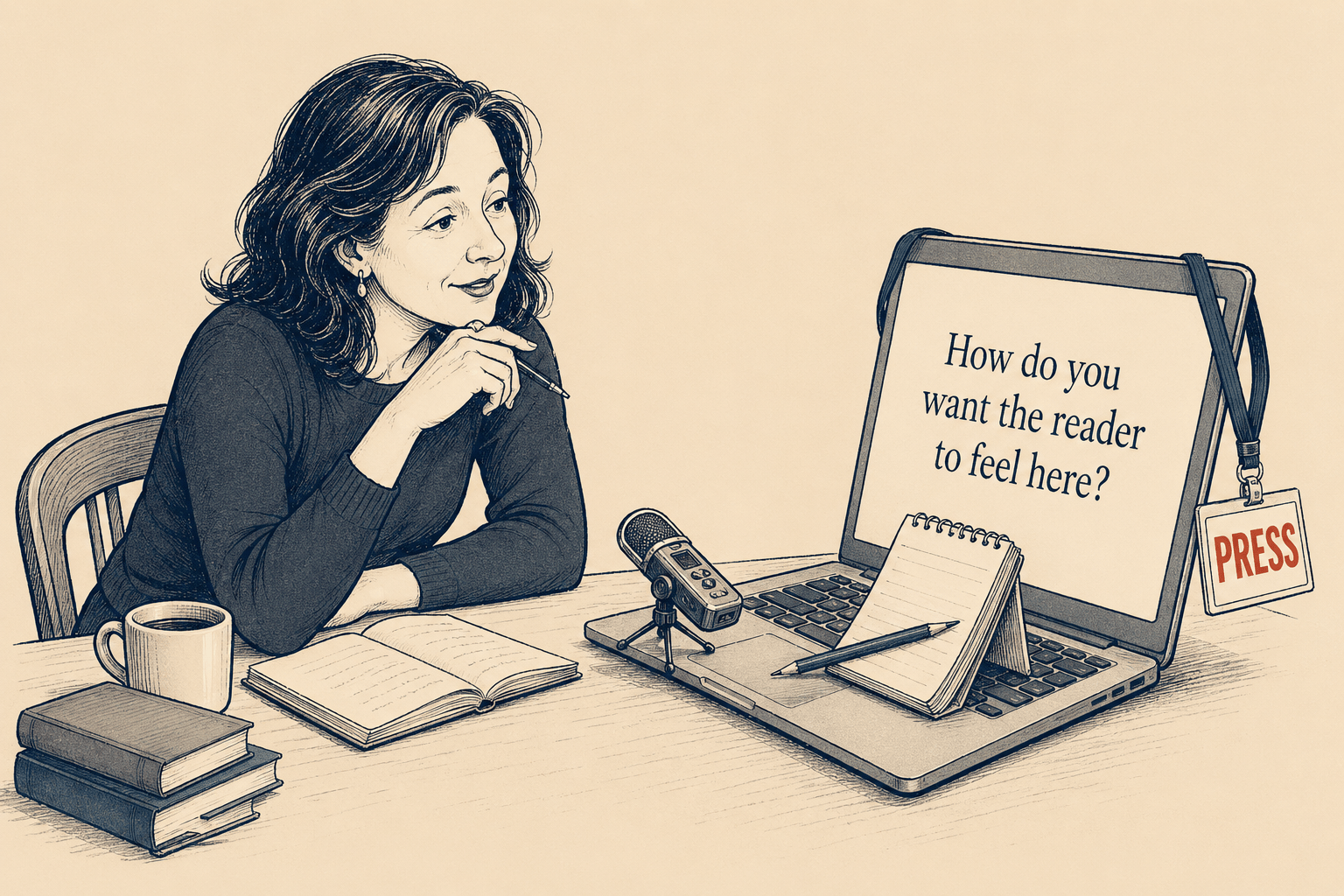
This is a free preview of a paid episode. To hear more, visit wondertools.substack.comI recently talked with Jason Chatfield a New Yorker cartoonist and creator of the lively New York Cartoons Substack. He sketched while we talked, as part of his video series Draw Me Anything. We traded ideas about writing, editing, tools, and where to draw the line with AI. 📺 Watch the conversation above, or read highlights below. Takeaways from Our Conversation 🛠️* Teach your AI assistant to offer personalized editing suggestions. I’ve trained a Claude Project to learn from my past writing and editing. It catches typos like double commas, cliches, redundant language, weak verbs, and sloppy copy. Instead of having it make changes, I ask it for a punch list of suggestions. * Talk before you type. I turn on my AI dictation app, Letterly, and just start talking. The AI-enabled transcription and summary I get helps me make sense of ideas rolling around in my mind. Then the next part of the writing process becomes more about shaping and editing those ideas, rather than staring down a blank screen.* Ask AI to interview you. After a conference or a day of meetings, get your AI assistant to ask you follow-up questions. That conversation forces you to articulate ideas you haven’t fully formed.* Teach your AI assistant to be a critic, not a ghostwriter. Ask it to challenge your structure, suggest sections to cut and to explain why, and to point out your blind spots. Your friend might be too polite to tell you a section of your piece you’ve worked on for hours is redundant or dull. Your AI assistant will, if you train it to.* Let’s read books collectively. We’re reading 10 AI books in 2026 through the Wonder Tools Book Group. (For WT paid subscribers). We started with AI Snake Oil, whose co-author was a surprise guest at our first gathering. Reading together allows us to benefit from dialogue. And we can learn more deeply from books than we can from a random diet of posts and videos. Sponsored MessageBuild a site or app with LovableTry Lovable Free. Lovable lets you describe what you need and turns it into a working website or app. Now it even builds slides for you. Go from idea to polished deck in under 10 minutes. No coding needed. I use it to quickly prototypes like an uplifting news page and a landing page for educators. Others have built everything from portfolio sites to custom business tools — you can browse hundreds of templates. If you have an idea you’ve been putting off, this is a fast way to start. Tips Jason shared during our conversation* Work from a calendar, not a to-do list. Sometimes what’s most valuable is a workflow, not a specific tool. Like timeboxing. Jason predicts how long a task will take, blocks time in his calendar (iCal), then learns from the difference between his estimate and how long the task actually took. His timeboxing Medium post about the process went viral.* Build a grumpy editor. Jason created a J. Jonah Jameson–style editor persona in Gemini. If you’re not familiar with the Spider-Man character, he’s a cantankerous, chain-smoking newspaper editor who tears apart a writer’s drafts. Jason says he takes about half of the suggestions. * Choose your tools based on who built them. Jason uses Grammarly and Gemini, but refuses to use Meta AI or Grok. If he doesn’t trust those building a platform, he opts out.* Learn the analog way before you go digital. Jason suggests students draw by hand first, not on an iPad. If you draw a bad line with a dip pen, you can’t hit undo. You learn through that process. * Use AI to brainstorm, but know when to stop. Cartoonist Alex Hallatt of Cartooning in the Age of AI used an AI assistant to riff on cartoon premises from messy notes. Jason said she was intrigued by the results, until the bot offered to draw the cartoon for her. 👇Tools & Apps We Discussed 👇

March 20, 20263 min

☀️ My Morning Toolkit

After my 7am wake-up alarm, I lean on about 20 morning apps, sites and gadgets for reading, writing, listening, and getting stuff done. I revisit this toolkit every year. Here's what's stayed, what's changed, and what's new.🌤️ 7:00 am Wake up and prepare for the day ⏰ Peakeep “Invisible” Alarm Clock This $14 bedside clock wakes me up. I set its brightness at zero to keep the bedroom dark at night. I tap the top to check the time if I need to. I bought the clock when I decided to store my phone in another room so it doesn’t suck me in before bed.⭕️ Oura Ring For the past five years I’ve worn an Oura ring to keep track of my exercise, sleep, and heart rate volatility. I like that, unlike an Apple or Google Watch, it has no distracting screen or notifications. I ran a two-week experiment pairing the Oura with a Stelo glucose biosensor to see how my diet impacts my sleep, fitness, and energy levels. I can export my data and query it with AI assistants. Or I use Oura’s own AI chat to ask things like “How is my evening snacking affecting the quality of my sleep?”In the morning I check my sleep quality and resilience scores to calibrate my expectations for the day. Having an objective measure of how well I’ve slept helps me decide whether to push my meager exercise regimen a bit or take it easy. It also helps motivate me on dreary days, and signals when I’m getting sick before I notice. (Read my original Oura 2020 post. Note: I’ve bought my own Oura rings — no affiliation).🧠 Brain Games and 🎶 MusicA breakfast ritual: playing the NYTimes’ Spelling Bee, Wordle, and Connections with my wife and daughters while listening to our favorite classical music host, Jeff Spurgeon, on WQXR. We talk about the music and what’s ahead at school or work, avoiding stressful headlines.Quick tip: We listen on our old Google Home Mini kitchen smart speaker. A quick voice command pulls up just about any radio station in the world. (I saw the newer Google Nest Mini on sale this week for $19). Sponsored MessageAccess the World’s Best IdeasI love reading. But no matter how much I read, I can’t keep up with all the great books I hear about.That’s why I’ve been relying on Shortform for the past several years to help catch up with books I’m curious about but haven’t had time to read. I also use Shortform to remember key points from books I read years ago. I like the biography section, where I’ve learned about the lives of Malala, Bono, and Leonardo da Vinci. While a lot of summary apps I’ve tried have 5-min, AI-generated, surface-level book overviews, Shortform’s writers and editors produce in-depth coverage of nonfiction titles.I also like the business section, which has detailed guides for classic titles and new books I’m curious about like Two Awesome Hours by Josh Davis. In addition to an expert-written overview of key points, with examples, excerpts, and references to related books, you get a one-page summary and contrasting ideas from other authors. Now Shortform has podcast and article guides as well. Wonder Tools readers get a discount. Try it free to explore.Enjoy a free trial and $50 off the annual plan.🚶🏼8:00 Walk My Daughter to School 🏫No tools or tech. 🚊 8:25 CommuteI use Snipd to listen to podcasts on the way to work. Here’s my full take. I also rely on Readwise Reader to catch up on articles I’ve saved. It works offline on the subway. Here’s why it’s worth trying. I use Superhuman to check work email.📆 8:50 Plan the DayWhen I get to work, I map out what's ahead with a mix of paper and apps. 📅 Google Calendar I check GCal for meetings. I‘ve tried other calendars, including Vimcal, Akiflow, Fantastical, and Notion Calendar. They each have useful features, but I tend to return to the free GCal out of habit. It’s reliable, simple, and lets me easily see shared calendars.✅ Apple Reminders I keep three priority tasks at the top of my list. I add to that tier only when I’ve completed one. I have a menu of other tasks and reminders in a “Soon” list. I adopted that tactic from Oliver Burkeman’s great book, Four Thousand Weeks. 📄 Remarkable Paper Pro Move I use this paper tablet — or a notebook — to timebox my day. I map the hours based on priorities, energy level, and scheduled meetings. Having a detailed plan helps me avoid decision fatigue later. When I inevitably lose focus, the plan pulls me back on track. ✍️ 9:00 Writing I start creative work early, when my focus is freshest. Letterly I dictate my thoughts into this app. That helps me get ideas flowing, and I get a bulleted summary or outline to build on. When I want an AI assistant to challenge my ideas, I use ChatGPT’s Advanced Voice Mode or Gemini Live. Letterly and other apps like it (AudioPen) are great for what I call bionic dictation— using AI to structure raw speech into a clean outline or summary. Free alternatives: You can use Apple Notes for dictation on iOS or Mac, or a variety of Google apps if you’re on Android or a Chromebook.Google Docs / iA Writer I like both of these reliable blank canvases with minimal friction. (Read my take on what’s new in GDocs and why I like iA Writer). I’m also exploring new writing apps like Versey, a minimalist editor with thoughtful AI features. Raycast Without switching apps, I type [control-space] to open a floating Raycast window. I can then quickly add something to my reminder list or calendar, check a thesaurus, calculate something, or do other tasks. That helps maintain my writing flow. (Why Raycast is a hidden gem).Headspace Focus music without lyrics helps me block out noise around my Times Square office.📨 10:00 Email Sprint Superhuman I use keyboard shortcuts to move quickly through 80 morning messages. To help me keep track of replies I’m waiting for, Superhuman lets me attach automated reminders to resurface messages weeks later. Boomerang is a good alternative for follow-ups if you use Outlook or Gmail. Flow Dictating messages saves my hands from typing fatigue. It’s remarkably accurate and plugs text directly into whatever app I’m using.⏸️ 10:55 Break Wakeout This app features short video loops of real people doing stretching and cardio moves. I can imitate their movements for one-minute exercises. These body breaks improve my focus.🔬 11:00 Research * Perplexity provides thorough, citation-backed search results powered by AI models that understand my detailed queries. The summary saves me from digging through hundreds of raw links. (My Perplexity update). * Claude Projects & NotebookLM These AI tools help me find common themes, key ideas, and examples in prior materials I’ve created, so I can build on my own past work. (More on Claude Projects & my guide to NotebookLM).That's a glimpse into my morning toolkit. In a follow-up I’ll share tools I use from late morning through bedtime. 🛌What tools are YOU using today?Some links are referral links. In some cases they provide you with a free month of access. If you make a purchase, Wonder Tools may earn a small commission, at no cost to you. This is a public episode. If you'd like to discuss this with other subscribers or get access to bonus episodes, visit wondertools.substack.com/subscribe
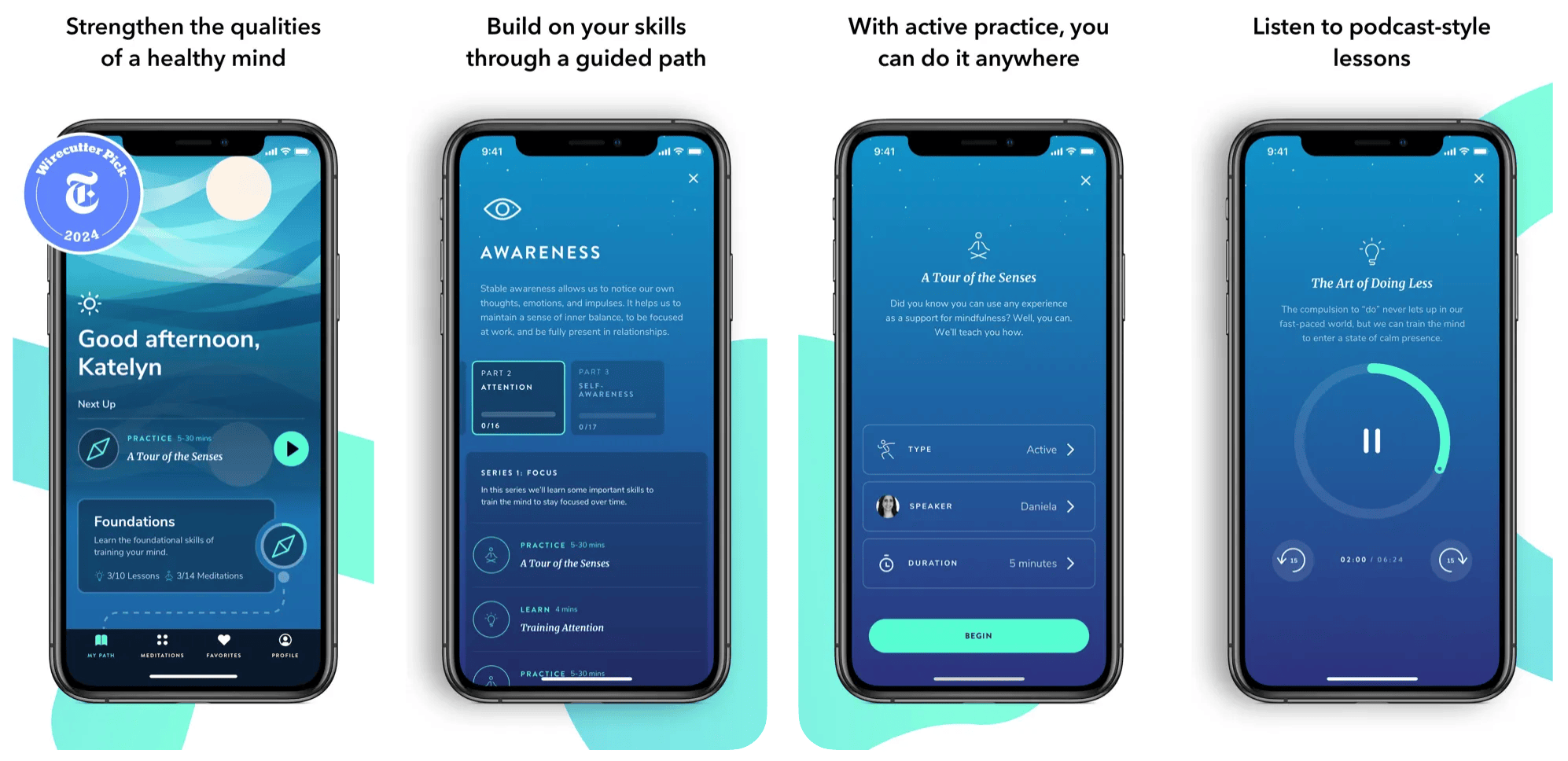
March 5, 20261 hr 4 min

Teach Smarter with AI

I recently talked with Lance Eaton, Senior Associate Director of AI and Teaching & Learning at Northeastern University and writer of AI + Education = Simplified. We traded ideas about what’s actually working. We came up with 10 specific, practical ways anyone who teaches, coaches, or leads can put AI to work.📺 Watch the full conversation above, or read highlights below.10 Ways to Use AI 🛠️Note: Lance and I alternated tips below 👇1. Spark Richer Student Reflection 🪞Lance: Ask students to reflect through a conversation with AI rather than staring at a blank page. A well-prompted AI will keep asking follow-up questions, pushing students past “I didn’t like it” toward real analysis. 2. Strengthen Your Syllabus 📋Jeremy: Give an AI assistant your syllabus and ask for a critique — for clarity, inclusivity, student-friendliness, and completeness. You’ll get specific, honest feedback. The AI won’t write the syllabus for you, but it will challenge you to make yours better. We don’t always have colleagues at our side who can offer input on our work. So this is an objective, independent, instant, constructive way to get a useful critique.3. Make Materials More Visual 🎨Lance: Turn your syllabus into a graphic version students actually want to read. AI assistants can help you create visual layouts and simple comics-style explanations without any design experience. 4. Improve Lesson Plans 📐Jeremy: Describe your learning goals, your class size, your constraints — then ask AI to generate 10 warm-up or closing activities. You won’t use most of them, and you might remix a couple. But having options means you’ll often figure out something better than what you’d have designed alone.5. Try It Until Something Clicks ⚡Lance: Play with AI until it does something that genuinely surprises or excites you. That moment of “Wait, I could actually use this,” is what shifts the conversation from theoretical to real. “For some students, this is really powerful, including students navigating English as a second language or ADHD or dyslexia — these tools can unlock things.”Sponsored MessageCatch Up On Books: Maximize Your Time 📚Life is short. Your reading list is probably long. Shortform simplifies your journey to success. Whether you’re into self-improvement, business, or psychology, get in-depth book guides with summaries, actionable insights and exercises. Start applying what you learn immediately.Each guide has a concise, useful one-page summary. You also get chapter breakdowns and practical exercises to apply what you’ve learned. Imagine mastering key lessons from books like Atomic Habits in just two hours. Accelerate your career and boost your productivity.Stay ahead of the curve with new summaries added weekly, and use the AI browser extension to quickly summarize articles and videos, freeing up valuable time for what matters most.Get a free trial and $50 off the annual plan. 6. Build Engaging Class Activities 🧩Jeremy: When you need a compelling analogy for a hard concept, or a historical anecdote, or a mini case study for a short role-play exercise, AI assistants can be helpful in expanding what we consider. If you’re teaching a subject you know well, you can set the direction and take responsibility for verification. NotebookLM and Claude can generate examples quickly, and can search your own notes to surface examples you’ve created yourself but lost track of. The goal of using AI in this context is strengthening engagement and improving the learning experience. It’s not for whiz-bang special effects.7. Generate “Bad Examples” Safely 🚫Lance: Examples can be useful to illustrate what not to do, but you’d never embarrass a student by presenting their work as an example of a mistake.“We’re never, ever going to — nor should we — ask a student, ‘This was a really horrible thing, can I use it as a bad example going forward?’” AI tools can generate intentionally flawed examples: a weak argument, a poorly structured paragraph, or circular reasoning. Students learn what to avoid. 8. Catch What You’re Missing 🔍Jeremy: Ask an AI assistant to review your materials for accessibility gaps, unclear instructions or areas where your material could be more inclusive. Think of it as a thoughtful colleague who reviews your work and catches what familiarity made you miss.9. Analyze Student Feedback 📊Lance: Strip names and any identifying information from end-of-semester feedback, then ask AI to identify themes, patterns, and gaps. As Lance put it, “What are some things that I’m not seeing? What are some assumptions I’m making or missing? What are some ways I might redirect the course?” Instead of spending hours manually categorizing open-ended comments, you get a usable overview in minutes — leaving more time to actually act on what students told you.10. Remember What Was Said 🗒️Jeremy: Use an AI note-taker like Granola to capture transcripts of student meetings, advising sessions, and office hours. Request permission first. You’ll have searchable records of what was discussed, questions that came up, and what you suggested. That’s particularly useful as time passes and it gets harder to remember the nuances of what you talked about.Lance’s Free Resources for Educators 🎁Lance is unusually generous in sharing what he’s learned. A few to bookmark:* AI Syllabi Policies Collection — 200+ real AI policies from faculty across disciplines. See Lance’s post for more context and ideas for applying this. * Prompts for Educators — a curated tab of tested prompts on his Substack* Faculty Cohort AI Survey — Lance is gathering data about AI training* AI + Education = Simplified — his newsletter, worth following for insight4 More Ideas Worth Noting 💬1. Nostalgia for the Pre-AI Era 🏺AI is making polished, professional-looking output trivially easy to produce. That may make what’s authentically human and imperfect more valuable. “There’s this moment of longing,” Lance said, “for the days when papers students submitted had grammatical errors.” Professors are already nostalgic for flawed student papers. We may look back on writing of the early 2020s the way we now look at 1900s-era hand-drawn maps or handmade clothing: reminders of a period when you could look at something and know a person made it.I’ve been thinking about this in terms of pottery and homemade cookies. 🏺🍪Our imperfect things often have more appeal precisely because they’re made with human hands. “There’s a growing thread about the irrelevance of higher education,” Lance said, “and AI feeds that.” Institutions and creators who figure out how to signal genuine human authorship will have an edge.Tools are already emerging to signal human authorship. I recently began testing a tool called OKhuman, which verifies that you actually typed something yourself, using your mic to listen to your keystrokes for evidence. This tool’s existence tells you something about where we’re headed.2. Why Higher Ed is Struggling 🏛️It’s easy to be impatient with schools that still haven’t developed a coherent AI approach three years in. Lance pushed back on that frustration with useful context. “This happened right on the heels of the pandemic,” he said. “Every semester it was just like, ‘We have a new format for you.’” Faculty had restructured entire courses repeatedly, switching to remote teaching mid-semester, then hybrid, then back. Then AI arrived and disrupted assessment design all over again. “If you do that well,” Lance said, of traditional course alignment, “then your course is a deeply intricate web in which everything is related. AI comes in and, in some ways, obliterates the way we do assessments, which means everything else also has to be changed.”Add funding cuts, political pressure, and leadership distracted by institutional fires, and the picture is complicated.3. You Can Build Your Own Tools Now 🔧 Lance mentioned that he’s been building custom software, including an MP3 player designed exactly the way he wants it, an RSS reader, and a podcast organizer, even though he doesn’t have a coding background. “This is the first time I’ve really felt like, ‘Oh! I can actually build stuff.”If you’ve assumed that building custom tools requires a developer, revisit that assumption. AI-powered “vibe coding” tools have lowered the barriers to creating software, making it easier for educators to build what they need.4. AI May Lead to a New Equity Gap ⚖️When schools don’t provide AI tools and leave students to their own devices, they inadvertently create a two-tiered system.As Lance put it: “You have the inequity of the person who’s using the frontier, high-paid model, and the student who gets a limited amount on the free version.” This isn’t an abstract concern. It affects the quality of work students can produce and the skills they develop. For educators and administrators, it’s a reason to push for institutional access, rather than assuming students will figure it out on their own.Thank you Tom Daccord, Shittu Isaac, Heather Dawn, Robert Hammond, Uyghur Monitor, and many others for tuning into this live video with Lance Eaton, Ph.D.! This is a public episode. If you'd like to discuss this with other subscribers or get access to bonus episodes, visit wondertools.substack.com/subscribe
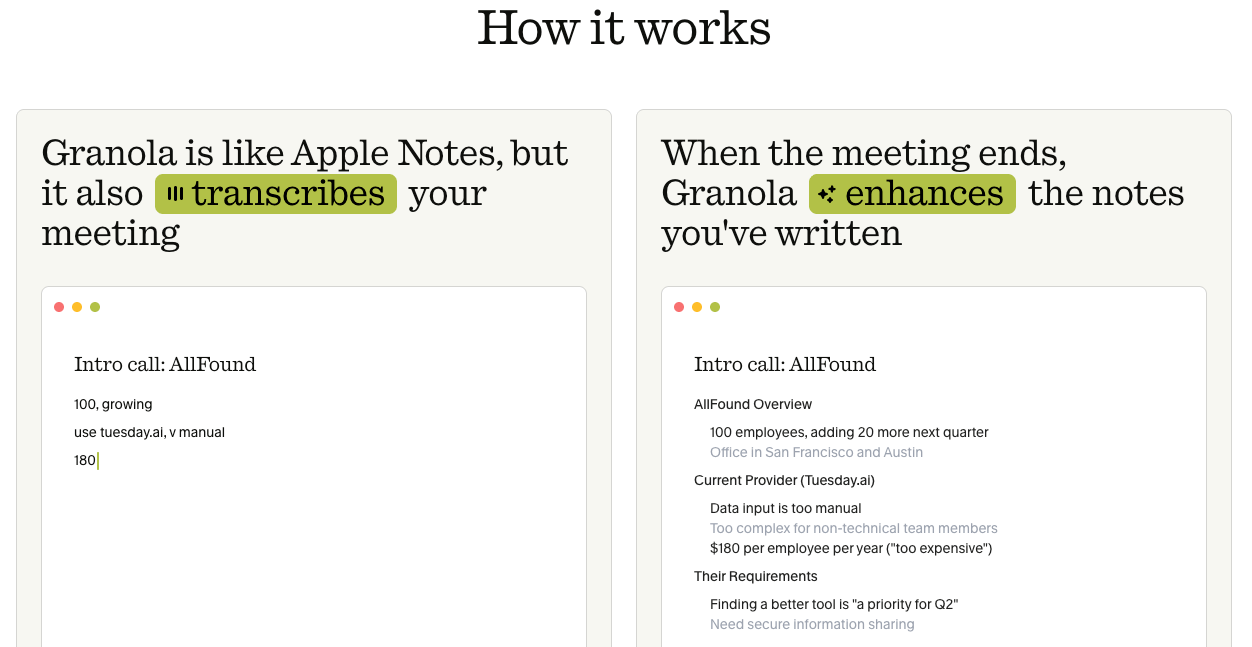
February 27, 20267 min

📚 Find Fantastic Books

Escape AI slop by reading more books. 📚 That’s my plan for making the most of leisure time this year. One book a week. Some short. Others mostly visual — I love graphic novels. Plus a new AI & tech book group I’m starting. Books get my eyes off screens, and my brain welcomes that break from news, vitriol, and ads. Read on for my updated guide to finding great read this year. 📖 Find your next read * Most Recommended Books Pick the name of an expert to see what books they recommend and why.* Goodbooks.io and Read This Twice Explore interesting expert picks.* En.app Describe the kind of book you’re looking for and get suggestions. * Whichbook’s World Map 🗺️ Find books set anywhere in the world. Select a country to see a collection of books that take place there. See how it works👇* Where to find book recs is a nice evergreen list from Writing About Reading. I also like the eclectic recs in the NYTimes’s Read Like the Wind newsletter and its intriguing list: Top 100 books of the 21st century. * The most mentioned books in podcasts is a neat list from Snipd. In Snipd’s podcast app you can see which books any podcast has mentioned most.* BookClubs lets you find a book group near you or organize your own. * Fable hosts book clubs & communities for nearly any genre. Find free and cheap books 🔦* Project Gutenberg offers more than 75,000 free ebooks and audiobooks. No registration required. The Top 100 list is a nice source for free reading.* The Internet Archive has searchable e-books and a free library collection.* Bookbub spotlights discounted ebooks on its site and email newsletter. Sponsored MessageStop Wasting Time Sorting EmailWhy bother spending hours organizing your inbox every week when AI can do it for you? SaneBox — which PCMag called the best thing that’s happened to email since its invention — is an AI-powered email tool that brings sanity back to your inbox.SaneBox ensures only important emails land in your inbox, and files other emails into folders. It even lets you hit Snooze, and reminds you to follow up on emails you sent a few days ago.📚 Announcing the NEW Wonder Tools Book Group 🌟I’m excited to launch a new Wonder Tools book group 📚 exploring the most fascinating recent AI and tech books. Each month we’ll have a live online session with a lively discussion, and you’ll also get a book guide with quotes, highlights and insights. Occasional surprise guests will join. 💫This new series, starting in March, is sponsored by Shortform, which publishes high-quality, in-depth guides to non-fiction books. All paid subscribers are invited! Join now for this, and free AI tool access, live monthly online workshops introducing new tools, + other inner circle benefits. Libby has free ebooks and audiobooks from libraries in 78 countries. It works for 90% of U.S. libraries. Check out nearly anything instantly, for free, on any device. You can read your free ebooks in the app or on a Kindle. * Audio or text Check out and listen to free audiobooks or ebooks. * Multiple cards Libby lets you add cards for multiple libraries. That’s useful if a book you want has a waiting list. You can check which library has the shortest waiting list. See where you can get non-resident library cards.Limitation: Libby is digital-only — you can’t use it for physical books. That requires a separate app or site, like the NYPL app in New York. Kanopy provides free access to top-notch feature films and documentaries. I log in with my library card. Watch on the web, iOS or Android, or on a smart TV app like Google TV, Roku, or Amazon Fire TV. Libraries cap the number of videos you can watch monthly. Hoopla is a free app for accessing 3 million audiobooks, ebooks, comics, magazines, and music from 11,500 libraries in the U.S., Canada, Australia and New Zealand. Read, watch or listen in 120 languages from the web or on a mobile device. Bingepasses let you access movies, TV shows, & video courses.World Cat tells you which library near you has a book you want. It works in multiple languages and covers 10,000 global libraries. Search for books in print, ebook, braille, or audio. 📕 Support Independent booksellers* Find the cheapest places online to buy any book: Bookfinder * Find a nearby independent bookstore: Indiebound * Get cheap used books: Abebooks. Check its bargain books + collections.* Support your local bookstore with an online purchase. Bookshop.org has raised more than $40 million for indie bookstores. * Buy audiobooks from local bookstores: Libro.fm* Shop at an online co-op bookshop owned by readers: TertuliaBonus Tip: Prompt AI for personalized reading recommendations 📚Create your own taste atlas. Make a list of books you’ve liked or learned from. Add movies and music you love too, or other interests. Share the list with Claude, Gemini, or ChatGPT. Ask for recommendations based on your tastes.🧒 Find great children’s books * Sora, the library app, not the AI video tool, is a digital library for kids. Schools make ebooks and audiobooks available on the app. It works well with graphic novels, picture books, as well as comic books and textbooks. (My family also uses Libby to check out kids books).* Epic is another popular kids ebook app. It’s fun to use, but it leans into gamification and extrinsic motivation. It entices kids with points and streaks to keep them opening the app. * Kanopy has a great kids section with video versions of books by Eric Carle, Mo Willems and other greats. It also has math and science lessons. * How to Raise a Reader is a wonderful guide to children’s books.* Common Sense Media has helpful info for parents about sensitive content in children’s books to help with finding age-appropriate books and movies.Bonus tools: Check out a well-curated list of 55 apps for book lovers from Bookscouter, where you can buy and sell books.📚 Your Comment? What’s an underrated way to find great books? This is a public episode. If you'd like to discuss this with other subscribers or get access to bonus episodes, visit wondertools.substack.com/subscribe
Is this your show?

Claim this listing to keep it up to date, reach guests who want to pitch you, and manage bookings with Guestify.

Claim this listing

More Technology podcasts